











PUBG Mobile UC Top Up — Buy PUBG UC Instant via Player ID
Buy PUBG Mobile UC top up here and get Unknown Cash credited to your account in minutes using only your Player ID — no login, no password, no account access. As an official Midasbuy partner, we top up PUBG UC straight to the global server, so every order lands safely and fast. However you search for it — PUBG UC, PUBG Mobile UC, or UC PUBG Mobile — you can top up UC for PUBG Mobile right here in a few taps.
What Is PUBG Mobile UC?
UC (Unknown Cash) is the premium in-game currency of PUBG Mobile. You spend UC on the Royale Pass and Elite Royale Pass, outfits, weapon and vehicle skins, crates, emotes, and unlockable characters. Once UC is credited it stays in your account, so you can top up PUBG UC now and spend it whenever a new 2026 season or crate drops.
Why Buy PUBG Mobile UC Here
Instant delivery — UC is credited minutes after payment, making this one of the fastest PUBG top up options around.
Player ID only — enter your PUBG Mobile Player ID and nothing else: no login, no password, zero ban risk.
Official Midasbuy partner — a Midasbuy-authorized Midasbuy PUBG top up route, the exact same UC you'd get in-game.
Better value — discounted PUBG UC packs that beat the in-game store, with no hidden steps.
Secure checkout — pay with PayPal, cards, popular e-wallets, Apple Pay, Google Pay, and crypto.
Packs for every player — from small starter UC packs to large bulk bundles and the Royale Pass.
How to Top Up PUBG Mobile UC
Copy your PUBG Mobile Player ID (steps below).
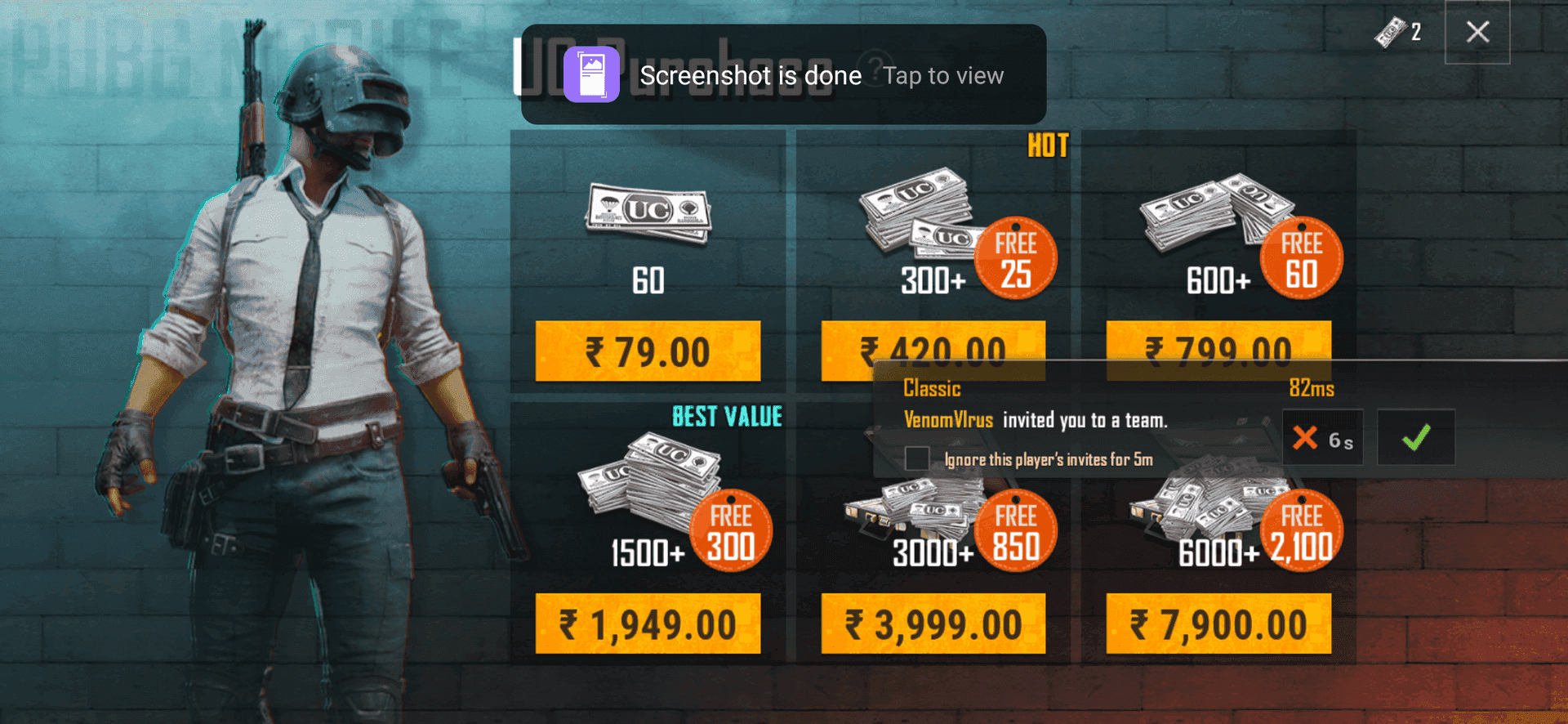
Pick your UC pack — from a small top up to a bulk PUBG UC bundle or the Royale Pass.
Paste your Player ID, double-check it, and choose a payment method.
Pay, and your UC is credited to your PUBG Mobile account in minutes.
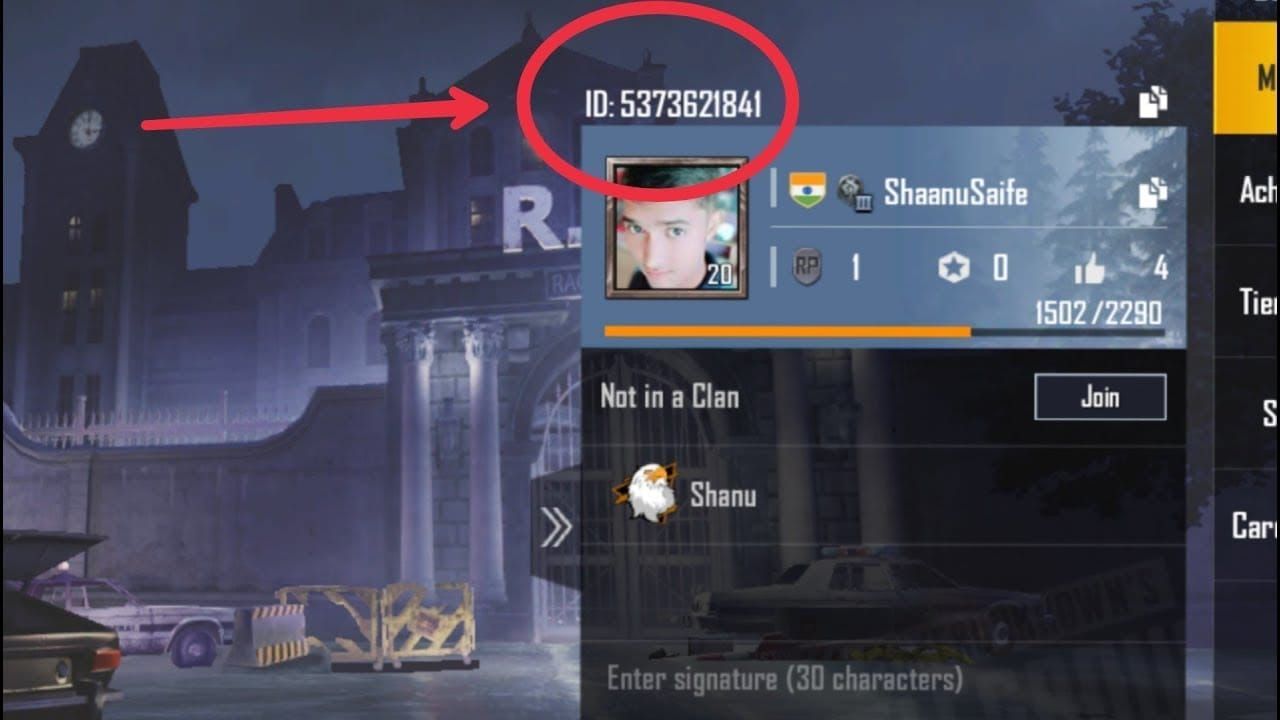
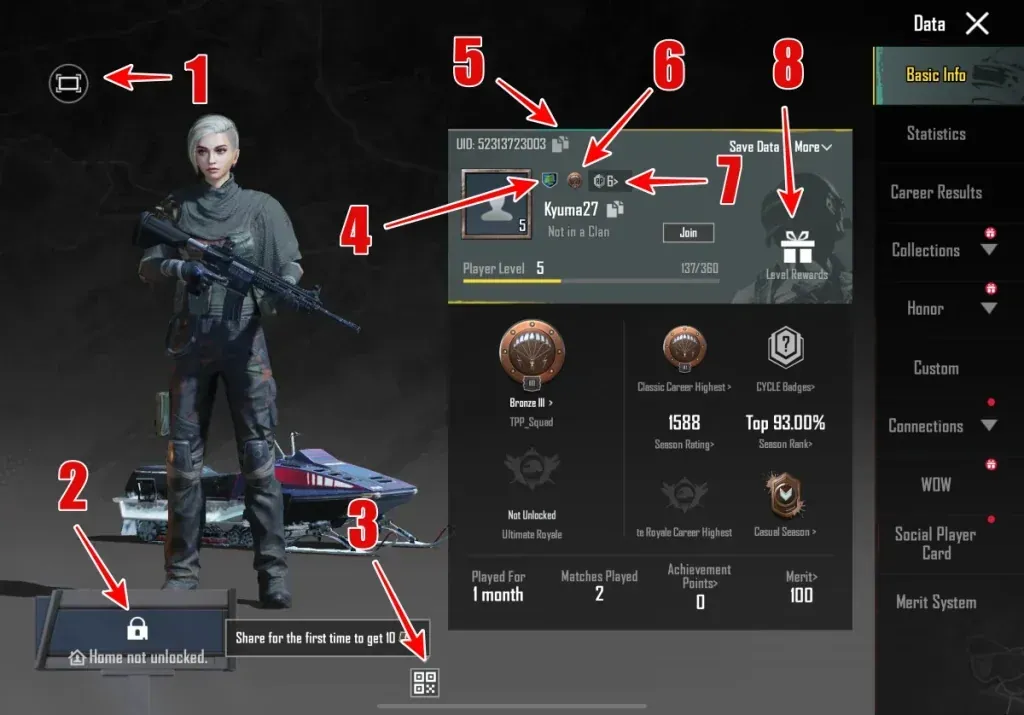
How to Find Your PUBG Mobile Player ID
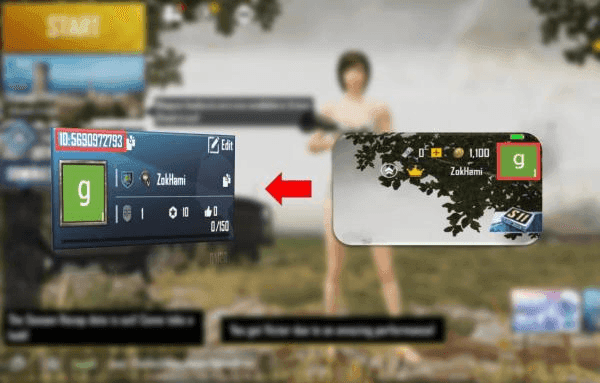
Open PUBG Mobile and wait for the lobby to load.
Tap your avatar in the top-left corner to open your profile.
Find the numeric Player ID shown under your nickname (it looks like 5123456789).
Tap the copy icon next to it so you paste the exact number — a mistyped ID is the most common reason a top up is delayed.
Note: This top up uc PUBG Mobile service is for the global server only — it is not for the Japan, Korea, Taiwan, or Vietnam servers.
Delivery & Payment
Most PUBG UC orders are delivered within minutes of a confirmed payment, straight to the Player ID you entered. Pay your way with PayPal, credit and debit cards, e-wallets, Apple Pay, Google Pay, and crypto, all through a secure checkout.
Is It Safe to Top Up PUBG Mobile UC?
Yes. Topping up PUBG Mobile UC needs only your Player ID, so you never share your password or log into your account — there is no ban risk. We are an official Midasbuy partner, every order runs through secure payment, and we never use "free UC" generators, which can get your account banned. Buying PUBG UC from a Midasbuy-authorized seller is the safe alternative to risky third-party "free UC" sites.
FAQ
How do I buy PUBG Mobile UC? Copy your PUBG Mobile Player ID, choose a UC pack, paste the ID, pay, and the UC is credited to your account within minutes. You only ever need your Player ID — never your password.
What's the difference between buying here and Midasbuy? We are an official Midasbuy partner, so you get the same PUBG UC topped up to the same global server, with more payment options. The UC lands in your account exactly as a direct Midasbuy PUBG top up would.
Do I need my password to top up PUBG UC? No. A PUBG top up only needs your Player ID. There is no login, no password, and no account access of any kind, which keeps your account safe.
How long does PUBG Mobile UC delivery take? Most orders arrive within a few minutes of a confirmed payment. If your UC is delayed, it is almost always because the Player ID was mistyped — check the number before you pay.
Which server does this PUBG UC top up support? This service tops up the PUBG Mobile global server only. It does not work for the Japan, Korea, Taiwan, or Vietnam servers, so confirm you play on global before you top up PUBG Mobile.
What can I buy with PUBG Mobile UC? UC unlocks the Royale Pass and Elite Royale Pass, outfits, weapon and vehicle skins, crates, emotes, and special characters — anything in the PUBG Mobile store that's priced in UC.






 Smart Ways to Buy PUBG Mobile UC Without Breaking the Bank
 How to Find Your PUBG Mobile Player ID?
 How to top up pubg uc on BitTopup?