

Fast and Direct Allo Recharge Using Player ID
Allo is a popular interactive voice chat and social live streaming platform where users connect, share moments, join group audio rooms, and support their favorite broadcasters. In-app currency enables you to send virtual gifts, unlock animated effects, customize room themes, and access exclusive badge statuses during live streams.
BitTopup provides a direct, secure method to complete your Allo recharge without requiring account passwords or complex verification procedures. By using your unique Player ID, you can credit your balance quickly and jump straight back into your favorite voice rooms.
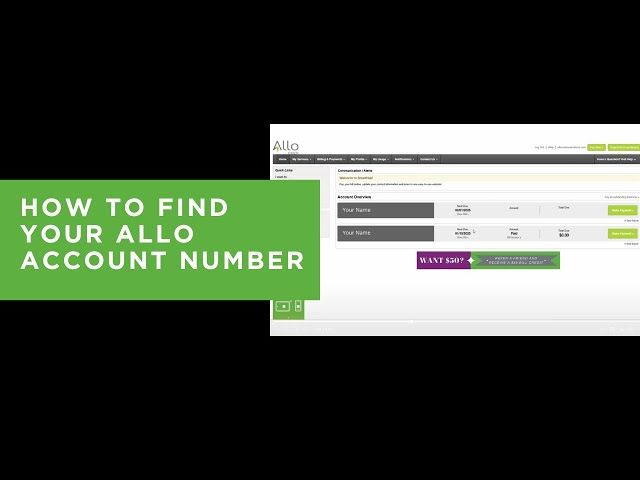
Step-by-Step Guide: How to Find Your Allo Player ID
To ensure your purchased balance delivers directly to your account, you must provide your exact Allo Player ID (UID) during checkout. Finding this number takes only a few seconds inside the mobile app.
Follow these steps to locate and copy your Player ID:
- Open the Allo app on your mobile device and log in to your account.
- Tap the Profile (or Me) icon located at the bottom right corner of the main screen.
- Your Player ID (a series of numeric digits) is displayed directly beneath your username and profile avatar.
- Tap the copy icon next to your ID number, or carefully note down the digits to prevent typos.
Tip: Always double-check your ID before submitting an order. Digital recharges are processed automatically based on the ID submitted at checkout.
How to Recharge Allo on BitTopup
Recharging your Allo account on BitTopup is designed to be straightforward and fast. You do not need to register complex login credentials or share private account tokens.
Recharge Process Summary
| Step | Action | Details |
|---|---|---|
| 1. Select Denomination | Choose your package | Pick the desired coin or diamond amount from the catalog above. |
| 2. Enter Account Details | Provide Player ID | Paste your numeric Allo Player ID into the required input field. |
| 3. Choose Payment Method | Select payment channel | Pick from available international cards, local e-wallets, or online banking. |
| 4. Confirm & Receive | Finalize checkout | Complete the payment and check your updated in-app balance. |
Step-by-Step Purchase Instructions:
- Select Your Allo Package: Browse the available denomination options listed on the live product page. Select the package that matches your gifting or interaction needs.
- Input Your Player ID: Enter your Allo Player ID in the designated text box. Verify that every digit matches the ID found in your app profile.
- Select Your Preferred Payment Channel: Choose from the list of available checkout methods displayed for your region. Live pricing and applicable currency conversions update clearly on the payment screen.
- Complete the Transaction: Follow the prompts to confirm your payment securely.
- Check Your In-App Balance: Once payment verification completes, open or refresh your Allo app to see your newly credited coins or diamonds.
Available Allo In-App Packages, Coins, and Recharge Options
Allo offers multiple tier options to accommodate different user activities on the platform. Whether you want to send small appreciation gifts in community voice rooms or make a major statement with full-screen animated gifts during major creator events, you can pick the exact pack size that suits your budget.
- Small Bundles: Ideal for everyday conversations, simple stickers, and small gifts in public audio rooms.
- Standard Packages: Suitable for regular active users looking to maintain active participation, tip broadcasters, and join competitive room games.
- High-Tier Bundles: Designed for dedicated supporters wanting to unlock VIP room banners, send premium gifts, and top room leaderboards.
Note: Exact bundle quantities, package promotions, and local currency rates are dynamically displayed on the active BitTopup checkout menu above.
Why BitTopup Is Safe: Password-Free ID-Only Top-Up
Account safety is a top priority when purchasing digital credits online. BitTopup utilizes a direct Player ID fulfillment model that guarantees user security.
- No Password Required: We never ask for your Allo password, email access, phone verification codes, or third-party login credentials (such as Google, Facebook, or Apple IDs). Your account remains completely under your control.
- Direct System Delivery: Orders are fulfilled directly to the account tied to the submitted Player ID through official top-up routing protocols.
- Secure Payment Gateway: All transactions are protected with advanced SSL encryption and verified payment processors, protecting your financial data at every step.
- Zero Risk of Account Lockouts: Because our top-up methods adhere to standard platform specifications, your account stays fully compliant and free from security flags.
Accepted Payment Methods and Instant Digital Processing
BitTopup supports a wide array of global and regional payment methods to ensure smooth transactions regardless of your location. Available options may include:
- Major credit and debit cards (Visa, Mastercard, and international card networks)
- Regional digital e-wallets
- Direct online bank transfers
- Local checkout solutions tailored to your country
All available payment options and exact final amounts are clearly displayed on the checkout interface before you pay, preventing unexpected surcharges. Once your transaction is approved, our automated fulfillment system immediately pushes the order for digital crediting.
Troubleshooting Common Allo Recharge Errors and Support Steps
If you encounter an issue during or after your recharge, follow these diagnostic steps to resolve it quickly:
- Balance Has Not Updated Yet: * Force close the Allo app completely and reopen it. * Log out of your profile and log back in to force the app to sync with the server. * Check your payment provider statement to verify that the transaction successfully cleared.
- Incorrect Player ID Entered: * Check your order confirmation receipt on BitTopup. If you entered an incorrect ID that belongs to an active account, digital orders cannot be reversed once processed. If the ID was non-existent, contact support immediately with your correct ID.
- Payment Completed but Order Pending: * Some local payment gateways require a brief confirmation window. Check your BitTopup order status page for real-time processing updates.
- Contacting 24/7 Customer Support: * If your balance has not reflected after a short period, reach out to the BitTopup customer service team via live chat or support ticket. Provide your BitTopup Order Number, your Allo Player ID, and proof of payment for immediate investigation.
Frequently Asked Questions About Allo Recharge
How do I recharge my Allo account using Player ID?
Select your preferred coin or diamond package on the BitTopup page, enter your numeric Allo Player ID, choose your payment method, and complete the checkout. Your balance will be credited directly to your account upon payment confirmation.
Where do I find my Allo Player ID?
Open the Allo mobile app, tap the Profile or Me icon at the bottom right corner of the screen, and locate the numeric ID displayed right below your username and avatar. Tap the copy icon to copy it directly.
Do I need to share my Allo password to complete a recharge?
No. BitTopup only requires your public Player ID to credit your account. Never share your password, login tokens, or SMS verification codes with anyone.
How long does it take to receive my Allo recharge?
Digital fulfillment begins automatically as soon as your payment clears through our secure gateway. In most cases, your in-app currency reflects within minutes of transaction completion.
What should I do if my Allo balance does not update after purchase?
Restart your Allo application to refresh the client data. If the new balance does not appear after restarting, verify that the payment cleared on your statement and contact BitTopup 24/7 customer support with your order details.
Can I recharge Allo for a friend using their Player ID?
Yes. Simply obtain your friend's numeric Allo Player ID and enter it into the Player ID field during checkout on BitTopup. The purchased balance will deliver directly to their account once the order completes.