Need UC for Royale Pass or a crate? Top up PUBG Mobile UC on BitTopup with Player ID only.
PUBG Mobile 90 FPS supported phones (August 2026)
Updated on 2026-08-25: App Store and Play Store list Version 4.5.0 (9 July 2026). Krafton does not publish one global model PDF. Two phones with the same chip can disagree in the menu. Open Settings → Graphics & Audio → Frame Rate on your unit.
In-game row | Frames |
|---|---|
Extreme | 60 FPS |
Extreme+ (some clients print 90 FPS) | 90 FPS |
Ultra Extreme | 120 FPS |
Extreme+ is the 90 FPS switch. Ultra Extreme is a narrower whitelist. If you want that list, use the PUBG Mobile 120 FPS device list.
Brand | Models that show Extreme+ / 90 FPS on current 4.5 lists |
|---|---|
Apple | iPhone 13 Pro / Pro Max, 14 Pro / Pro Max, 15 Pro / Pro Max, 16 Pro / Pro Max, 17 Pro / Pro Max. iPhone 17 (base) has ProMotion 120 Hz; confirm Extreme+ in Frame Rate. iPad Pro 2020+ (A12Z, M1, M2, M4). |
Samsung | Galaxy S20 / S21 / S22 / S23 / S24 / S25 / S26 families. Note 20 / Note 20 Ultra. Z Fold 2–7. Z Flip 4+. A54 / A55 / A74. Tab S8 / S9 / S10. |
OnePlus | OnePlus 7 Pro / 7T / 7T Pro, 8 / 8 Pro, 9 / 9 Pro, 10 Pro / 10T, 11 / 11R, 12 / 12R, 13 / 13R, 15 / 15R, Nord 3, OnePlus Open. OnePlus skipped a 14. |
Xiaomi / Redmi / POCO | Mi 11 and later, Xiaomi 12–16 families, Mix Fold 3 / 4. Redmi K50 / K70 / K80, Note 13. POCO F3 / F3 GT / X3 Pro, F5 Pro, F6 / F6 Pro, F7 Pro. |
Pixel 8 Pro, Pixel 9 Pro / 9 Pro XL, Pixel 10 Pro / 10 Pro XL. Pixel 8 / 9 / 10 non-Pro: 120 Hz panels, confirm the row. | |
vivo / iQOO | vivo X100 / X200 / X300 Pro lines, X Fold 2 / 3 / 5. iQOO 9 / 11 / 12 / 13 / 15. |
ASUS / RedMagic / nubia | ROG Phone 6–9 (Pro / Ultimate where sold). RedMagic 8S / 9 / 10 / 11 Pro. nubia Z50 / Z60 Ultra / Z70 Ultra. |
Other 90 Hz+ names | Nothing Phone 1 / 2 / 2a, Motorola Edge 20–50 and Razr 40+, Realme GT / GT5 Pro / GT 7 Pro, Honor 50 / Magic 3 / Magic6 / Magic7 Pro, OPPO Find X7 / X8 Ultra. |
A 90 Hz panel is the floor. Krafton still has to whitelist the SKU.
iPhone notes the 2025 list got wrong
iPhone 13 Pro is the first iPhone with ProMotion. iPhone 12 Pro / Pro Max stay at 60 Hz. A 60 Hz OLED cannot show 90 unique frames. Old pages that put 12 Pro on the 90 FPS list describe the whitelist, not the picture you see.
iPhone 14 / 15 / 16 base models also stay at 60 Hz. iPhone 17 is the first non-Pro with ProMotion 120 Hz. August 2026 Ultra Extreme lists name 17 Pro / Pro Max. Open Extreme+ on a base 17 after you update to 4.5.
Graphics preset vs frame rate (Version 4.2 onward)
The PUBG MOBILE V4.2 Update Announcement set the budget on select devices:
Graphics preset | Frame rate cap |
|---|---|
Smooth | 90 or 120 FPS |
HD / HDR | 90 FPS |
Ultra HDR | 60 FPS |
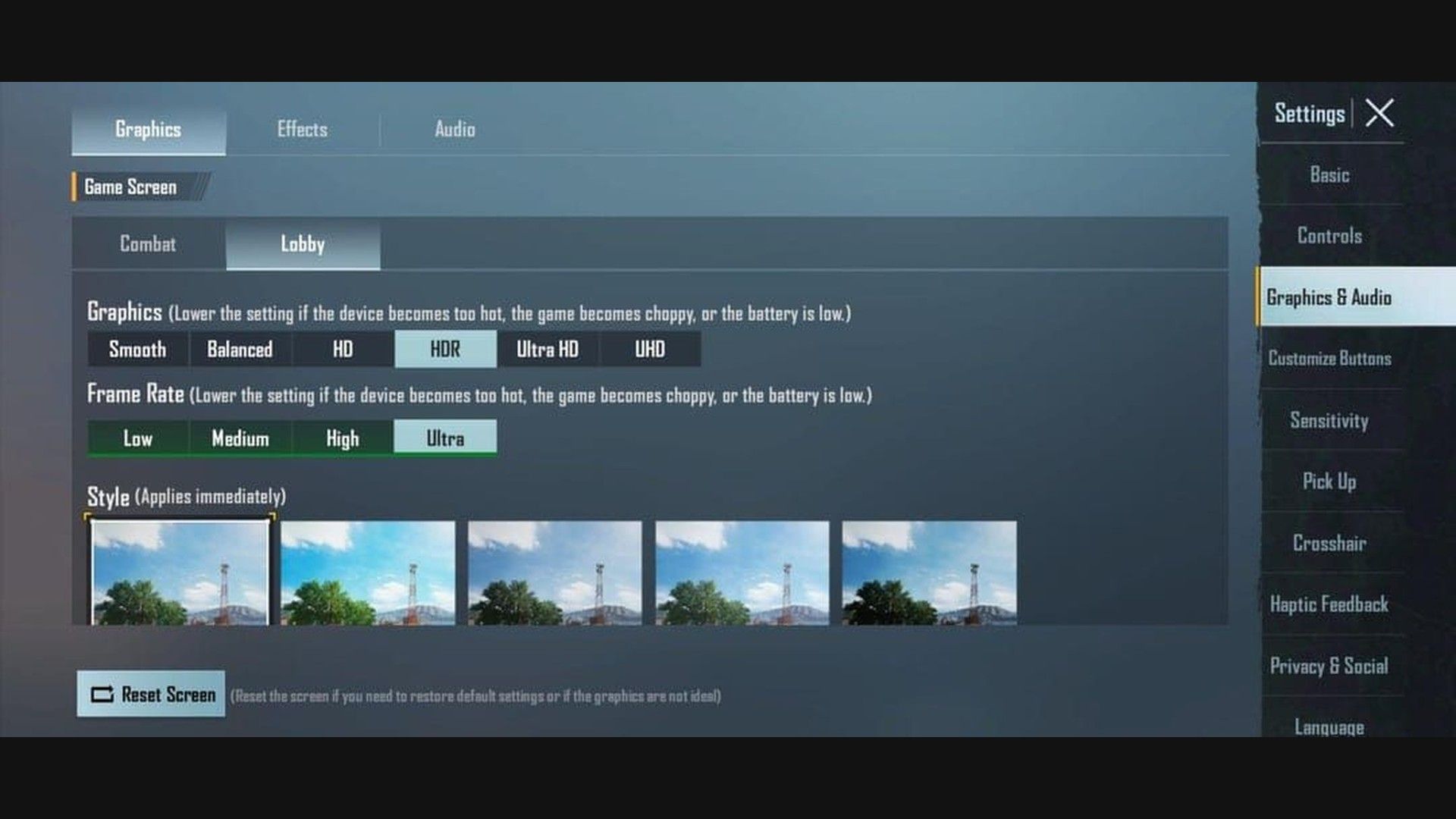
You no longer have to sit on Smooth to reach 90. HD or HDR can open Extreme+ on phones Krafton enabled for that pair. Ultra HDR still stops at 60. HDR with only Low–Ultra in Frame Rate means this SKU has no 90 row on that preset. Switch to Smooth, then look again.
Hardware you need
Krafton has not published a spec sheet that guarantees Extreme+. Phones that stay on the list share a 90 Hz+ panel, a mid-flagship or newer chip, and cooling that lasts more than one circle.
Requirement | Minimum for 90 | Better for a full session |
|---|---|---|
Display | Native 90 Hz+, locked in system settings | 120 Hz LTPO AMOLED, high touch sampling |
Chipset | Snapdragon 855+, Dimensity 1200+, Exynos 2100+, or Apple A15 + 90 Hz+ panel | Snapdragon 8 Gen 2 / 8 Elite, Dimensity 9300+, A17 Pro or newer |
RAM | 6 GB | 8–12 GB |
Storage | UFS 3.0+, about 20 GB free | UFS 4.0, 20 GB+ free |
OS | Android 11+ / iOS 17+ | Current Android / iOS |
Game version | 3.2+ (Extreme+ first shipped here) | 4.5.0 or newer |
iPad Pro 2020 uses A12Z with a 120 Hz panel. That is the Apple exception. iPhone A12 / A13 / A14 units stay on 60 Hz glass.
POCO F5 Pro is Snapdragon 8+ Gen 1. Older write-ups put it under Dimensity 9300. That chip note is wrong.
How to enable 90 FPS in PUBG Mobile
Update PUBG Mobile from the official PUBG MOBILE site download, Google Play, or the App Store to 4.5.0 or newer.
Lock the system display to 90 Hz or 120 Hz. Auto or 60 Hz hides Extreme+ on many Androids and caps the picture on iPhone.
Close background apps. Leave battery above 25%.
Open the game → Settings → Graphics & Audio → Combat.
Set Graphics to Smooth. If you want a sharper look and this SKU allows it, try HD or HDR after Extreme+ appears.
Open Frame Rate. Pick Extreme+ or the row labeled 90 FPS. Extreme is 60.
Style: Classic or Colorful. Shadows off. Anti-aliasing off. Auto-adjust graphics off. Show FPS on.
Force-close the game, then launch again.
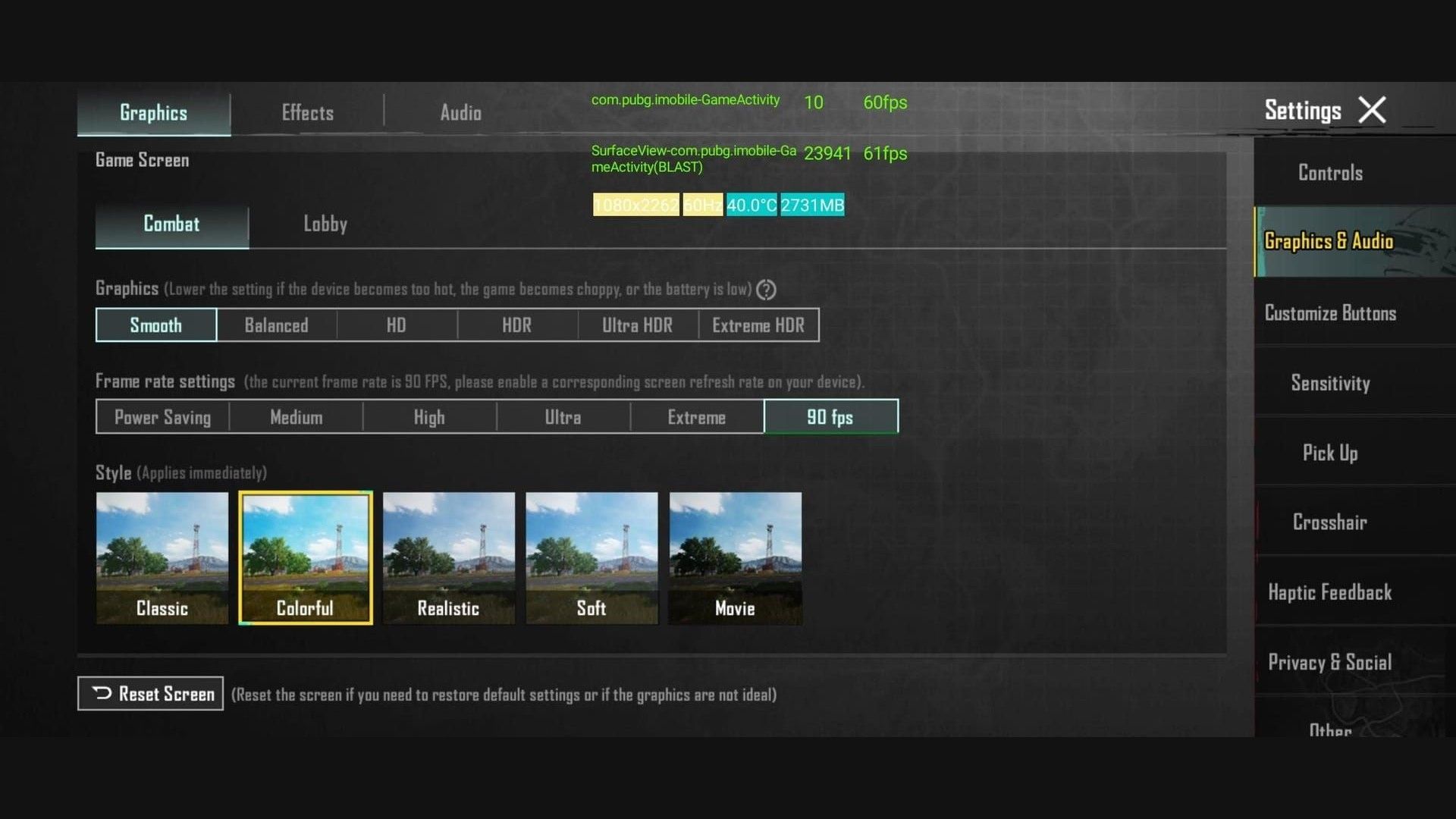
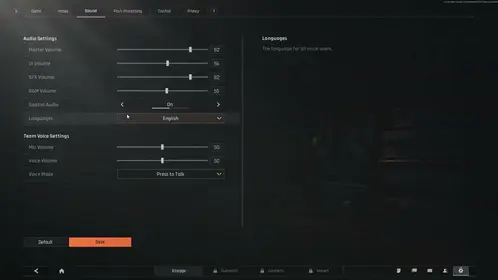
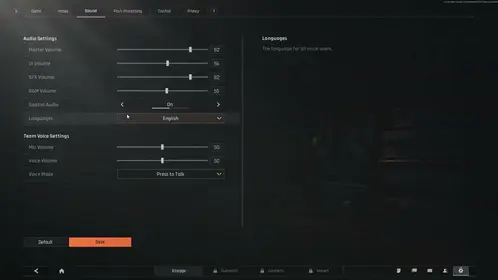
The screenshot above has 90 FPS selected. The overlay still reads 60 Hz / 61 FPS. The game asked for a matching refresh rate and the panel never left 60. Fix the system display before you blame the whitelist.
iOS
Turn off Settings → Accessibility → Motion → Limit Frame Rate.
Android
Turn on Game Booster / Game Turbo / performance mode. On Galaxy, set Game Booster to performance and turn off auto-optimize. On OnePlus, use High Performance Mode and turn off Adaptive Brightness and Smart Resolution.
How to top up PUBG UC on BitTopup covers the Player ID step if you need Pass or crates between ranked blocks.
Settings that hold 90
Setting | Value |
|---|---|
Graphics | Smooth (or HD / HDR if Extreme+ stays on) |
Frame Rate | Extreme+ / 90 FPS |
Style | Classic or Colorful |
Shadows | Off |
Anti-aliasing | Off |
Auto-adjust graphics | Off |
Show FPS | On |
Ultra HDR looks sharper. It also locks you at 60. If Extreme+ vanishes after you raise quality, the preset ate the budget. Drop back to Smooth or HD.
Turn on Show FPS. Watch a Training Ground spray and a real Erangel rotate. A steady 90 that falls to 70 in a compound is heat or scene cost. Drop optional effects before you touch unofficial tools.
Extreme+ missing or greyed out
Game below 4.5.0. Extreme+ first shipped in 3.2. 4.5 has the wider list.
SKU not on the whitelist, even if the chip looks right.
Graphics on Ultra HDR.
System refresh below 90 Hz.
Under about 20 GB free. Older guides said 5 GB. The 4.5 client needs more room.
Region can lag a build. BGMI and Global do not share one menu.
Skip GFX tools, Magisk modules, andUserCustom.ini edits that forcer.PUBGMobileFrameRate=90. Those break the Terms of Service and can ban the account. Wait for Krafton to add the SKU.
Frame drops after it unlocks
Close background apps. Disable anti-aliasing and shadows. Turn off Auto-adjust. Enable the maker's game mode. Keep 20 GB free. Update the OS. Android: system update for GPU drivers. iOS: current iOS.
Keep the SoC out of the mid-40s °C. Pull the case. Skip charging in-match. A clip-on cooler helps sealed glass flagships. Fan phones (ROG, RedMagic) hold 90 longer.
Battery and heat
90 FPS draws more GPU time than 60. Plan on about 40–60% more drain. A 30-minute Classic match on a 5,000 mAh Android often lands near 20–25% at 90 versus 12–15% at 60. iPhone 13 Pro (3,095 mAh) runs hotter and empties faster. Two to three hours of continuous 90 is a common ceiling on a 4,500 mAh+ pack.
Brightness at 70–80% buys thermal headroom. Airplane mode helps only in offline modes. Classic still needs a network.
60 FPS vs 90 FPS vs 120 FPS
90 FPS draws a frame every 11.11 ms. 60 FPS is 16.67 ms. 120 FPS is 8.33 ms. That is 50% more frames than 60. Recoil steps and peek motion read sooner. The gun pattern does not change.
A locked 90 through the third circle beats a 120 that hitches when two squads collapse. If Ultra Extreme appears and the overlay bounces 100–120, switch back to Extreme+.
The lobby often sits near 60–90 even on a 120 phone. Combat is the test.
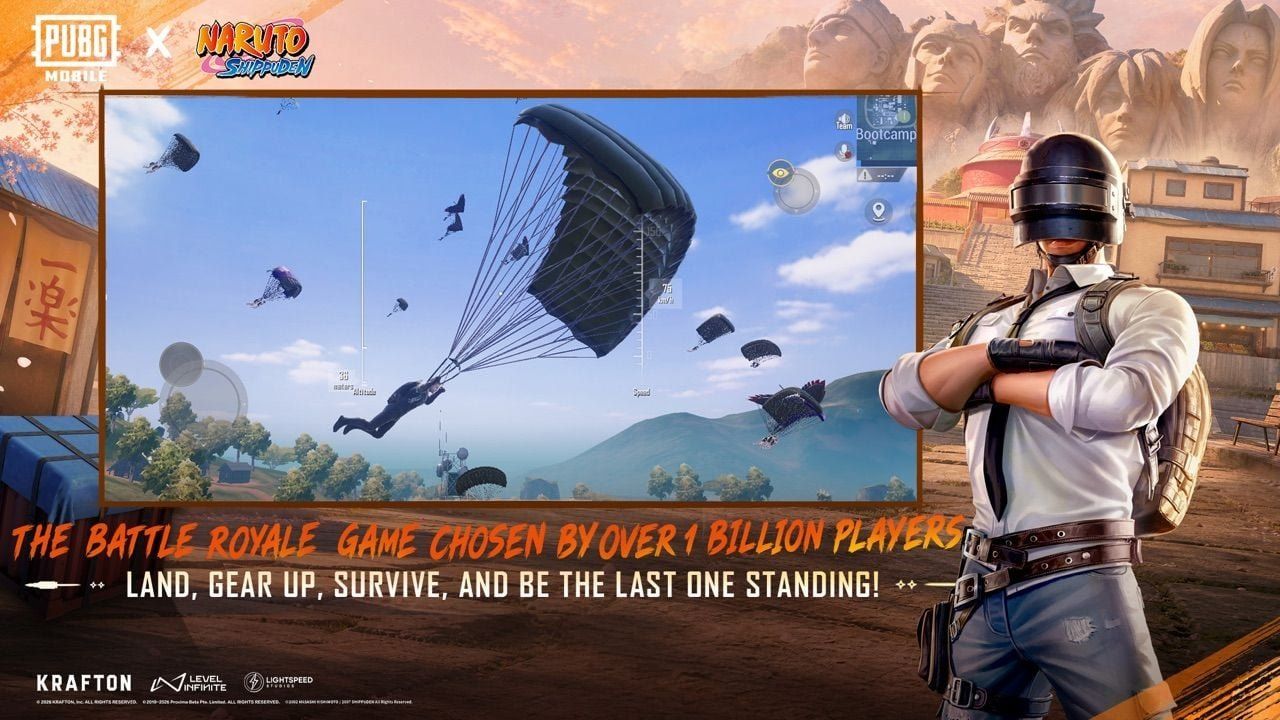
Version 4.5 still loads long view distances on Erangel. Livik holds 90 with less sag. NARUTO: Ninjas Assemble on Erangel, Livik, and Sanhok runs through 7 September 2026. Hidden Leaf Village and ninjutsu effects add scene cost. If Extreme+ hitches in Konoha, drop brightness and keep shadows off.

FAQ
Which phones support 90 FPS in PUBG Mobile in 2026?
Phones with a 90 Hz+ panel, Snapdragon 855+ / Dimensity 1200+ / Exynos 2100+ / Apple A15 + ProMotion (or iPhone 17's 120 Hz panel), and 6 GB+ RAM. The core 4.5 list is iPhone 13–17 Pro, Galaxy S20–S26, OnePlus 7 Pro–15, Xiaomi 11–16, Pixel 8–10 Pro, ROG 6–9, RedMagic 9–11, plus the mid-range rows in the table. Open Frame Rate after you update.
How do I enable 90 FPS in PUBG Mobile?
Update to 4.5.0+. Lock 90 Hz or 120 Hz in system settings. Settings → Graphics & Audio → Smooth (or HD / HDR) → Extreme+ / 90 FPS. Restart. iOS: turn off Limit Frame Rate. Android: turn on Game Booster.
Why is the 90 FPS option not showing?
Old client, SKU not whitelisted, Ultra HDR selected, refresh below 90 Hz, or low free storage. Hardware that "should" work can still wait on Krafton.
What are the system requirements for 90 FPS?
Native 90 Hz+ display, a chip in the 855 / Dimensity 1200 / A15 class or newer, 6 GB RAM (8 GB is the comfortable floor), Version 4.5.0, and about 20 GB free. Recommended: flagship SoC, vapor chamber or a clip-on cooler, 4,500 mAh+.
Does 90 FPS drain battery faster?
Yes. About 40–60% more than 60 FPS. Flagships with 4,500 mAh+ often give 2–3 hours. Drop brightness, close background apps, and skip in-match charging.
Is 90 FPS worth it for ranked?
You see a new frame every 11.11 ms instead of 16.67 ms. Tracking and recoil read sooner. Keep 90 if 120 hitches. For sprays and close-range, a flat 90 beats a bouncing 110.
Conclusion
PUBG Mobile 90 FPS in August 2026 is Extreme+ (or a row labeled 90 FPS) on a whitelisted phone, on Version 4.5 or newer, with the system refresh locked to 90 Hz or higher. HD and HDR can hold 90 on select devices since Version 4.2. Ultra HDR stays at 60. Check the table, then confirm the row in Frame Rate. The list grows with each major patch.
When you need UC for Pass or crates, buy PUBG Mobile UC on BitTopup. Player ID only.