Need diamonds for Alok, a Skill Boost kit, or the current Booyah Pass after you lock a layout? Top up Free Fire Diamonds on BitTopup with Player ID only.
Free Fire sensitivity settings (August 2026)
Updated on 2026-08-26: OB54 is live. Settings > HUD now holds the HUD Recommendation System and share codes. A code can carry sensitivity with the layout. Apply HUD only unless you want to throw away a set you already trust. Sliders accept 1-point taps, not only coarse drags.
Pick one scale and stay on it. 90–100 and 175–195 are two ways to write the same menu, not two modes.
Setup | General | Red Dot | 2x | 4x | Sniper | Free Look | Gyro |
|---|---|---|---|---|---|---|---|
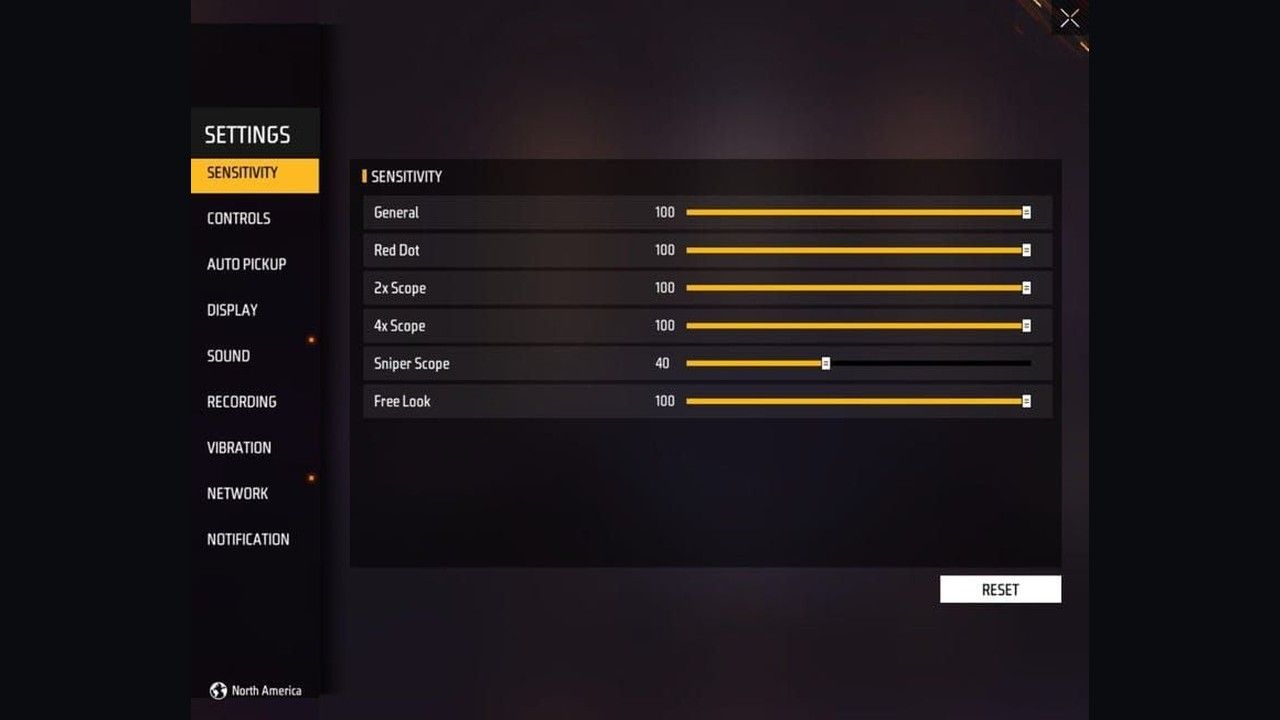
2-finger starter | 90–100 | 85–95 | 75–85 | 65–75 | 35–45 | 65–80 | Off |
3 / 4-finger claw | 95–100 | 90–100 | 80–90 | 70–80 | 35–40 | 70–85 | Off or 20–40 |
Low-end 0–200 (2–4GB, unstable FPS) | 175–195 | 165–185 | 150–175 | 120–145 | 70–95 | 110–140 | Off |
Light gyro add-on | Same as your grip row | +0–5 | Same | +0–5 | 35–40 | 65–75 | 25–30 first |
Fast hands sit at the low end of a row. Slow-to-medium hands sit at the high end so a short swipe still finishes a 180. High-end phones at a stable 90–120 Hz can drop General 5–10 from the same row. Budget Android with input lag goes the other way.
Garena does not publish an official headshot preset. These bands are starting points. Training Grounds decides the last 5 points.
2-finger vs claw
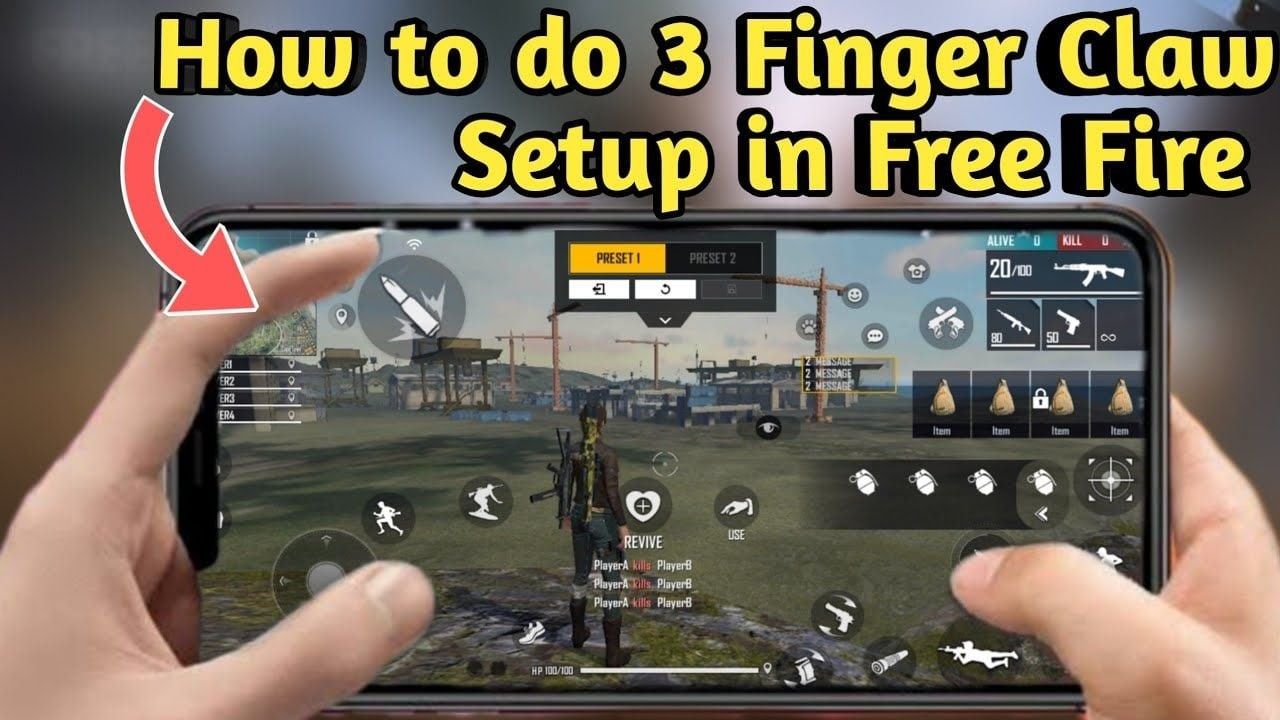
2-finger: left thumb on the joystick, right thumb on aim, fire, and camera. You cannot sprint, jump, ADS, and shoot in the same beat. Sensitivity has to do more work, so General 90–100 and Red Dot 85–95 are the usual pair. Fire button 50–70% size, placed so the right thumb can drag up 1–2 cm without hitting Jump.
3-finger claw: left thumb moves, left index fires from a top-left button, right thumb aims. That split is the upgrade. 4-finger adds the right index for scope, jump, or a second fire. Index fire lets Red Dot sit at 90–100 without the thumb leaving the aim surface.
Beginners stay on 2-finger for a week of Target Range, then move to 3-finger. You get most of the extra actions without learning two new index reaches at once. Ranked grinders who already wall and jump-shot should learn 4-finger after 3-finger feels boring, not before. Import a current 3-finger code from the Free Fire 3-finger claw HUD layout page, then refuse the sensitivity sync.
How to set sensitivity in OB54
Open the lobby gear. Open Sensitivity. Some builds keep the same sliders under In-Match.
Enter the row that matches your grip and RAM. Use the + / − buttons for 1-point steps.
Save. Enter Training Grounds > Target Range. The range has its own shooting-sensitivity panel if you want a mid-session tweak.
Equip an AR with Red Dot. Stand close. Hold fire and drag the fire button up toward the dummy’s head in one motion.
If the crosshair flies over the head, drop Red Dot by 3–5. If it dies on the neck, raise Red Dot by 3–5. Then fix General with hip-fire 180s. Then 2x, 4x, Sniper. One slider per 10-minute block.
Play 3–5 Clash Squad or Lone Wolf games before ranked. Do not rewrite the whole page after one bad match.
If you turn on High FPS or the Experimental Frame Rate Boost (added in OB52 and still on supported phones), the same numbers feel faster. Overshoot after a boost: drop General 8–12 and Red Dot about 5, then retest the drag.
BR and Clash Squad can share one set. That is the universal layout point. If you still want a split, raise General and Red Dot 5–10 for Clash Squad only. Leave 4x and Sniper alone for BR. General 190–200 is the low-end 0–200 row, not a BR precision preset.
HUD, fire button, and drag shots
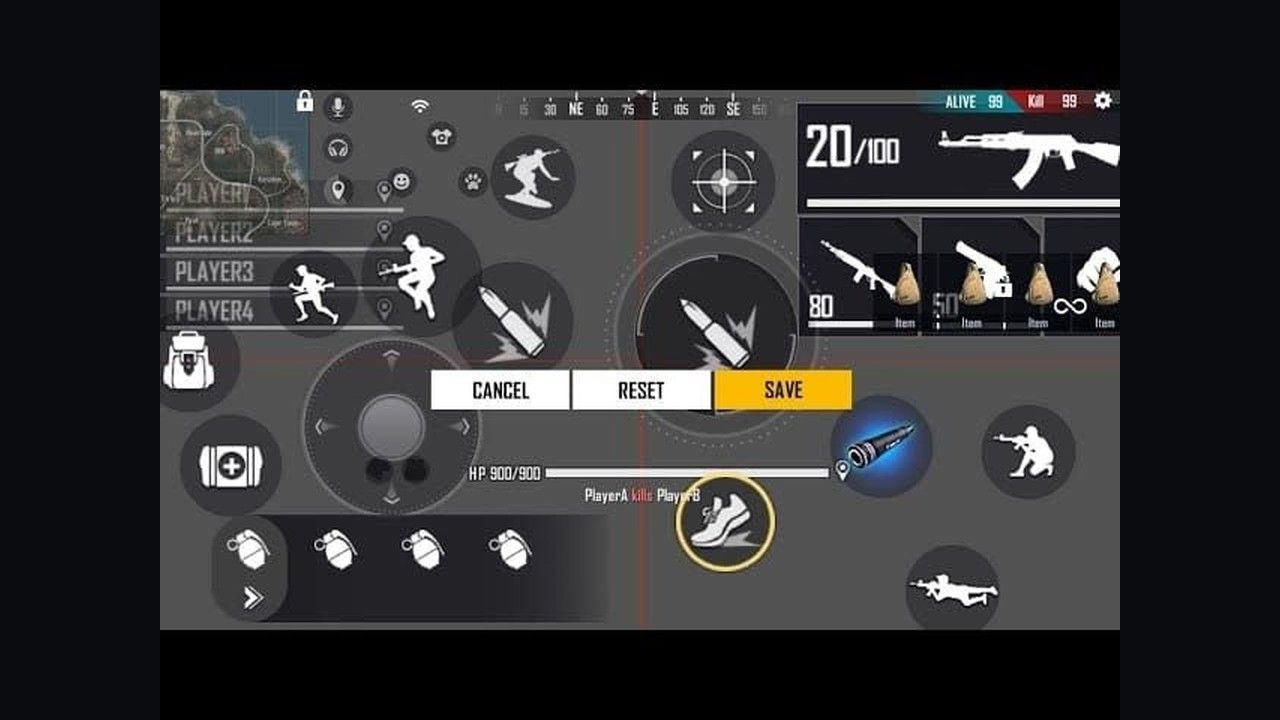
Sensitivity is wasted on a fire button you cannot drag. In Custom HUD, size the primary fire control 50–70% for 2-finger drag shots. If the swipe overshoots every head, shrink toward 45–55% so the thumb has a longer path. Claw index fire starts at 80–90% for a week, then shrinks once you stop hunting for the icon.
Place scope next to the finger that ADS. Put Jump and Crouch next to movement so crouch-fire and jump-shot do not steal the aim thumb. Combat icons at 80–100% opacity. Map, bag, and unused slots at 30–60% so they stay visible without covering a peek.
6.5 inch and wider panels can spread claw icons. Sub-6 inch phones should stay on 3-finger. After you paste a share code, nudge corner buttons inward if the case eats the last 5 mm. Android and iOS accept the same#FFHUDT format. The official HUD Recommendation System lives under Settings > HUD. Pro presets and share codes can include sensitivity. When Apply asks, keep your sliders.
Gyroscope and device extras
Gyro is a correction layer, not a replacement for the swipe. Enable it under Controls. Start at 25–30. The usable band is 20–40. Tilt down a few degrees to fight AR climb on 4x. Do not swing the whole phone for a 180. That is what General is for. Full gyro notes sit in the gyro sensitivity guide.
Leave system display size / DPI at default until the in-game row is stable. Changing phone DPI scales every app, including lobby UI. It is not a hidden Free Fire slider. Tune General on the 0–200 row if you need more speed. Do not stack a DPI bump on top of that.
iOS and flagship Android (stable 60+ FPS, 90–120 Hz) can sit 5–10 lower than a 3–4GB phone on the same grip. Budget Android needs the high end of the row, or the 0–200 row, to make up for frame time and touch delay. Stabilize FPS before you chase sliders. Smooth graphics and a locked frame rate beat Ultra with stutters. See the Free Fire 60 FPS guide if the client drops under 40.
Training Grounds routine
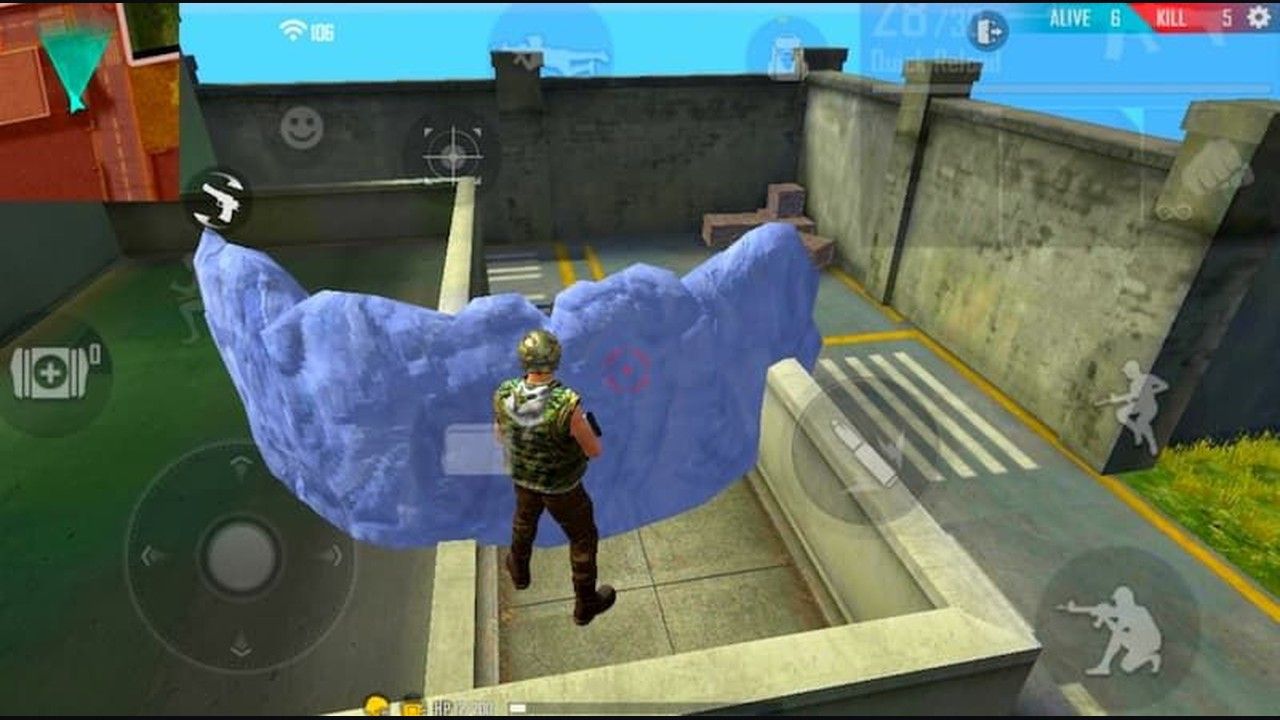
Use Training Grounds. Target Range for dummy work. Combat Zone when you want players who also came to practice.
Daily 10–15 minutes is enough:
30 drag shots, chest to head, on a still dummy
20 target switches at walking speed
One magazine per AR you actually drop, pulling down with the index or a light gyro tilt
10 free-look checks without turning the body (2-finger players in particular)
Muscle memory wants one saved preset. Basic feel: 1–2 weeks. Ranked comfort: 3–4 weeks if you play most days. The first three days will look worse. Stay on the new row. Stationary dummies, then movers, then casual, then ranked.
Track headshot rate, damage, and K/D across a week, not a single lobby. Change one category at a time.
Mistakes that reset your week
Copying a pro code and syncing sensitivity on a 4GB phone. Their General 100 on a 120 Hz flagship is not your General 100 on 40 FPS.
Changing five sliders after one loss.
Setting Sniper to 50–60 on the 0–100 habit. Scoped precision wants 35–45. Raise it only if quick-scope flicks die short of the head.
Free Look at 50–60. That value made 2-finger camera checks feel stuck. 65–80 is the current band. Claw can go 70–85.
Raising sensitivity to “fix ping.” Delay is a network problem. Higher General makes the late shot later and wider.
Emulator folklore such as typing 16450 into an advanced field is not an official control. On BlueStacks or the like, set Aim Precision to Default, decide whether Left Fire is Always or Show when scoped, match the display refresh rate, then test in Training Grounds.
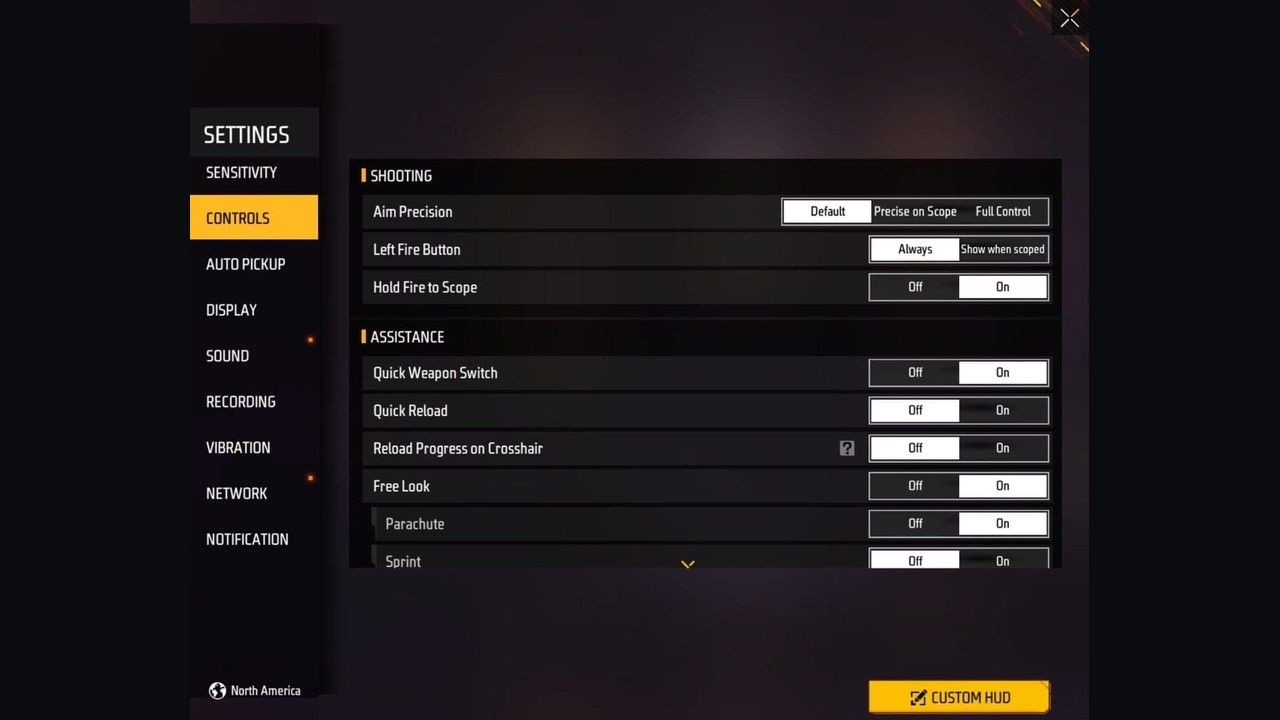
Aim Precision: Default for most players. Full Control removes assist and needs a lower Red Dot. Left Fire Button: Always if the left index shoots. Show when scoped if you never use that icon.
Characters that reward a finished HUD (Alok drop, Skyler wall break, current pass skins) cost diamonds. Redeem leftover event codes first, then buy Free Fire Diamonds with the 9–12 digit Player ID under your avatar. Pack math and spend order: 7 ways to stretch Diamonds. EU and Turkey accounts use the EU + TR top-up guide. BitTopup does not need the Garena password.
FAQ
What sensitivity settings work best for Free Fire beginners on 2-finger?
Start at General 90–95, Red Dot 85–90, 2x 75–80, 4x 65–70, Sniper 35–40, Free Look 65–75. Test the Red Dot drag in Target Range. Move 3–5 points to match hand speed and FPS. Stay on this row for a week before you import a claw HUD.
How long does it take to adapt to new Free Fire sensitivity settings?
1–2 weeks for the swipe to feel normal. 3–4 weeks if you play daily and keep the same save. Expect a dip for a few days. Ten minutes in Target Range after each change shortens that dip.
Should Battle Royale and Clash Squad use different sensitivity?
One set is enough for most players and keeps muscle memory intact. If Clash Squad still feels slow, add 5–10 to General and Red Dot only. Keep 4x and Sniper where BR left them. Ignore any guide that puts BR on General 190–200 for “long-range precision.” That is the 0–200 low-end row, not a mode tweak.
What do you gain by switching from 2-finger to claw?
You fire while the right thumb stays on aim, and the left thumb can still walk or drop a Gloo Wall. 4-finger adds jump or scope on the other index. The cost is 3–10 days of mistaps. Import HUD only from the 3-finger claw codes, then keep the table above.
How do I know if sensitivity is too high or too low?
Too high: the drag passes the head, sprays walk off a still dummy, 4x shakes when you hold ADS. Too low: a full thumb swipe cannot finish a 180, close targets take two swipes, you lose the first peek. The right number lands a chest-to-head drag in one motion on your phone.
What HUD changes matter as much as the sliders?
Fire button in the drag path (50–70% for thumbs, larger then smaller for index fire), scope on the ADS finger, Jump and Crouch next to movement, combat icons opaque, junk icons faded. After OB52, share codes live in Settings > HUD. Read the official HUD Recommendation notes if the menu on your build does not match an old 2025 video.
Conclusion
OB54 still rewards one saved row, a fire button you can drag, and a week in Target Range. Use the table that matches your grip and RAM. Keep BR and Clash Squad on the same sliders unless you add a small CS bump. Come back when the next official patch ships. When the layout is done and you need diamonds for the characters that use it, top up Free Fire Diamonds on BitTopup with Player ID only.