

AstroPay EU Top Up: Fast Prepaid Digital Vouchers in 2026
An AstroPay EU top up provides a secure, private prepaid payment solution designed specifically for users within the European Union. AstroPay vouchers function as virtual prepaid cards denominated in Euros (EUR). Each voucher comes with a unique 16-digit card number, a security CVV code, and an expiration date. This structure lets you pay on hundreds of partner merchant sites, online gaming portals, and digital services without exposing personal bank account details or credit card numbers.
In 2026, digital privacy and payment security remain critical. AstroPay vouchers remove the need to link personal banking instruments to web stores. Instead, you purchase a specific denomination, receive the digital code, and spend only the exact balance loaded on that voucher.
Regional Eligibility and European Union Account Requirements
AstroPay EU vouchers are region-locked to the European Union (EU) economic area. Before purchasing, verify that your account profile and geographical location match European Union eligibility guidelines.
- European Residency Requirement: AstroPay EU vouchers are issued specifically for European Union users. If you register an account or attempt to redeem a code from an IP address or phone number outside the supported EU region, the merchant payment gateway will decline the transaction.
- Currency Alignment: These vouchers are denominated in EUR. If your target merchant charges in another currency, currency conversion rates set by AstroPay or the merchant gateway will apply.
- Account Verification Rules: While basic voucher use at direct checkout does not always require an active AstroPay wallet, funding an AstroPay wallet account may require completing standard European KYC identity verification in compliance with regional financial regulations.
How to Redeem AstroPay EU Voucher Codes
You can use your AstroPay EU recharge voucher in two primary ways: direct checkout on merchant websites or depositing funds into your personal AstroPay wallet.
Method 1: Direct Merchant Checkout
- Visit the partner merchant, gaming platform, or service provider website where you want to make a purchase.
- Proceed to the cashier, deposit, or checkout page.
- Select AstroPay (or AstroPay Card) as your payment method.
- Enter the 16-digit voucher number, expiration date (MM/YY), and 3-digit CVV code provided in your BitTopup order details.
- Confirm the transaction amount. The funds will be deducted instantly from your voucher.
Method 2: AstroPay Wallet Balance Top Up
- Open the official AstroPay mobile app or log in via web browser.
- Select the Cards or Money section from your dashboard.
- Tap on Add Card or Redeem Voucher.
- Enter your 16-digit card number, expiration date, and CVV code.
- Confirm the addition. The balance will immediately reflect in your EUR wallet balance.
How to Locate Your AstroPay Account Details
If you use the AstroPay app to manage multiple vouchers, track spending, or perform wallet-based transfers, you may need your registered account details or user ID.
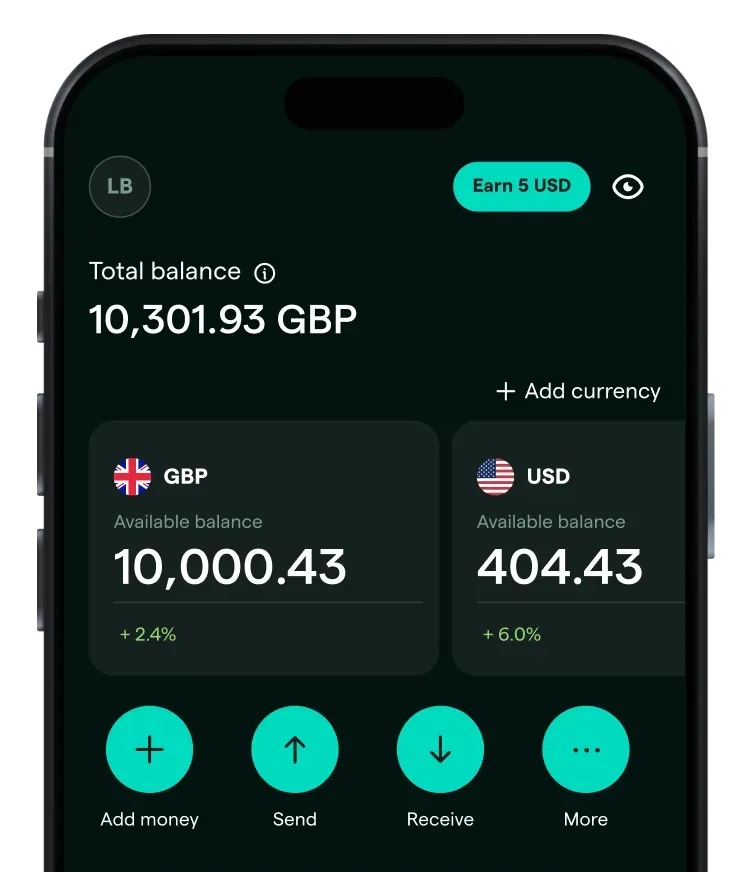
Follow these steps to find your account identifiers:
- Launch the AstroPay app on your iOS or Android device.
- Tap on the Profile icon located in the top corner of the screen.
- Under your account name, you will find your registered European phone number and internal Account ID.
- Ensure your account country reflects a European Union member state to guarantee compatibility with EU vouchers.
Supported Merchants and Digital Entertainment Platforms
AstroPay EU is accepted across a wide network of digital entertainment platforms, web services, and gaming merchants throughout Europe in 2026.
- Online Gaming & Virtual Goods: Use AstroPay to purchase in-game items, top up balance on gaming storefronts, and buy downloadable content across major PC and console game publishers.
- Digital Subscriptions: Pay for cloud storage, web hosting, streaming media, and VPN subscriptions without binding a recurring monthly charge to your personal credit card.
- E-Commerce & Digital Goods: Access hundreds of European web shops that integrate the AstroPay gateway for secure, one-off prepaid transactions.
AstroPay EU Voucher Specifications and Usage Rules
The following table outlines the core parameters, redemption methods, and technical specifications of AstroPay EU vouchers:
| Feature | Specification / Details |
|---|---|
| Region Compatibility | European Union (EU) accounts and IP addresses |
| Base Currency | Euro (EUR) |
| Code Format | 16-Digit Card Number + Expiration Date + 3-Digit CVV |
| Usage Options | Direct Merchant Checkout or AstroPay App Wallet Top Up |
| Partial Redemptions | Supported on merchants that allow remaining balance retention |
| Delivery Format | Instant digital code delivery via BitTopup screen & email |
| Password Required | No account password or banking login required |
Security Guarantees: Why Buy on BitTopup
Purchasing your AstroPay EU recharge code through BitTopup offers critical security advantages:
- Zero Account Sharing: You never provide your AstroPay login credentials, gaming passwords, or banking access. BitTopup delivers the voucher code directly to you.
- Instant Digital Delivery: Your digital voucher code generates immediately after payment verification, allowing you to complete your online purchase without delay.
- Transparent Pricing: All package amounts and current live prices are displayed directly on the checkout screen before payment confirmation.
- Customer Support: If you encounter issues with voucher receipt or need guidance during redemption, BitTopup provides dedicated 24/7 customer support.
Validity Period, Refund Policy, and Error Troubleshooting
Validity and Refund Terms
AstroPay EU vouchers are issued with a fixed expiration date (typically up to 12 months from issuance, printed on the virtual card). Because digital voucher codes are live, transferable financial keys, all sales on BitTopup are strictly final and non-refundable once the digital code has been displayed or delivered. Make sure you select the correct EUR currency and EU region before completing your payment.
Troubleshooting Common Redemption Errors
- "Invalid Card Details": Double-check the 16-digit card number, MM/YY expiry format, and 3-digit CVV. Ensure no spaces or dashes are accidentally entered into the input fields.
- "Region Not Supported / Merchant Decline": Ensure your IP address matches a European Union country. If using a VPN, disconnect or set it to an EU server. Also verify that the merchant accepts AstroPay cards in EUR.
- "Insufficient Balance": Check if the merchant item price includes sales tax, processing fees, or currency exchange rate buffers. If the total exceeds the voucher value, the transaction will fail.
- "Card Already Redeemed": If you previously entered the voucher into the AstroPay wallet app, the funds exist in your wallet balance rather than on the standalone card code. In this case, select "AstroPay Wallet" at merchant checkout rather than entering the card numbers directly.
Frequently Asked Questions
What is an AstroPay EU voucher?
An AstroPay EU voucher is a virtual prepaid payment card denominated in Euros. It consists of a 16-digit card number, CVV code, and expiration date, allowing users to make secure online payments across participating European merchants without using a personal bank account or credit card.
Can I use an AstroPay EU voucher if I live outside Europe?
No. AstroPay EU vouchers are region-restricted to European Union countries. Attempting to redeem an EU voucher from outside the European Union or on an account registered to another geographic region will result in payment errors or transaction cancellation.
How do I redeem my AstroPay EU recharge code?
You can redeem the voucher directly at partner merchant checkout by selecting AstroPay as your payment method and entering the 16-digit number, expiration date, and CVV. Alternatively, you can add the voucher to your AstroPay mobile app wallet to combine balances.
Do AstroPay EU vouchers have an expiration date?
Yes. Each AstroPay EU voucher has a specific expiration date formatted as MM/YY, visible alongside the 16-digit card code. You must use the full balance of the voucher before this date, as expired vouchers cannot be renewed or extended.
Are AstroPay EU voucher purchases refundable?
No. Digital voucher codes are non-refundable once delivered. Because the code is immediately active upon generation, BitTopup cannot cancel, exchange, or refund voucher purchases. Verify all region and currency requirements prior to order placement.
What should I do if my AstroPay EU code shows as invalid or already redeemed?
First, confirm that every digit of the 16-digit code, expiration date, and CVV was entered correctly without accidental spaces. If you already loaded the code into your AstroPay app wallet, check your wallet balance. If the error persists, contact BitTopup customer support with your order number and a screenshot of the redemption error message for assistance.