




4Fun Top Up: Fast Diamond & Gem Refills Online
4Fun is a popular global voice chat and social entertainment platform where users connect in multi-person audio rooms, play interactive party games like Ludo, sing karaoke, and share live moments. To participate in interactive events, show appreciation to room hosts, and stand out across community channels, you need in-app diamonds.
A 4Fun top up replenishes your account balance directly so you can send virtual gifts, activate premium profile decorations, and boost your standing in voice party rooms. BitTopup provides an efficient, direct top-up channel that delivers your diamonds straight to your 4Fun account using only your numerical Player ID. No login credentials or account passwords are ever required.
What Are 4Fun Diamonds and Gems Used For?
Understanding the in-app currency system helps you manage your account effectively across standard 4Fun and 4Fun Lite versions.
- Diamonds (Primary Purchasing Currency): Diamonds are the main currency you buy with real money. You use them inside voice rooms to purchase animated luxury gifts, dynamic entry effects (such as sports cars or royal avatars), speech bubbles, profile badges, and VIP memberships. Diamonds are also used to trigger server-wide broadcast banners and participate in room lucky draws.
- Gems (Creator & Host Earnings): When a voice room host or broadcaster receives virtual gifts sent with diamonds, those gifts convert into gems or reward points on their creator dashboard. Creators can track their gems for performance rankings or redeem them according to platform reward rules.
In-App Diamond Features & Benefits
| Feature Category | Diamond Utility | In-App Advantage |
|---|---|---|
| Room Gifting | Micro-tips to luxury animated gifts | Increases host popularity and boosts your sender ranking |
| VIP Tiers | Monthly or tiered VIP subscription | Exclusive badge, custom name colors, and unique chat bubbles |
| Entrance Effects | Animated vehicle and character arrivals | Displays high-visibility entry notifications when joining audio rooms |
| Interactive Games | Entry tokens and mini-game perks | Enhances participation in games like Ludo and room betting events |
| Room Visibility | Broadcaster boost rockets and announcements | Pushes selected voice chat rooms to the top of discovery feeds |
How to Find Your 4Fun Player ID
To complete your recharge without delay, you only need to provide your 4Fun numerical Player ID. Do not use your room ID or display nickname, as these can change.
- Open the 4Fun app on your mobile device.
- Tap the Me icon located in the bottom-right corner of the home screen to open your user profile.
- Look directly below your profile picture and nickname to locate your numerical Player ID (a series of numbers).
- Tap the small Copy icon next to the number to copy it directly to your clipboard.
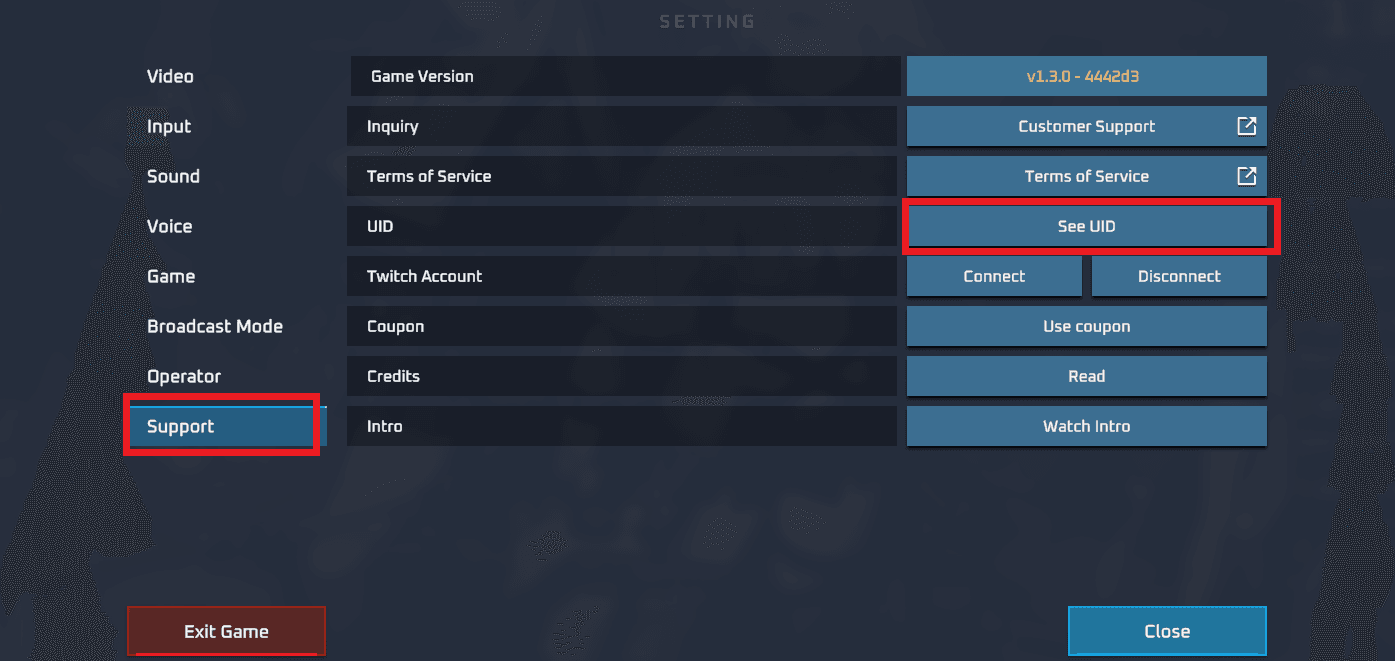
Always verify that you copy the complete number string without extra spaces before submitting your order on BitTopup.
Step-by-Step Guide to Recharge 4Fun on BitTopup
Topping up your 4Fun account takes only a few simple steps:
- Select Your Diamond Package: Browse the available diamond denominations on the BitTopup 4Fun product page and choose the amount you need. Current prices and unit amounts are clearly displayed on the checkout interface.
- Enter Your 4Fun Player ID: Paste your copied numerical Player ID into the designated input field. Double-check the digits to ensure accurate delivery.
- Select Your Payment Method: Pick your preferred payment option from the list of available local and international payment gateways.
- Review and Confirm Payment: Click the purchase button and complete the payment process through the secure gateway.
- Receive Your Diamonds: Once your payment is processed, the diamonds are credited directly to your 4Fun account. Open your 4Fun app, navigate to your wallet, and check your updated balance.
Why Choose BitTopup for Your 4Fun Top Up (Safe ID-Only Recharge)
Choosing a secure platform protects your user account and personal funds. BitTopup offers several core advantages for 4Fun users worldwide:
- Safe ID-Only Processing: You never need to provide your 4Fun password, social login details, or verification codes. All transactions process through your public Player ID, keeping your private account credentials secure from unauthorized access.
- Automated Direct Delivery: Orders are handled by direct automated systems that process transactions round-the-clock, crediting your diamonds to your account shortly after payment confirmation.
- Transparent Pricing: All costs are shown on the live checkout page before you pay, with no hidden platform fees.
- Dedicated 24/7 Customer Service: If you ever need help verifying an order status or resolving an incorrect ID input, customer support representatives are available around the clock to assist you.
Supported Global and Local Payment Methods for 4Fun
BitTopup supports a wide selection of payment methods to accommodate users across different countries and regions:
- Credit and Debit Cards: Visa, Mastercard, and other major card providers for global transactions.
- Regional E-Wallets & Digital Wallets: Popular digital payment apps configured for specific countries across Southeast Asia, the Middle East, and Latin America.
- Online Bank Transfers & Local Payment Channels: Direct bank clearance and local payment networks where card transactions are less common.
Available payment methods and local currency rates are dynamically displayed during checkout based on your region.
Troubleshooting and Frequently Asked Questions for 4Fun Recharges
What should I do if my diamonds have not arrived?
If your diamonds do not reflect immediately in your 4Fun wallet, follow these troubleshooting steps:1. Fully close the 4Fun app and reopen it to refresh your local wallet data.2. Verify that your payment went through successfully and that you received a transaction confirmation.3. Check your order history on BitTopup to confirm that the Player ID entered matches your account ID.4. If your balance does not update, contact BitTopup customer support with your order number and Player ID for rapid verification.
What is the 4Fun app used for?
4Fun is an interactive voice streaming and group chat application. It allows users around the world to create audio chat rooms, hold virtual parties, play real-time party games, sing songs, and socialize with friends using voice communication and virtual gifting.
How do I find my 4Fun Player ID to complete a recharge?
Open 4Fun, tap the "Me" tab in the bottom-right corner, and find the numerical ID string located right under your profile avatar and nickname. Tap the copy icon next to it to copy the ID directly.
Do I need to share my 4Fun account password to buy diamonds?
No. BitTopup only requires your numerical 4Fun Player ID. You should never share your password, SMS verification codes, or third-party login credentials with anyone to top up your account.
How long does it take for 4Fun diamonds to arrive after checkout?
Transactions on BitTopup process automatically. Once your payment clears through your selected payment method, the diamonds credit directly to your 4Fun in-app wallet within moments.
What should I do if I entered the wrong 4Fun Player ID during payment?
If you realize you entered an incorrect Player ID, contact BitTopup customer support immediately with your order reference. If the order has not yet been processed by the automated dispatch system, support can help update the ID. If the diamonds have already been delivered to the entered ID, processed orders cannot be reversed according to standard digital item policies.
What items and perks can I purchase with 4Fun diamonds in voice rooms?
With 4Fun diamonds, you can purchase dynamic virtual gifts for audio room hosts, unlock exclusive VIP badges and chat bubbles, acquire animated luxury vehicle entrance effects, buy custom avatar frames, send global banner announcements, and join in-room interactive mini-games.