Need UC for Elite Royale Pass or a collab crate after you lock the settings? Buy PUBG Mobile UC on BitTopup with Player ID only.
Best PUBG Mobile sensitivity codes (August 2026)
Updated on 2026-08-21: live client is Version 4.5 (9 July 2026, Season 31). Version 4.6 is scheduled for 9 September 2026. A code does not raise damage. It only copies sliders. Krafton can invalidate a shared string, so keep the manual ranges below.
"Zero recoil" in search results means your pull-down matches the gun. The barrel still climbs. Attachments and practice still do the rest.
Start here | Code | Gyro | Who it fits |
|---|---|---|---|
Universal |
| On | First import on most phones |
Android, 90 Hz+ |
| On | Samsung / OnePlus / Xiaomi flagships |
Android, older list |
| On | Mid-range Android if the 7462 code fails |
iOS |
| On | iPhone 13–17 |
iOS, close-range |
| On | Aggressive TPP, larger iPhones |
iPad / tablet |
| On | 10 inch+ screens |
Balanced community |
| Mixed | If the universal code is expired |
2-finger thumb |
| Low / off | Thumbs only |
3-finger |
| On | Index fire + thumbs |
4-finger claw |
| Always On | Most ranked claw players |
5-finger |
| Always On | Tablet or large phone |
6-finger |
| Always On | iPad claw |
Some share strings print a1- prefix (1-7435-8846-3421-0303-0728). Paste the full string the game shows. Drop the prefix only if Preview rejects it.
If Search Method returns "invalid or expired," type the tables by hand. Shared codes hit a use cap and die when the owner generates a new one.
After import, confirm three rows: Camera TPP near 120%, Red Dot ADS near 50–70%, Gyroscope no-scope near 300–400% if you left gyro on.
What a sensitivity code stores
A code writes three buckets. Mix them up and the same paste feels broken.
Bucket | When it moves the view | What you feel |
|---|---|---|
Camera | Looking around, not firing | Swipe speed, 180° turns, peeking |
ADS | Holding fire / aiming down sights | Spray pull-down, scope tracking |
Gyroscope | Tilting the device (if enabled) | Micro-corrections without extra thumb travel |
Higher zoom needs a lower slider. A 120% no-scope swipe becomes a 12% 8x swipe so one thumb motion does not fly off the target.
Scope | Camera | ADS | Gyro (if on) |
|---|---|---|---|
No Scope | 100–150% | 90–130% | 300–400% |
Red Dot / Holo / 1x | 30–70% | 50–70% | 250–365% |
2x | 25–50% | 35–50% | 220–330% |
3x | 20–40% | 25–35% | 170–275% |
4x | 15–30% | 20–30% | 140–250% |
6x | 10–25% | 15–25% | 100–180% |
8x | 6–18% | 10–15% | 55–120% |
A common first lock after the universal code: TPP Camera 120%, Red Dot ADS 50%, 8x ADS 12%, gyro no-scope 300–400%, gyro 8x about 90%.
Free Look sits in its own row. 120–150% TPP and about 130% FPP / parachute covers most rotations. Vehicle gunners feel this row more than hipfire ADS.
How to import a sensitivity code
Backup first. Settings → Sensitivity → Cloud Management (or Share / Layout). Upload, then Copy and Share. Save that string with the device name and date. A screenshot of Camera, ADS, and Gyro is the fallback if Cloud Management is missing on your build.
Open the lobby and tap Settings (gear).
Open the Sensitivity tab.
Tap Search Method (magnifying glass, next to Cloud Management on current builds).
Paste the full code, hyphens included, on stable Wi-Fi.
Tap Preview and read the gyro column. A gyro code on a gyro-off account looks empty or wrong.
Tap Use Layout, then Confirm.
Open Training Grounds: Change map (top left) → training (bottom left) → TPP or FPP.
Spray 10–15 minutes before a ranked queue.
Import fails for three boring reasons: a missing hyphen, an expired string, or gyro off while the code expects Always On. Re-copy the full line, turn gyro on, and try a second code from the table.
Per-weapon custom sliders live under Advanced Sensitivity. A lobby code may skip those rows. After a paste, open Advanced and check M416 / AKM if you use custom guns.
Calibrate gyro on a desk: Settings → Basic → Gyroscope → Calibrate. Set Always On or Scope On before you judge the code. Drift after a heat session is a sensor problem, not a bad slider. Recalibrate, turn off Auto-rotate, and wipe the case magnets off the back.
Device-specific starting points
The same code feels different on a 6.1" 60 Hz phone and a 12.9" 120 Hz iPad. Lock a stable frame rate first, then touch sliders. A 120 FPS setting that drops in a compound fight will make any code feel random. Set Graphics to Smooth and pick the highest Frame Rate that stays flat.
Device | First code | First tweak after Preview |
|---|---|---|
Android 90 / 120 Hz |
| ADS +5–15% if Red Dot feels heavy |
Android 60 Hz / mid-range |
| ADS and gyro −10–15%; Smooth + Extreme |
iPhone 13–17 |
| TPP Camera 120–150%; +5–10% on Pro Max size |
iPhone, close fights |
| Keep 8x ADS at 12–15% |
iPad / Android tablet |
| Camera +15–25%; gyro −50–100 points |
iPhone 17 Pro / Pro Max and recent Android flagships hold 90 or 120 FPS on Smooth. That extra frame budget makes a 110% ADS swipe feel cleaner than the same number at 60 FPS. Low-end phones should cut values, close background apps, and keep about 2 GB free. Heat past about 40 °C on the back is when sprays start to stutter.
Tablets win long 4x / 6x sprays because the stick travel is larger. They lose close 180° flicks unless you raise Camera. Drop gyro a bit so a small tilt does not walk the 8x off a head.
Gyroscope vs no-gyro
Gyro wins for claw players who will train it. Official help text treats Gyroscope as optional tilt aim. Always On moves the crosshair in hipfire. Scope On only moves it while you ADS.
Style | Starting gyro | Camera / ADS | Fits |
|---|---|---|---|
Gyro Always On | 300–400% no-scope, ~90% 8x | Camera 100–130%, Red Dot ADS 50–60% | 4-finger, stable 90 FPS+ |
Gyro Scope On | Same cascade, hipfire uses thumbs | Camera 120–150% | Players who hate hipfire tilt |
No-gyro | Off | TPP Camera 120–150%, Red Dot ADS 60–70% | Thumbs, 60 Hz, or a broken sensor |
Hybrid | 200–300% | Standard ADS + manual pull | Week-one gyro learners |
No-gyro still works. You pay for it with more thumb travel on every burst. Use the 2-finger code7412-8257-5673-1968-774 and the higher ADS column.
Pros on global and BGMI both run Always On near 300% TPP gyro. Jonathan (GodL) is the name people copy: 4-finger claw, gyro Always On, TPP gyro around 300%. Public "Jonathan codes" disagree across sites and patches, and a BGMI string can fail on global. Import a 4-finger code from the table, then match his shape (high gyro, mid Camera) instead of chasing one ID.
Weapon tweaks after Version 4.4 and 4.5
The old v4.1 (6 November 2025) line about a 10–15% AR damage nerf is history. Do not raise ADS "because 4.1 nerfed ARs."
Version 4.2 raised several 7.62 rifles (AKM 48 → 50, ACE32 45 → 47, M762 46 → 48). Version 4.4 (May 2026) gave all ARs slightly more damage at close to medium range and removed damage drop-off on bolt-actions plus most DMRs. Version 4.5 (9 July 2026) cut ACE32 from 47 to 46, improved its spray and sway, and sped up SMG draw / run (MP5K, P90, PP-19, Thompson, UMP45, UZI, Vector, JS9). Running with those SMGs matches empty-hand speed. Draw and stow are about 30% faster. Evasive spread is about 15% tighter.
Gun | Red Dot ADS | Gyro Red Dot | Note on 4.5 |
|---|---|---|---|
M416 / SCAR-L / AUG | 50–60% | 280–300% | Compensator + vertical grip; 5–7 round bursts past 100 m |
ACE32 | 50–60% | 280–300% | More stable than 4.2; 1 damage less than 4.4 |
AKM / Beryl / M762 | 55–65% | 250–280% | More climb and right drift after bullet 5; burst past 50 m |
UMP45 / Vector / JS9 | 60–80% | +10–20% vs your AR | 4.5 close-range buff; keep 6x/8x low |
Mini14 / SKS / SLR | 4x ADS 20–27% | 140–200% | 4.4: no damage drop with distance |
Kar98k / M24 / AWM | 8x ADS 10–15% | 50–120% | First-shot hold, not spray |
Crouch before a long AR mag. The hitbox shrinks and the first bullets stay flatter. Attachments beat another 20% on the slider.
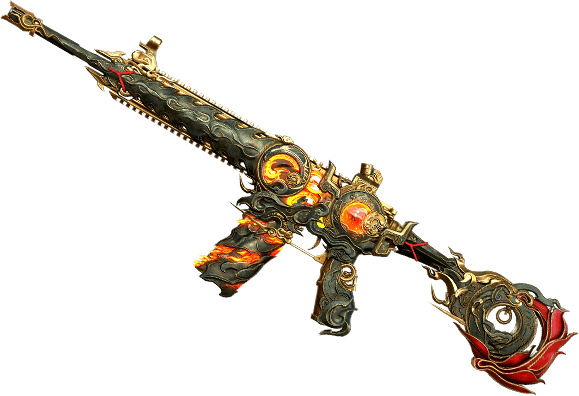
If you buy a finish or a Pass skin after the tune, set a UC cap before Lucky Spin. The sliders stay the same on any skin.
Training drill and fine-tuning
Enter Training Grounds from the lobby map picker. Official steps: Change map → training → TPP or FPP.
Daily 15 minutes:
3 minutes of tracking a moving bot or a driven car. No fire. Camera is the slider if you lag behind.
5 minutes of M416 Red Dot / 3x full mags at 50 m. ADS or gyro is the slider if the burst walks off.
3 minutes of 2x → 4x → 6x swaps on the same wall.
2 minutes of 8x first shots and 180° hipfire turns.
2 minutes of one SMG mag at 15–25 m after the 4.5 mobility change.
Targets, not promises: 70% of a 50 m burst on the plate, first 8x shot inside a head-sized circle, a 180° turn that stops on the target. Log headshots per week if you like spreadsheets. Change one bucket by 5–10% and play 20 matches before the next edit.
Overshoot → cut gyro 50–100 or ADS 5–10%. Undershoot → add the same. Do not jump 20–50% in one night.
Common mistakes
Importing before a backup. Cloud Management → Share, then Notes.
Treating an expired code as a graphics bug. Type the table.
Copying a claw gyro code onto thumbs and calling gyro useless.
Tuning on a phone that drops from 90 to 50 FPS. Fix Smooth / heat first.
Changing sliders after every death. Give a set a week.
Skipping gyro calibrate. Do it on a flat surface before a session.
Pasting a BGMI code into global PUBG Mobile. Generate a new global share.
Ignoring Version 4.6. Backup again before 9 September 2026. Beta notes already mention more weapon tweaks.
The Spider-Man: Brand New Day mode (through mid-September 2026) adds swing camera movement. Your Classic sensitivity still applies on the ground. Recheck Free Look if turret or swing aim feels late.
FAQ
What is the best sensitivity code for PUBG Mobile in 2026?
Start with7435-8846-3421-0303-0728. If Preview fails, use7307-1085-6780-4282-435 or type Camera 120%, Red Dot ADS 50%, 8x ADS 12%, gyro 300–400% no-scope. Test in Training Grounds. No code is universal after a patch.
How do I import a sensitivity code in PUBG Mobile?
Settings → Sensitivity → Search Method (magnifying glass) → paste the code → Preview → Use Layout → Confirm. Share your current layout first. Use Wi-Fi. Training Grounds: Change map → training → TPP or FPP.
What are zero recoil settings for Android?
On 90 Hz+ Android, import7462-2496-3022-3831-210 or7182-2143-7949-4840-905, keep gyro near 400% no-scope, and run Smooth with a locked Extreme / Ultra Extreme rate. Drop 10–15% on 60 Hz phones. You still pull the burst; the code only sets the speed of that pull.
What sensitivity works on iPhone and iPad?
iPhone:7120-0143-8549-4140-855, TPP Camera 120–150%. Close-range alternative:7478-5115-3389-3888-855. iPad:7478-5115-3389-3888-854, then Camera +15–25% and gyro −50–100.
Can I control recoil without gyroscope?
Yes. TPP Camera 120–150%, Red Dot ADS 60–70%, 8x ADS 12–20%, and the thumb code7412-8257-5673-1968-774. You pull more with the thumb. Attachments still matter.
What sensitivity do pro PUBG Mobile players use?
Most claw pros run gyro Always On, TPP gyro near 300–400%, and Red Dot ADS in the 50–70% band. Published creator codes change every season. Use the 4-finger row, then move 5% at a time.
Conclusion
PUBG Mobile sensitivity codes in August 2026 are a Version 4.5 paste that copies sliders. They expire. Import7435-8846-3421-0303-0728 or the device row that matches your screen, backup the old string, and prove the spray in Training Grounds. Fall back to the scope table when Search Method rejects the code. Come back after Version 4.6. When you need UC for Pass or crates, top up PUBG UC on BitTopup.
For pack math see the 2026 UC top-up value guide. For what UC is, see the UC complete guide.