Why Chase 90-120 FPS in PUBG Mobile 4.1?
The Edge in Competitive Play
Ever wonder why pros feel untouchable? At 120 FPS, frames hit every 8.3ms – that's versus 11.1ms on 90 FPS. Input lag shrinks to 28-35ms from 45-50ms, netting you 15-25% faster reactions over 60 FPS. Tracking sharpens by 12-18%, recoil control jumps 15-22%, and targets beyond 200m lock on 40% quicker.
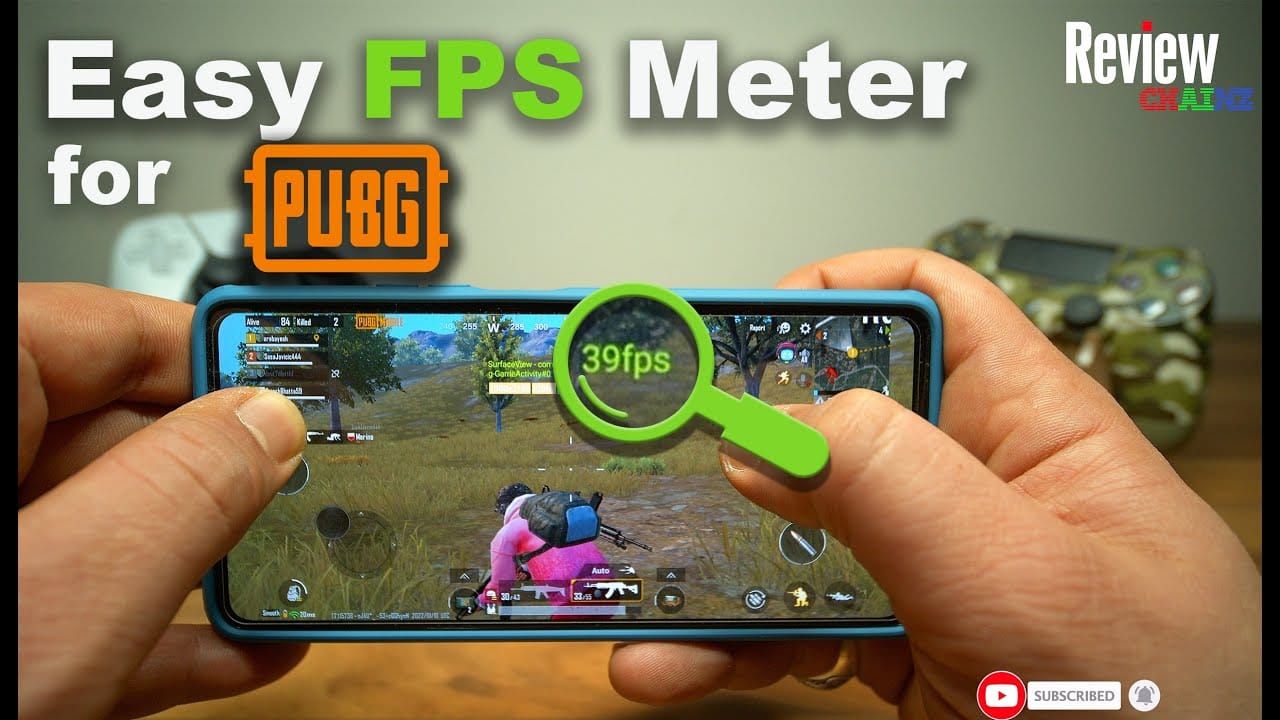
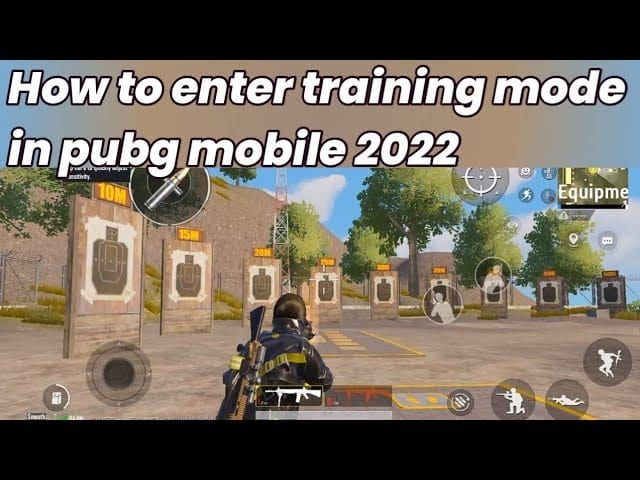
Test it yourself in Training mode: crank on the FPS overlay (Graphics > Audio > Show FPS) for 10 straight minutes. Aim for 98.5%+ consistency over 45-60min sessions – that's your benchmark for 99% uptime.
- 120 vs. 90 FPS: 12-18% tracking boost.
- Against 60 FPS: 50% less motion blur, 20-30% snappier reflexes, 5-8ms less input lag.
How PUBG 4.1 Handles FPS Scaling
Super Smooth mode scales from 60-120 FPS with 35% less post-processing and 70% fewer shadows on Snapdragon 855 or better. Stick to Smooth graphics for options like Ultra Extreme (120 FPS) or Extreme+ (90 FPS). Track it with in-game overlay or PerfDog – expect 98.5-99% consistency, temps down 2-4°C, and 5-7% less power draw.
2025 Flagships That Crush 120 FPS
Android Powerhouses (Snapdragon 8 Gen 2/3 or Dimensity Matches)
Galaxy S22/23/24 series, Z Fold/Flip 5/4, Tab S9; OnePlus 12/12R/11/Open; ASUS ROG Phone 8 Pro Ultimate-2; Nubia RedMagic 9/8S Pro; Xiaomi 14/13 lineup, Redmi K70, POCO X6/F5 Pro; Pixel 8 Pro; OPPO Find X6 Pro; Vivo X100 Pro+/X Fold 2; iQOO 11/12 series; Motorola Edge 50 Ultra; Lenovo Legion Y90.
ROG Phone 8 pulls 118.2 FPS average (99.2% over 45-60min). RedMagic 9? 120.8 FPS. OnePlus 12 hits 116.8 FPS (97.2%). Minimums: Snapdragon 8 Gen 2+, 120Hz+ screen, 8GB+ RAM.
iOS Champs (Pro iPhones and iPads)
iPhone 13/14/15/16 Pro/Max, iPad Pro 2020+ (M1/M2/M4 chips), iOS 17+, ProMotion 120Hz displays. iPhone 16 Pro Max clocks 118 FPS on iOS 18.3.2. iPads (11/12.9-inch): Smooth/Extreme for 120 FPS, Ultra AA/textures, low shadows.
Specs That Seal 120 FPS Deals
For 90 FPS baseline: 90Hz+ display, 180Hz+ touch sampling, 6GB RAM, UFS 3.0+, Snapdragon 855+/Dimensity 1200+/A12+. Step up to 120 FPS with 120Hz+, Snapdragon 8 Gen 2+/A15 Pro+, 8GB+ RAM, 5000mAh+ battery, UFS 3.1/4.0, Android 14+/iOS 17+, vapor chamber cooling. Midrangers like Galaxy A54/A55, Mi 11+, POCO F3/X3 Pro (SD870) manage 90 FPS for 7.5-hour grinds.
Quick Compatibility Check
Nail Your Screen Refresh
Flip to Settings > Display > Highest for 90/120Hz. Confirm 120Hz+ works with Ultra Extreme via FPS counter – no guesswork.
App and Update Must-Dos
Grab v4.1 (post-Nov 5 Vietnam/Korea 07:00 UTC). Clear cache: Settings > Apps > PUBG > Storage. Official settings only – GFXTool? Straight ToS ban territory. For those marathon sessions, top up UC instantly with instant pubg mobile uc top up for flagship devices on BitTopup. Delivery's lightning-fast, prices competitive, fully secure.
Enable 90-120 FPS: Step-by-Step, No Sweat
Jump into Graphics
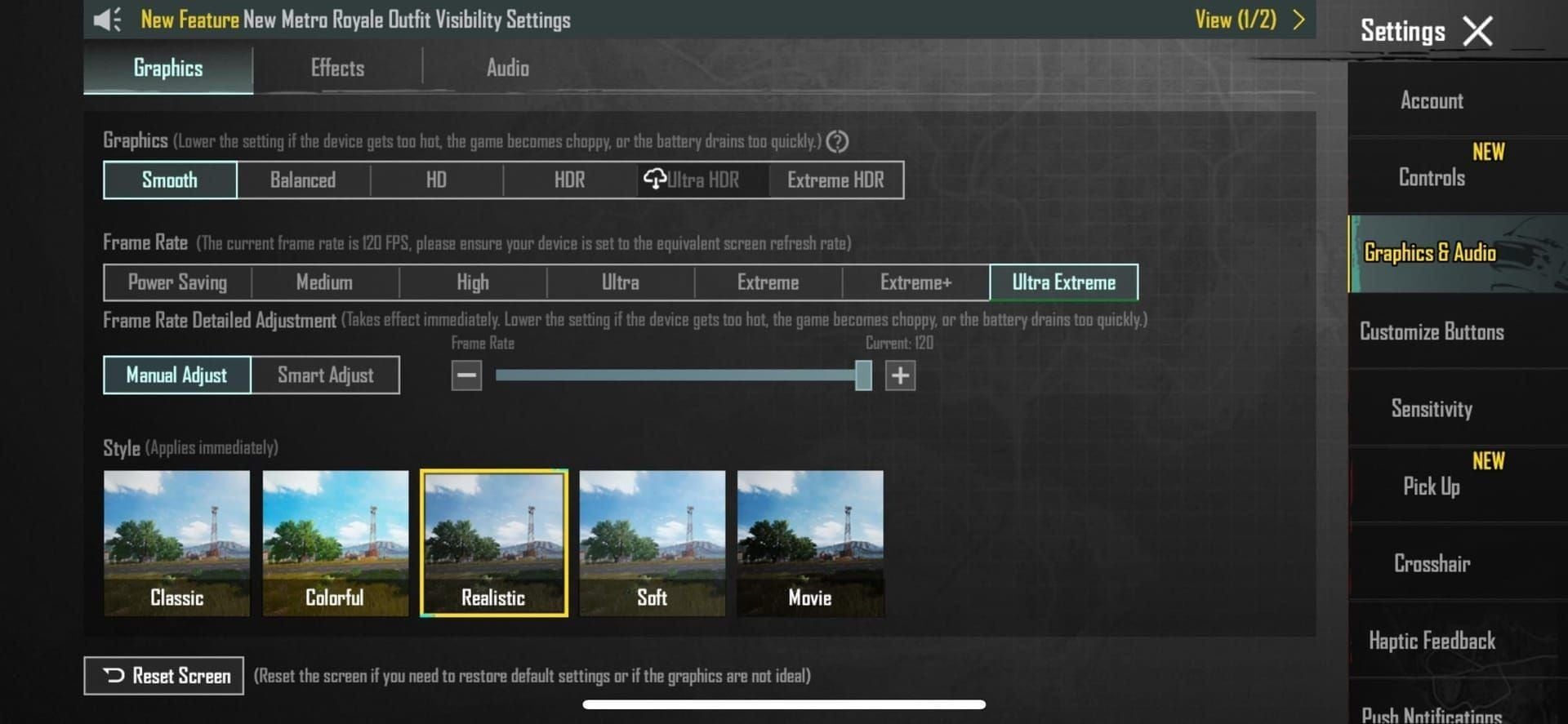
Fire up v4.1 > Settings > Graphics & Audio.
Android Walkthrough
- Update to v4.1, set 90/120Hz system-wide.
- Wipe cache: Settings > Apps > PUBG > Storage.
- Graphics: Smooth + Ultra Extreme (120 FPS) or Extreme+ (90 FPS).
- Fire up Game Turbo/X Mode (ASUS Armoury Crate X Mode caps GPU at 42.3% load). Dev Options: force GPU/Vulkan for +10-15% FPS.
- Restart, test Training: 98.5%+ over 10min.
Prep tip: Kill 3-4 background apps, DND on, stay under 42°C, 5GHz WiFi under 50ms ping, Performance Mode locked in.
iOS Path
- v4.1 + iOS 17+, kill Background App Refresh.
- Smooth graphics, Ultra Extreme/Extreme+.
- Hack: Screen Record after settings, or Accessibility > Motion > Limit Frame Rate (toggle on/launch/off/relaunch).
- True Tone off, 125-150% brightness, Low Power off, ditch case/charger, restart. iPads? Cooling pad + 10min breaks per hour.
Max FPS Settings: Safe, Tool-Free Gold
Graphics Tweaks Explained
Smooth cuts polygons 40%, GPU load drops 10-15%. Pair with Ultra Extreme (120 FPS)/Extreme+ (90 FPS), Colorful/Classic style, HD 1280 res. Kill Shadows/AA (+8-12 FPS, 12-18% GPU savings), Auto-adjust, Bloom. Audio: 3D on, music off, SFX 80%, slim HUD. Vulkan saves 5-7% power, 30-50% memory.
Pro Sensitivity for Precision
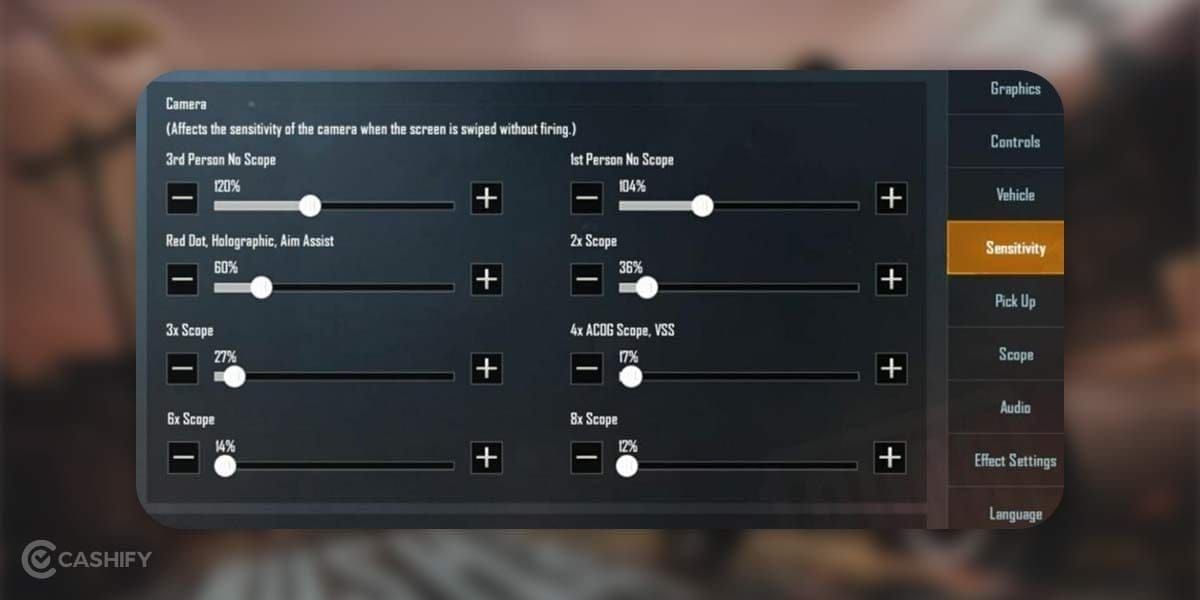
Free Look: 100%. ADS: No Scope 100%, Red Dot 60-70%, 3x 25-30%, 6x 20%. Gyro: No Scope 300%, Red Dot 280%, 3x 180%, 6x 120%. Camera 3rd: 120%, ADS No Scope 130%, Red Dot 45-55%. Gyro + 3-4 finger Claw? +15-22% recoil mastery, 25% accuracy past 200m, 12-20ms response times. Beef up HUD: Fire/Scope/Peek/Crouch enlarged; 130-140% brightness; wired cans. Snag cosmetics via pubg mobile uc recharge for premium graphics bundles on BitTopup – quick, supported everywhere, killer reviews.
Benchmarks: Real 2025 Device Runs
ROG Phone 8: 118.2 FPS (99.2%, 45-60min), under 42°C, 18%/hr on 5000mAh. OnePlus 12: 116.8 FPS (97.2%). RedMagic 9: 120.8 FPS. iPhone 16 Pro Max: 118 FPS. Flagships hold 98.5-99% consistency, 45-50ms lag at 90 FPS, 28-35ms at 120. Midrange A54? 7.5hr at 90 FPS. Watch it: Graphics > Show FPS in Training gunfights.
Fixes for Heat, Drops, and Glitches
Stop Overheating Cold
High FPS guzzles 40-60% more juice than 60 FPS (3-4hr on 5000mAh); spikes push +15-20°C, throttling after 15-20min. Counter: No case/charger, AC at 21-24°C, external fans (-10-15°C), 30-45min breaks, QoS 20+ Mbps, ditch VPN/Bluetooth, prop for airflow, cooling pad, under 25% battery, weekly 20GB cleanup. Goal: <42°C. Dial brightness to 70-80% for power wins.
Late-Game Stutters? Sorted
Cache/apps clear, 5GHz WiFi <50ms, nuke Adaptive Battery/haptics, Airplane + WiFi (+15-25% efficiency), 10GB+ free space, reinstall, DND, force GPU. Drop to 90 FPS if >45°C in 20min.
FPS Options Missing?
v4.1+, Smooth graphics, global build, max refresh, clear/reinstall. Tweak UserCustom.ini: r.PUBGMobileFrameRate=120, r.UserQualitySetting=0.
Myths Busted, Risks Real Talk
Official Smooth/Ultra Extreme? Zero bans. But 120 FPS ramps power/heat 40-60% over 90 FPS sweet spot – solid 12-18% tracking gains, unless it's unstable. (Editor's take: Stability trumps raw numbers every time.)
Looking Ahead: Patches and Upkeep
v4.1 nails heat management; v3.9 (July 2025) added midrange/SD7 love. Weekly cache clears, pre-drop Performance Mode, eye those patches.
FAQ
Which 2025 phones nail 120 FPS in PUBG 4.1?
ROG Phone 8, iPhone 16 Pro Max, Galaxy S24, OnePlus 12, RedMagic 9 (Snapdragon 8 Gen 2+, 120Hz+).
90-120 FPS without tools or root?
v4.1 update, Smooth graphics, Ultra Extreme, 120Hz system-wide, cache clear, Game Booster.
Safest high-FPS setup?
Smooth, Shadows/AA off, Ultra Extreme 120 FPS, Gyro 300% No Scope, 125-150% brightness.
Bans for 4.1 FPS tweaks?
Nope on Smooth/Ultra Extreme; GFXTool is the no-go.
Flagship not hitting 120 FPS?
v4.1+, 120Hz on, cache clear, Smooth graphics; reinstall.
120 FPS battery hit worth it?
Hell yes – 15-25% reaction edge; 3-4hr vs. 4-5hr at 60 FPS. Cooling + breaks make it sustainable.