

Mecha BREAK Top Up: Get Corite for Strikers and Customization
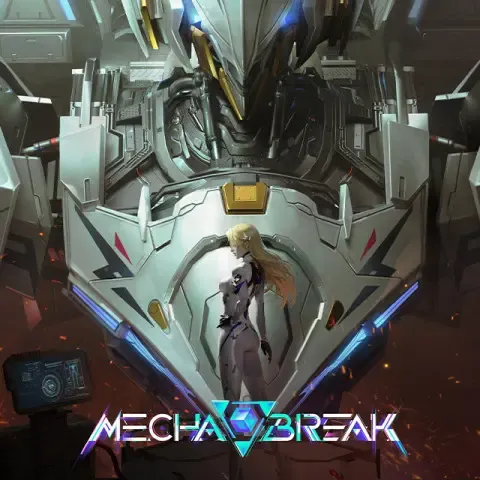
Corite is the primary premium currency in Mecha BREAK, powering your hangar expansion, cosmetic collections, and seasonal progression. Whether you deploy in 3v3 Arena skirmishes, 6v6 Battlefield combat, or the Mashmak PvEvP extraction zone, Corite gives you direct access to the latest mecha acquisitions and personalization options.
To purchase Corite, you do not need to share passwords or link third-party accounts. BitTopup processes your order directly to your game profile using only your Player ID and Server region. This direct delivery system credits Corite straight to your account balance, letting you return to combat without delay.
What Corite Buys in Mecha BREAK
Corite unlocks premium content across every tier of the Mecha BREAK hangar and pilot quarter systems. Here is how you can use Corite in 2026:
- Striker Acquisition & Unlock Matrix: Gain access to new combat mechas across all weight classes—including agile light reconnaissance units like Falcon and Narukami, frontline brawlers like Panther and Alysnes, and heavy fire-support platforms like Tricera and Stego.
- Pilot Cosmetics & Flight Suits: Personalize your pilot avatar with exclusive flight gear, tactical uniforms, hairstyles, accessories, and lobby presentation poses.
- Mecha Paint & Custom Camouflage: Customize your Strikers with custom multi-layer color palettes, metallic finishes, matte coatings, weathering effects, and squad insignia decals.
- Weapon Finishes & Combat Effects: Equip customized beam effects, thruster trail modifications, and unique visual weapon models.
- Battle Pass Activation & Tier Skips: Unlock premium seasonal progression tracks to earn exclusive seasonal mecha paint schemes, currency caches, pilot gear, and resource crates.
Supported Server Regions for Mecha BREAK Recharge
Mecha BREAK groups player accounts by regional servers. When you place a top up order on BitTopup, you must match the server selected in your game client to ensure prompt delivery.
| Server Option | Target Region | Coverage Details |
|---|---|---|
| Asia-Pacific | Asia & Oceania | Tokyo, Singapore, Seoul, Sydney client regions |
| N.America | North America | US East, US West, and Canada server hubs |
| S.America | South America | Brazil and regional South American routing |
| Europe | Europe & Middle East | Frankfurt, London, and European regional clusters |
Selecting the correct server ensures that the delivery system locates your unique account identifier immediately.
How to Find Your Mecha BREAK Player ID
Locating your Player ID takes only a few seconds inside the game client:
- Launch Mecha BREAK and log in to the main menu.
- In the top-left corner of the hangar screen, click on your Pilot Avatar / Profile Icon.
- Open the Personal Info or Pilot Profile tab.
- Locate your Player ID (a unique sequence of numbers displayed next to your pilot callsign).
- Click the Copy icon next to your ID to copy it to your clipboard.

Check your current server region in the lower corner of the login screen or settings menu before submitting your order on BitTopup.
How to Recharge Mecha BREAK Corite on BitTopup
Follow these direct steps to top up Corite on BitTopup:
- Select Package: Choose the Corite denomination you want to add to your account.
- Enter Player ID: Paste your numerical Mecha BREAK Player ID into the designated input field.
- Select Server: Choose your active game server (Asia-Pacific, N.America, S.America, or Europe).
- Review Order: Confirm that your Player ID and server selection match your in-game profile.
- Complete Payment: Proceed to the live checkout, select your preferred local or international payment method, and complete the transaction.
- Receive Corite: Once the transaction processes, launch or restart Mecha BREAK to see your updated Corite balance.
Check the live checkout screen for real-time pricing and available regional payment channels.
Resolving the Mecha BREAK Recharge Server Error
Many PC and console pilots encounter the in-game "Recharge Server Error" or "Payment Gateway Timeout" when attempting to purchase Corite through native game overlays. This error typically occurs due to:
- Network firewall interference blocking internal payment popups.
- Client overlay conflicts with background software or graphics drivers.
- High server traffic during major patch rollouts and seasonal content updates.
- Regional storefront currency desynchronization.
Recharging through BitTopup bypasses internal client overlay issues completely. Because the top-up is processed through direct server injection using your Player ID, you do not need the in-game payment browser to function. Once your web order completes, the servers credit your balance automatically without requiring client-side payment verification.
Security and Account Protection: UID-Only Processing
Account safety is critical. BitTopup uses a strict UID-only fulfillment protocol for all Mecha BREAK transactions:
- No Password Required: You will never be asked for your Steam password, platform credentials, or email verification codes.
- No Account Sharing: Your account remains strictly in your hands. Nobody logs into your client to perform purchases manually.
- Official Delivery Protocols: Transactions are dispatched directly via your server and Player ID to ensure 100% compliance with game safety standards.
- Data Privacy: Your payment details remain encrypted and protected during checkout.
Frequently Asked Questions
How do I find my Mecha BREAK Player ID?
Open your Mecha BREAK game client, click your pilot avatar in the top-left corner of the hangar menu, and open your Personal Profile. Your Player ID is the numerical sequence displayed right under your pilot callsign. You can copy it directly using the on-screen copy button.
What is Corite used for in Mecha BREAK?
Corite is used to unlock new Strikers, purchase pilot uniforms and cosmetics, acquire weapon paint finishes and decals, unlock the seasonal Battle Pass, and buy Matrix supply crates.
Do I need to share my Mecha BREAK password to recharge Corite?
No. BitTopup requires only your numerical Player ID and your server selection (Asia-Pacific, N.America, S.America, or Europe). You should never share your login credentials or platform passwords.
Which servers are supported for Mecha BREAK top up?
BitTopup supports all active global regions: Asia-Pacific, North America (N.America), South America (S.America), and Europe. Select the exact server region corresponding to your character profile during checkout.
What should I do if I get a recharge server error in Mecha BREAK?
If the in-game store displays a recharge server error or fails to load payment screens, bypass the client overlay by ordering directly on BitTopup. Submit your Player ID and server selection on the BitTopup product page to receive Corite directly into your account balance.
Is Mecha BREAK free to play in 2026?
Yes, Mecha BREAK is a free-to-play multiplayer mecha combat game. Corite is an optional premium currency used for purchasing cosmetic skins, battle passes, pilot custom items, and accelerated mecha unlocks.