


Legend of YMIR Top Up: Overview and Packages
Legend of YMIR offers a dark Nordic fantasy MMORPG experience built on high-fidelity visuals and large-scale faction warfare. Progression requires strategic asset management, gear upgrades, and premium resources to keep your character competitive. Purchasing in-game currencies and webshop bundles grants access to essential enhancement materials, summons, and character growth accelerators.
BitTopup provides a direct, secure channel to buy YMIR Points and shop packages. With clear verification procedures and instant delivery mechanisms, you can secure your supplies and focus directly on conquering raids, claiming territory, and advancing your build.
What Are Legend of YMIR Points and In-Game Shop Packages?
YMIR Points act as the primary premium webshop currency within the Legend of YMIR ecosystem. Unlike standard gold or bound silver earned through daily grinding, YMIR Points allow players to purchase exclusive bundles, cosmetic items, seasonal passes, and valuable character growth packs directly from the official web store.
Types of Webshop Goods
- YMIR Points Packs: Fixed amounts of premium points deposited directly to your account balance for flexible spending across the in-game shop.
- Growth & Enhancement Bundles: Packs containing weapon refinement stones, skill enhancement books, and upgrade catalyst materials.
- Convenience & Subscription Passes: Monthly booster cards, expanded inventory slots, auto-hunting allowances, and daily resource claims.
- Special Event Packages: Limited-time seasonal packs featuring exclusive mounts, costumes, and premium summon tokens.
| Package Category | Primary Contents | Delivery Destination |
|---|---|---|
| YMIR Points | Webshop currency balance | Account Web Balance / Storage |
| Growth Packs | Refinement stones, skill books | In-game Mailbox / Character Bag |
| Passes & Subs | Active buffs, daily claim rights | Applied directly to active character |
| Event Bundles | Exclusive cosmetics, summons | In-game Web Storage / Mailbox |
Step-by-Step Guide: How to Recharge Legend of YMIR on BitTopup
Recharging on BitTopup is designed for speed and reliability. Follow these steps to complete your order:
- Select Your Desired Package: Browse the Legend of YMIR product catalog on BitTopup and choose the YMIR Points denomination or package you wish to buy.
- Enter Your Account Information: Input your Server, Character Name, and User ID (UID) accurately in the designated fields.
- Confirm Character Identity: Double-check that the entered UID matches the character you have designated as your main character on the official web portal.
- Choose Payment Method: Select your preferred local or global payment method from the available options on the live checkout screen.
- Complete Checkout: Finalize the payment. Once verified, the order is processed immediately, and your items or points will be delivered to your game account.
How to Set and Confirm Your Main Character on the Webshop
Before completing any webshop recharge, you must assign and verify your primary character. Items and points are distributed based on your active character settings, making verification crucial to avoid delivery to an unused alt account.
Finding Your UID and Setting Your Main Character:
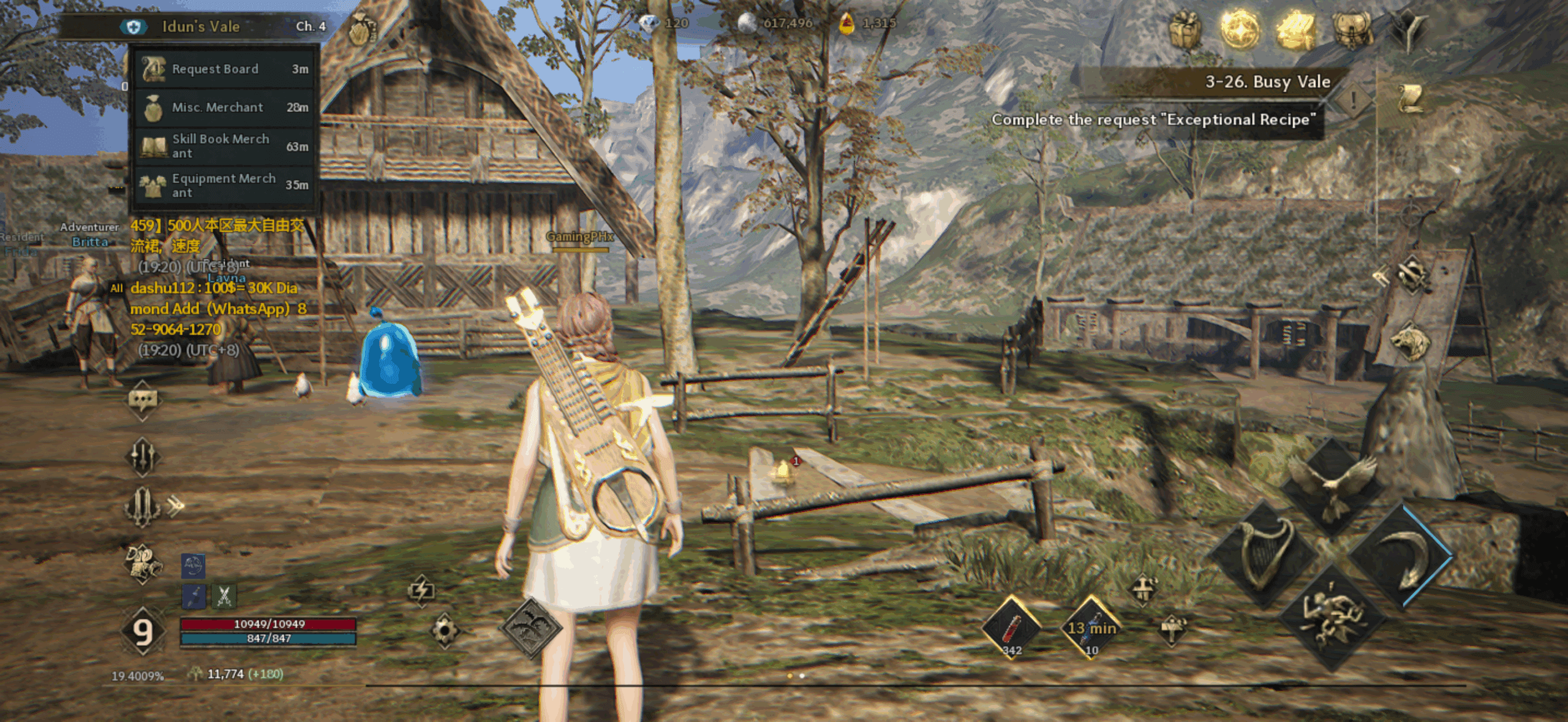
- Launch Legend of YMIR and log into your account.
- Open the main menu located at the top-right corner of the screen and select Settings (gear icon).
- Go to the Account tab to view your unique User ID (UID) and Server Name.
- Log into the official Legend of YMIR web portal with your credentials.
- Navigate to My Account > Character Management.
- Select your primary character and click Set as Main Character.
- Verify that the character name, server, and class match before copying your UID into BitTopup.
YMIR Points Usage Rules and In-Game Shop Purchase Conditions
To ensure your currency is used effectively, keep the following shop policies in mind:
- Account Binding: YMIR Points are credited to your specific account. While some purchased tradeable items can be listed on the in-game exchange, the raw points cannot be transferred between separate accounts.
- Character Lock for Specific Bundles: Certain class-specific growth packages will bind directly to the character that opens them. Always confirm you are logged into the correct character before claiming items from the web storage or mailbox.
- Non-Point Shop Items: Certain direct-purchase packages must be bought as standalone web goods and do not accept YMIR Points. Always check the shop interface to confirm whether an item requires direct purchase or accepts point deduction.
- Expiration Policies: Standard YMIR Points do not expire, but promotional bonus points tied to specific seasonal events may carry a redemption window. Use event-specific points before designated cycle resets.
Safe Top-Up Practices: Why Password-Free Checkout Protects Your Account
Account security is essential in competitive MMORPGs. BitTopup utilizes a 100% password-free fulfillment process:
- No Password Sharing Required: You only need to provide your public User ID (UID) and server details. BitTopup will never ask for your game password, secondary security PIN, or two-factor authentication codes.
- Official Web Integration: Top-up orders are processed via standard distribution systems, ensuring your game account remains compliant with publisher terms.
- Zero Risk of Account Takeover: Keeping your credentials private eliminates phishing risks and unauthorized logins.
Never share your password with any service claiming to provide manual top-up services. Reliable top-ups require only your character identifiers.
Supported Payment Methods and Global Currency Options
BitTopup supports a wide selection of payment solutions to accommodate players worldwide. Whether you are playing on PC or mobile platforms, you can complete transactions using:
- Credit and Debit Cards: Visa, Mastercard, and major regional card networks.
- E-Wallets and Digital Payments: Popular regional online wallets for fast processing.
- Local Bank Transfers: Direct banking channels supported across diverse geographic zones.
All exchange rates and processing options are displayed transparently during checkout. Visit the live product page to view real-time pricing and payment options for your region.
Legend of YMIR Recharge Troubleshooting and Support Guide
If you experience any issues with an order, use the following troubleshooting checklist:
- Check In-Game Mail and Web Storage: Items do not always drop directly into your inventory bag. Check the in-game Web Storage / Mailbox tab and press "Claim All" or "Refresh".
- Relog to Synchronize Data: If points do not display immediately, fully exit the game client and log back in to force an account balance refresh from the server.
- Verify Server Selection: If you have characters on multiple servers, ensure you are logged into the server specified during your order.
- Inspect Pending Transactions: Confirm that your payment provider successfully processed the transaction.
If your order remains uncredited after completing these steps, contact BitTopup 24/7 customer support with your Order ID, Server, and UID for immediate assistance.
Frequently Asked Questions
What are YMIR Points and how are they used in Legend of YMIR?
YMIR Points are the official premium webshop currency for Legend of YMIR. They are used to purchase premium bundles, daily buff passes, upgrade items, and special event materials from the web shop.
Do I need to share my account password to recharge Legend of YMIR?
No. BitTopup processes recharges using only your Character Name, Server, and User ID (UID). You never need to provide your password or authentication codes.
How do I set my main character before purchasing a Legend of YMIR package?
Log into the official Legend of YMIR website, go to Character Management under your account profile, select the character you want to receive the items, and click "Set as Main Character".
Can all in-game items be purchased using YMIR Points?
Most premium webshop items accept YMIR Points. However, certain direct-purchase bundles require specific standalone package purchases rather than point balance deductions. Check individual item requirements in the shop.
What should I do if my Legend of YMIR recharge does not appear in-game?
First, check your in-game Web Storage and Mailbox tabs, then restart your game client. If the balance does not update, reach out to BitTopup customer support with your transaction details.
Are there active Legend of YMIR promo or coupon codes in 2026?
Promotional coupon codes are periodically released by the game developers during seasonal updates and livestreams in 2026. These codes can be redeemed via the in-game Settings > Coupon menu.