



Endel Top Up: Fast and Secure Subscription Recharge
Endel uses sound driven by personal inputs like time of day, weather, heart rate, and movement to support your daily focus, relaxation, and sleep routines. If you want full access to all soundscapes and advanced features without managing mobile app store billing, an Endel top up through BitTopup gives you direct access to Endel Premium using only your registered email address.
BitTopup provides a direct digital delivery process. You do not need to redeem complex voucher codes or link payment cards to app store accounts. Enter your Endel account email, select your plan, and complete checkout to activate your subscription.
What is Endel: Adaptive Soundscapes and Neuroscience-Backed Modes
Endel is an audio ecosystem designed to align your mind and body with your natural circadian rhythm. Unlike static white noise apps or standard lo-fi playlists, Endel generates real-time, adaptive soundscapes using patented AI technology based on psychoacoustics and neuroscience principles.
Core Sound Modes in Endel
- Focus Mode: Enhances concentration and productivity by reducing cognitive fatigue and filtering out background auditory distractions.
- Sleep Mode: Calms the nervous system with soothing delta-wave audio designed to guide you into deep, restorative sleep.
- Relax Mode: Alleviates stress and anxiety by slowing heart rate and lowering cortisol levels through gentle sound profiles.
- Move Mode: Matches your physical pace and movement to keep your energy steady during walks, runs, or light workouts.
- Wind Down & Recovery: Specialized scenarios created to ease mental tension before bed or after intensive work sessions.
Endel also features exclusive soundscapes developed in collaboration with leading artists and producers, including Grimes, James Blake, and Richie Hawtin, fine-tuned specifically for scientific effectiveness.
How to Recharge Endel Subscription on BitTopup Using Your Email
Recharging your Endel account on BitTopup takes only a few quick steps:
- Choose Your Subscription Tier: Select the Endel Premium plan that suits your schedule (such as Monthly or Annual).
- Enter Your Registered Email: Type in the exact email address associated with your active Endel account.
- Select Your Payment Method: Choose from supported international payment options available at checkout.
- Complete Checkout: Finalize your payment. The subscription will be delivered directly to your Endel account.
- Open Endel: Refresh the app on your mobile device or desktop to enjoy unlimited Premium access.
How to Find Your Registered Endel Account Email
To ensure your subscription reaches your account correctly, verify the email linked to your Endel profile before completing your order:
- Open the Endel app on your iOS or Android device.
- Tap the Settings (gear icon) or your Profile icon located in the top corner of the screen.
- Look at the top section under your profile details to view the email address linked to your account.
- Copy or type this exact email address into the BitTopup checkout field.
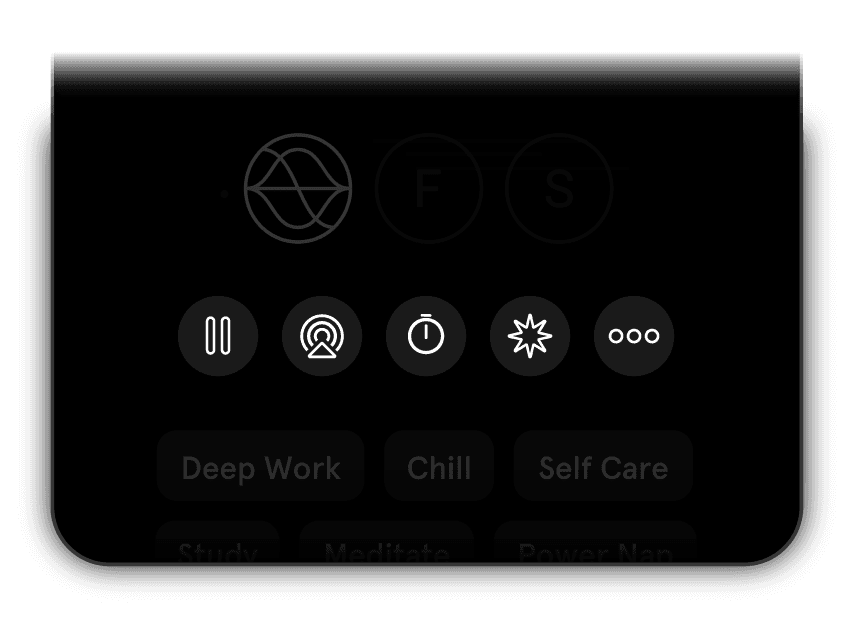
Make sure your account is registered with an accessible email address rather than an anonymous, unlinked session so the subscription syncs automatically.
Endel Premium Subscription Plans and Pricing Breakdown 2026
Direct app store subscriptions frequently renew automatically and can be restricted by local payment limitations. Purchasing an Endel recharge via BitTopup offers flexible options with clear, one-time payment processing.
| Plan Type | Included Features | Device Support | Delivery Method |
|---|---|---|---|
| Endel Premium Monthly | All soundscapes, offline playback, full smart device integration | iOS, Android, macOS, Wearables | Direct Email Recharge |
| Endel Premium 12 Months (Annual) | All soundscapes, offline access, exclusive artist collaborations | iOS, Android, macOS, Wearables | Direct Email Recharge |
Note: Live pricing and available subscription periods are displayed in real time on the BitTopup checkout widget.
Key Features Unlocked with Endel Premium: Modes, Offline Playback, and Integrations
Upgrading to Endel Premium unlocks the complete sound toolkit:
- Unlimited Soundscape Access: Enjoy unrestricted listening across all primary modes, including Focus, Sleep, Relax, and Move.
- Offline Mode: Download your favorite soundscapes to your device so you can concentrate or sleep without an active internet connection, ideal for flights and commutes.
- Smart Device & Wearable Integrations: Connect with Apple Watch, Wear OS, Amazon Alexa, and health monitoring apps to adapt sound frequencies in real time based on your active heart rate and daily step counts.
- Customizable Timers & Alarms: Set targeted focus intervals, Pomodoro-style work blocks, or gentle wake-up alarms matched to your natural sleep cycles.
- Cross-Platform Synchronization: Log in with your recharged email on mobile, tablet, or desktop to retain your favorite modes and sound settings everywhere.
Safe and Secure Recharge: Why Password-Free Account Delivery Protects Your Privacy
Account safety is a core priority at BitTopup. When you purchase an Endel subscription recharge, you are never asked to provide your account password, security questions, or two-factor authentication codes.
- Zero Account Sharing: BitTopup processes delivery strictly using your public account email identifier.
- Complete Data Privacy: Your personal biometric logs, listening history, and private settings remain secure within your personal device environment.
- Encrypted Transactions: Every order is processed through secure, industry-standard payment gateways to ensure your financial details remain protected.
Troubleshooting Subscription Sync and Common Email Recharge Errors
If you have completed your purchase and do not immediately see your Premium status inside the Endel app, follow these troubleshooting steps:
- Verify the Email Address: Double-check your BitTopup order confirmation to ensure there were no typos in the email address entered during checkout.
- Restart the Application: Completely close the Endel app on your device and reopen it to force a server refresh.
- Log Out and Log In: Go to Settings inside the Endel app, log out of your profile, and log back in using the exact recharged email address.
- Check Device Sync Across Platforms: If your subscription shows on desktop but not mobile (or vice versa), ensure both devices are logged into the same registered account.
- Contact BitTopup Customer Support: If your status does not update after a few minutes, reach out to BitTopup support with your Order ID for prompt assistance.
Frequently Asked Questions
How much does an Endel Premium subscription cost in 2026?
Subscription rates depend on the plan duration selected (such as monthly or annual packages). Current live pricing for all available options is shown directly on the BitTopup product selection panel above.
How do I recharge Endel Premium using my email address?
Select your preferred plan on BitTopup, input the email address registered to your Endel account in the player field, choose your payment method, and complete the order. The subscription will be applied directly to your account.
Do I need to share my Endel account password to complete the recharge?
No. BitTopup requires only your registered Endel email address. Never share your account passwords or personal login credentials with anyone.
How quickly is the Endel subscription activated on my account?
Delivery is processed digitally right after your payment is confirmed. In most cases, your account updates to Premium status almost instantly.
Will my Endel Premium subscription work across iOS, Android, Apple Watch, and Desktop?
Yes. As long as you log into the Endel app on your iPhone, Android phone, iPad, Apple Watch, Mac, or web browser using the same recharged email address, your Premium benefits will be accessible across all supported platforms.
What should I do if my Endel account does not update to Premium after recharging?
First, force-close and restart the Endel app, or log out and back in to refresh your profile. If your status remains unupdated, check your order receipt to confirm the email was spelled correctly, then contact BitTopup customer support with your order number for fast resolution.