

Mobily Recharge Card Top Up: Digital Prepaid Airtime for Saudi Arabia
Keeping your prepaid mobile line active in Saudi Arabia requires quick and dependable airtime access. Mobily (Etihad Etisalat) operates one of the most extensive 5G and 4G LTE telecommunications networks across the Kingdom of Saudi Arabia (KSA). A Mobily Recharge Card (SA) provides a digital voucher PIN that instantly adds credit to your prepaid voice or data balance.
Whether you need to renew your monthly voice and data package, subscribe to social media bundles, make international calls, or extend your SIM card validity, buying a digital recharge card allows you to replenish your line at any time from anywhere in the world.
What is the Mobily Recharge Card (SA)?
A Mobily Recharge Card is a prepaid voucher issued with a unique 15-digit redemption PIN. Once applied to a Mobily Saudi Arabia prepaid number, the voucher adds its monetary face value directly to your account balance.
Prepaid balances can be utilized for:
- Standard national and international voice calls.
- SMS and MMS messaging.
- Pay-as-you-go mobile data usage.
- Subscribing to Mobily prepaid bundles (such as Mobily 30, 75, 150, or 360 plans).
- High-speed data add-on packages (10 GB, 20 GB, 50 GB, 100 GB, or unlimited data).
- Extending your SIM line active status and preventing deactivation by the regulatory authorities.
Available Mobily Prepaid Denominations and Plan Validity
Mobily offers a wide selection of prepaid voucher denominations designed to suit different usage habits, budget levels, and validity duration requirements. The table below outlines the standard denominations and their functional validity periods in Saudi Arabia:
| Voucher Denomination (SAR) | Credit Type | Typical SIM Validity Extension | Primary Usage Recommendation |
|---|---|---|---|
| 20 SAR | Voice & Data | 30 Days | Emergency talk time, short local calls |
| 30 SAR | Voice & Data | 60 Days | Basic social messaging and light web browsing |
| 50 SAR | Voice & Data | 90 Days | Weekly voice and data bundle renewals |
| 100 SAR | Voice & Data | 120 Days | Monthly combo plans (data + local minutes) |
| 200 SAR | Voice & Data | 150 Days | Heavy data packages and high-volume calling |
| 300 SAR | Voice & Data | 180 Days | Multi-month plan renewals and high-capacity data bundles |
Note: Exact retail prices, any applicable taxes, and international currency conversions are clearly detailed on the live BitTopup checkout screen prior to payment. In accordance with Saudi telecom regulations (ZATCA / CITC), Value Added Tax (VAT) is applied either upon voucher purchase or adjusted in the total credit balance credited to the line.
How to Check Your Mobily Prepaid Number and Account Details
Before purchasing or redeeming a recharge voucher, ensure you are applying the balance to the correct active SIM card. If you are using a new device or have forgotten your active phone number, you can quickly retrieve it using your device keypad.
To identify your mobile line credentials on your handset:
- Open your phone dialer app.
- Dial
*222#and press the call button. - Your 10-digit Mobily phone number (starting with
054,056, or international format+9665...) will display directly on your screen. - To check your SIM identification details, look at the physical nano-SIM card holder or the eSIM profile settings in your operating system.
How to Buy Mobily Recharge Cards Online via BitTopup
BitTopup provides a straightforward process to buy Mobily prepaid card SA vouchers online without requiring a local Saudi bank account (Mada) or SADAD payment setup.
Follow these steps to complete your purchase:
- Select Denomination: Choose the Mobily recharge card value that corresponds to your required airtime or package cost on the BitTopup product page.
- Review Order: Confirm the voucher value and quantity.
- Enter Contact Email: Provide an active email address where your 15-digit digital PIN code and invoice will be sent.
- Complete Payment: Select your preferred global payment option on the secure checkout gateway.
- Instant Delivery: Once your payment is verified, your 15-digit Mobily voucher code will appear instantly on your screen and will also arrive in your email inbox.
Why Purchase Mobily Vouchers on BitTopup?
- Instant Code Delivery: Digital PIN codes are generated immediately after checkout completion.
- Zero Local Bank Requirements: Top up your Saudi SIM even when traveling abroad without needing access to a local Saudi ATM card or SADAD portal.
- Safe and Account-Free: You never need to share account passwords, Mobily login OTPs, or private personal information.
- 24/7 Customer Service: Dedicated customer support is available around the clock to help resolve order or code questions.
How to Redeem Your Mobily Voucher: USSD, Mobily App, SMS, and IVR Methods
Once you receive your 15-digit PIN code from BitTopup, you can load the balance onto your Mobily line using four distinct official methods:
Method 1: Quick USSD Dial Code (Fastest)
- Open your mobile phone dialer.
- Dial
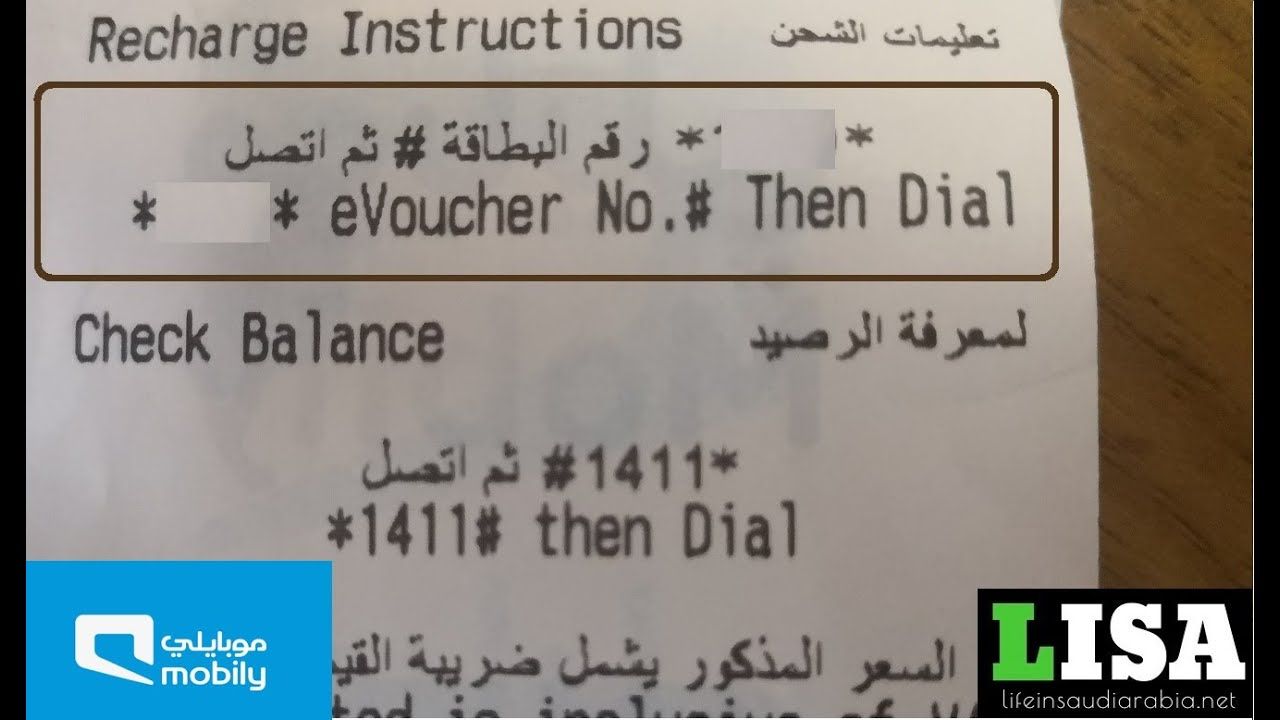
*1400*PIN#(replacePINwith your 15-digit recharge code, for example:*1400*123456789012345#). - Press the Call button.
- A flash notification will appear on your screen confirming your new balance and validity expiration date.
Method 2: The Mobily Official Mobile App
- Download and open the Mobily App (available on iOS App Store and Google Play).
- Log in using your Mobily phone number.
- Navigate to the Recharge / Top-Up section on the main dashboard.
- Select Voucher Card / Scratch Card as your top-up method.
- Enter the 15-digit PIN code and tap Confirm.
Method 3: Interactive Voice Response (IVR 1100 Call)
- Dial
1100from your Mobily prepaid line (or dial0560101100if calling from outside the network). - Select your language preference (Press
1for Arabic, Press2for English). - Press the corresponding number for Recharge.
- Key in the 15-digit recharge PIN using your phone keypad when prompted.
- Listen to the automated audio confirmation of your updated balance.
Method 4: SMS Text Service
- Open your device Messaging app.
- Create a new message containing the 15-digit PIN code.
- Send the SMS to the shortcode
1100. - You will receive an SMS reply confirming the successful credit addition.
How to Check Mobily Prepaid Balance After Recharge
After applying your recharge code, confirm the updated balance and bundle allocations:
- Main Airtime Balance: Dial
*1411#and press call. Your balance and line expiry date will display. - Data and Internet Quota: Dial
*1411*1#or*1411*2#to check remaining high-speed data balances. - Mobily App: Refresh the homepage of the official Mobily App to view real-time data, voice, and promotional balances.
Regional Restrictions and Compatibility for Mobily Saudi Arabia
- Country Restriction: Mobily Recharge Cards (SA) are strictly region-locked to the Kingdom of Saudi Arabia (+966). They function exclusively on Mobily prepaid lines registered under Saudi regulatory standards.
- Network Specific: These vouchers cannot be used on other Saudi telecom providers (such as STC, Zain, Virgin Mobile, Red Bull Mobile, or Salam Mobile).
- Line Compatibility: Compatible with Mobily Voice Prepaid SIMs, Mobily Data SIMs (eLife / Data Prepaid), and Mobily eSIM profiles.
Troubleshooting Common Mobily Voucher Redemption Issues
If you experience an error while redeeming your digital voucher, review these solutions:
- "Invalid Voucher Number" Error: Verify that you have entered all 15 digits accurately without adding spaces, hyphens, or extra symbols. Ensure the USSD syntax begins with
*1400*and ends with#. - "Account Temporarily Blocked" Error: If you enter incorrect PIN codes five consecutive times, Mobily security systems lock voucher entry on your SIM for 24 hours. Wait for the block to clear or call
1100for manual customer support override. - Line Deactivated / Suspended: If your SIM card has not been recharged for over 90 days, it may be placed in a suspension state by CITC regulations. You must verify your national ID or Iqama status through the Absher platform or visit a physical Mobily service center to reactivate the line before applying credit.
- Balance Delay: Network traffic can occasionally cause a slight delay in the confirmation SMS. If your balance does not update instantly, wait 2 to 3 minutes, then dial
*1411#to pull a live balance check.
Frequently Asked Questions
How do I recharge my Mobily prepaid card online?
To recharge online, purchase a Mobily Recharge Card (SA) on BitTopup. Once your 15-digit PIN is delivered, dial *1400*PIN# from your Mobily SIM card or enter the code in the official Mobily mobile application under the recharge tab.
What is the USSD code to recharge a Mobily card in Saudi Arabia?
The standard USSD quick code is *1400*Your15DigitPIN#. Type this sequence into your phone dialer and press call to add credit instantly.
Where can I buy Mobily recharge cards internationally?
You can purchase Mobily prepaid cards globally on BitTopup. The platform supports international payment alternatives, allowing expats, business travelers, and family members abroad to send credit to Saudi Arabia without a local Saudi bank card.
How can I check my Mobily prepaid balance after topping up?
Dial *1411# from your handset to view your main voice balance and line expiration date. To check active mobile internet data allocations, dial *1411*1# or open the Mobily App.
Can I use a Mobily Saudi Arabia recharge card on international numbers?
No. Mobily Recharge Cards (SA) are specifically engineered for Mobily prepaid lines operating within Saudi Arabia (+966). They cannot be redeemed on foreign telecommunications carriers or non-Saudi SIM cards.
What should I do if my Mobily recharge code fails to activate?
First, re-check that the 15-digit PIN was entered correctly without formatting mistakes. If the USSD code returns an error, try entering the code via the Mobily App or by calling 1100. If issues persist, verify that your SIM line is active and reach out to BitTopup customer support with your order ID for immediate assistance.