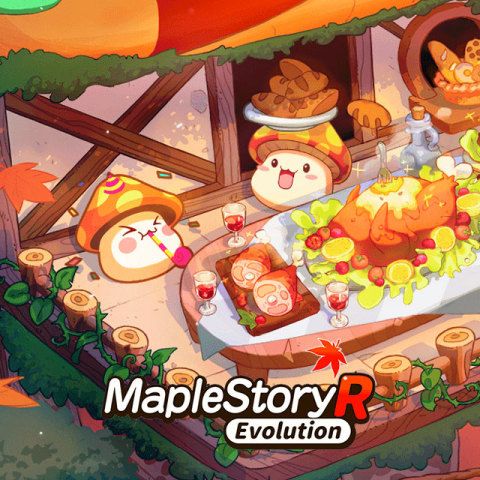


MapleStory M Crystal Top Up: Secure In-Game Currency Recharge
MapleStory M brings the classic side-scrolling MMORPG experience to mobile devices, featuring fast character progression, extensive cosmetic customization, and challenging boss expeditions. To access premium items, speed up character leveling, and protect high-tier equipment upgrades, players rely on MapleStory M Crystals.
Crystals serve as the core premium currency in MapleStory M. By topping up your account, you can purchase essential items directly from the in-game Cash Shop, including:
- Auto-Buff Pets: Equip Wonder Black, Blue, and Silver pets that automatically consume potions, cast support skills, and collect dropped items while you farm Star Force fields.
- Equipment Upgrade Protection: Secure Shield Scrolls, Shielding Wards, and Lucky Day Scrolls to prevent equipment destruction or degradation during high-level Star Force enhancements.
- Character & Account Expansions: Expand your character bag inventory, general storage space, and total character creation slots to build an effective Legion grid.
- Cosmetic Customization: Buy Royal Hair coupons, Royal Face coupons, Style Boxes, and seasonal outfits to personalize your characters.
- Dungeon & Battle Passes: Acquire Auto-Battle Charge Tickets, Dungeon Entry Tickets, and seasonal Event Packages to optimize daily resource farming.
BitTopup provides a direct, secure method to complete your MapleStory M crystal recharge without sharing account login credentials.
MapleStory M Crystals vs. Cash Points: Key Differences
When purchasing resources for MapleStory M, players often encounter both Crystals and Cash Points. Understanding the distinction helps ensure you select the correct package for your gameplay needs.
| Currency Type | Delivery Method | Primary Use Case | Account Application |
|---|---|---|---|
| MapleStory M Crystals | Direct credit to character balance | In-game Cash Shop purchases, Royal Styles, Pet equipment, Auto-Battle tickets | Spendable instantly inside the mobile app |
| Maple M Cash Points | Account-level balance credit | Web-store redemption, conversion into promotional bundles | Converted or redeemed via specific web events |
Direct Crystal top-up delivers currency straight to your selected character's in-game balance. This allows you to immediately access ongoing limited-time Cash Shop sales and event packages without intermediary conversion steps.
How to Find Your MapleStory M Member Code, Server, and Player Name
To complete your top up accurately, you must provide your unique Member Code, Region & Server, and Character Name. Follow these steps to locate your account information inside the game:
- Open MapleStory M on your mobile device and log in to your active character.
- Tap the Menu icon (three horizontal bars) located in the upper right corner of the screen.
- Tap the Options gear icon at the bottom of the menu screen.
- Select the Account tab on the left sidebar.
- Locate your Member Code in the account information panel. Tap the Copy button to copy your code.
- Check the top or bottom of your settings screen (or the initial login screen) to verify your exact Region & Server.
- Note down your exact in-game Player Name.

Supported MapleStory M Regions and Worlds
BitTopup supports all official global servers across America, Europe, Asia 1, and Asia 2. Select the exact world matching your character to avoid order fulfillment delays.
| Region | Supported Worlds (English) | Server Label (Regional) |
|---|---|---|
| America | Inosys, Scania | 北美-依諾西斯, 北美-斯卡尼亞 |
| Europe | Scania | 欧洲 -斯卡尼亞 |
| Asia 1 | Khaini, Luna, Scania, Windia, Zenith | 亚洲 1-凱伊尼, 亚洲 1-露娜, 亚洲 1-斯卡尼亞, 亚洲 1-溫迪亞, 亚洲 1-傑尼斯 |
| Asia 2 | Croa, Luna, Scania, Union, Zenith | 亚洲 2-克羅亞, 亚洲 2-露娜, 亚洲 2-斯卡尼亞, 亚洲 2-聯盟, 亚洲 2-傑尼斯 |
How to Recharge MapleStory M Crystals on BitTopup
Recharging your Crystals through BitTopup takes only a few simple steps:
- Select Crystal Amount: Choose the Crystal package you want to purchase from the product catalog.
- Enter Member Code: Paste your copied Member Code into the input box.
- Choose Region & Server: Select your exact server world from the dropdown list (e.g., Asia 2 - Scania or America - Inosys).
- Enter Player Name: Type your character's exact in-game name.
- Proceed to Checkout: Review your entered details, select your preferred payment method on the live checkout screen, and confirm the transaction.
- Receive In-Game Crystals: Once payment is confirmed, the Crystals will be delivered directly to your MapleStory M account. Check your in-game mailbox or Crystal balance.
Account Safety: Direct UID Top Up Without Password Sharing
Account security is critical when purchasing game currencies. BitTopup uses direct player identification top-up, which requires only your public Member Code, Server, and Player Name.
- Zero Password Requirements: You never need to provide your Google Play, Apple ID, Facebook, Twitter/X, or Nexon account login credentials.
- No Account Sharing: Your account remains strictly in your hands. There is no risk of unauthorized device logins, secondary password resets, or equipment tampering.
- Secure Payment Processing: All transactions are handled through encrypted checkout systems, protecting your personal financial information.
Never share your login passwords or verification codes with third-party sellers. Using your Member Code ensures that currency is credited directly to your profile through official API channels.
Smart Spending Tips for MapleStory M Crystals in 2026
Maximizing the value of your purchased Crystals ensures faster character progression and better returns on your investment:
- Prioritize Auto-Buff Pets First: Keeping active Wonder Black or standard 30-day auto-buff pets is the most effective investment for surviving higher Star Force fields (SF 144, SF 168, SF 180+) and maximizing overnight Auto-Battle farming.
- Save Enhancement Scrolls for High Star Force: Do not spend Crystals or enhancement protection scrolls on gear below Star Force 15. Reserve Shielding and Warding scrolls for Star Force 18+ and Mythic/Necro gear attempts.
- Expand Character Slots for Legion Bonuses: Unlocking additional character slots allows you to level up alternate characters, providing substantial account-wide Legion and Link Skill stat bonuses.
- Package Value Comparisons: Check active event packages in the Cash Shop. Event packages often bundle Crystals alongside bonus Auto-Battle tickets, Whetsones, and reduction scrolls at better rates than individual purchases.
MapleStory M Crystal Top Up Frequently Asked Questions
How do I find my MapleStory M Member Code and Server?
Open MapleStory M, tap the Menu icon in the top right corner, select the Options gear icon, and click the Account tab. Your Member Code is displayed with a Copy button. Your Region and Server appear on your character selection screen or login menu.
What is the difference between MapleStory M Crystals and Cash Points?
Crystals are the direct in-game currency used inside the MapleStory M Cash Shop for items, packages, and cosmetics. Cash Points are account-level platform balances used to redeem promotional web packages or convert into currency balances.
Do I need to provide my account login password to recharge Crystals?
No. BitTopup only requires your Member Code, Region & Server selection, and Player Name. You should never share your game password or third-party login credentials.
What happens if I select the wrong server or enter an incorrect Player Name?
If you enter an incorrect Member Code or choose the wrong server, the top-up order cannot be matched to your character. Always double-check your Member Code and server details before completing payment. If an error occurs, contact BitTopup customer support with your order number.
How fast are MapleStory M Crystals delivered after completing the recharge?
Crystals are credited directly to your account shortly after payment confirmation. Check your in-game Crystal counter or open your in-game mailbox to collect your package.
Can I buy MapleStory M Crystals for another player using their Member Code?
Yes. Because the recharge system only requires the Member Code, Server, and Player Name, you can send Crystal packages directly to friends or guildmates by entering their account details during checkout.