

Google Play Gift Card AE Top Up and Digital Recharge Overview
A Google Play Gift Card (AE) provides a direct, secure method to add UAE Dirham (AED) balance to your Google Play account. Using a digital recharge code eliminates the need to attach personal credit cards or international payment methods directly to your Android device. Once redeemed, the funds are added directly to your Google Play balance, ready to spend on Android apps, mobile games, in-game items, books, and digital content.
Digital gift cards for the United Arab Emirates region are sold in fixed AED values. Live prices and current stock levels are displayed directly on the BitTopup checkout screen.
| Card Region | Currency | Delivery Type | Supported Platforms | Account Requirement |
|---|---|---|---|---|
| United Arab Emirates (AE) | AED (Dirhams) | Instant Digital Code | Android, Web Browser, Google TV | UAE Google Account & Local IP |
| AE 20 – AE 500 | AED | Digital Text Code | Google Play Store | UAE Payment Profile |
Step-by-Step Guide: How to Recharge Google Play UAE Balance
You can redeem your Google Play AE recharge code on an Android smartphone or tablet, or through a desktop web browser. Ensure your Google account is set to the United Arab Emirates before entering the code.
Method 1: Redeeming on an Android Mobile Device
- Open the Google Play Store app on your Android device.
- Tap your profile icon in the upper right corner of the screen.
- Tap Payments & subscriptions, then select Redeem code.
- Enter the 16-digit alphanumeric digital code received in your BitTopup order details.
- Tap Redeem and confirm the account details when prompted. Your AED balance updates immediately.
Method 2: Redeeming via a Web Browser
- Go to
play.google.com/redeemon your PC, Mac, or mobile browser. - Sign in to the exact Google account you use on your Android device.
- Type or paste your digital AE voucher code into the redemption field.
- Click Redeem and accept the terms to credit the funds directly to your Play balance.
Pre-Purchase Verification: Checking Your Google Play Country Profile
Google Play strictly enforces region matching between the gift card currency and your Google payments profile. Before purchasing or redeeming an AE card, verify that your account is registered to the United Arab Emirates.
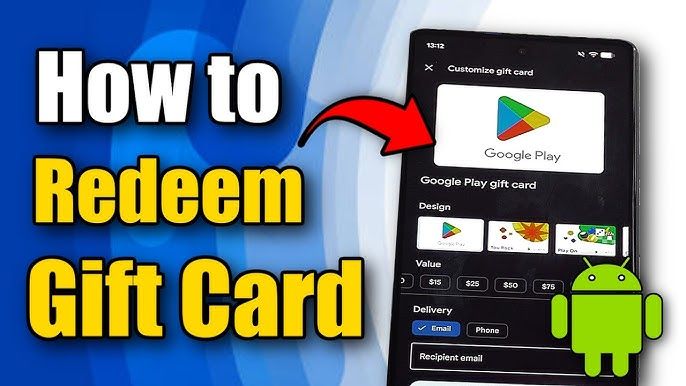
How to Verify Your Google Play Region:
- Open the Google Play Store app.
- Tap your profile icon at the top right.
- Go to Settings > General > Account and device preferences.
- Scroll down to the Country and profiles section.
- Confirm that United Arab Emirates is selected with a green checkmark. If a different country is listed, you must switch your profile or create an account based in the UAE before redeeming an AE gift card.
Critical Region-Lock Rules and UAE Account Requirements
Google applies strict geo-restrictions to gift cards to prevent cross-border currency exploitation. To redeem and use a Google Play Gift Card (AE), you must meet two essential conditions:
- Matching Account Country: Your Google Play payment profile country must be set to the United Arab Emirates (AED). A card denominated in AED cannot be redeemed on a US, UK, EU, or any other regional Google account.
- Physical Location and IP Verification: Google checks your IP address at the moment of redemption. You must be physically located in the UAE or connected via a standard UAE network connection. Using proxy networks or foreign connections during redemption will trigger automated security blocks.
How to Fix Common Google Play Code Redemption and Geo-Restriction Errors
If you encounter an error when applying your code, use these troubleshooting steps to resolve the issue:
1. "Code cannot be redeemed from your country" (PRS-PGC-01)
- Cause: Your IP address does not match the UAE region, or your account country is set to a different region.
- Fix: Turn off any active VPNs or proxy tools. Verify in Play Store settings that your country profile is set to UAE. Clear the cache of the Google Play Store app (
Settings > Apps > Google Play Store > Storage > Clear Cache) and retry.
2. "We need more info to redeem your gift card"
- Cause: Google automated fraud-prevention flags the transaction or device state.
- Fix: Ensure you are redeeming on your primary mobile device rather than an emulator. If the error persists, submit Google's verification form with your code details as requested on-screen.
3. "Invalid Code" or Typo Issues
- Cause: Misread characters (e.g., confusing
0withO, or1withI). - Fix: Copy the code directly from your BitTopup order page and paste it into the redemption box to avoid transcription errors.
What You Can Purchase vs Google Play AE Balance Restrictions
Eligible Purchases
- In-game currencies, battle passes, and microtransactions in games downloaded from the UAE Play Store.
- Premium paid applications, utility tools, and mobile software.
- Google Play Books, audiobooks, and movie rentals/purchases available in the UAE catalog.
- In-app subscriptions that support Google Play Balance billing.
Google Play Balance Limitations
- No Cash Out or Transfers: Play Balance cannot be converted to cash, refunded to bank cards, or transferred to PayPal, Skrill, or other external wallets.
- Family Payment Sharing Restriction: Play balance cannot be used as a shared payment method for Google Play Family Groups. Family managers must use a credit or debit card for group purchases.
- No Hardware Purchases: Play gift card balance cannot be used to purchase physical devices or accessories from the Google Store.
- No Cross-Border Spending: AED balance cannot be converted to other currencies or spent in foreign Play Store regions.
Safe and Instant Digital Gift Card Delivery on BitTopup
BitTopup provides a direct, secure channel to purchase Google Play Gift Card (AE) recharge codes without risks to your account:
- Zero Account Sharing: We never ask for your Google account email, password, or security codes. You receive a clean digital code to redeem yourself.
- Instant Digital Delivery: Codes are issued directly to your account order history immediately upon payment confirmation.
- Clear Region Warnings: Product listings clearly indicate the AE region requirement to prevent accidental cross-region purchases.
- 24/7 Customer Support: Dedicated help is available around the clock if you need guidance with your order.
Frequently Asked Questions
Can I buy Google Play gift cards in the UAE?
Yes. Google Play gift cards are officially available for the UAE market in AED denominations. You can buy digital Google Play AE recharge codes directly online at BitTopup for instant delivery.
How do I recharge my Google Play balance with an AE gift card?
Open the Google Play Store app, tap your profile icon, go to Payments & subscriptions, select Redeem code, enter your 16-digit voucher code, and confirm. The AED funds will credit to your account balance instantly.
Why is my Google Play AE gift card giving a region error?
Region errors occur when your Google account payment profile is set to a country other than the United Arab Emirates, or if your network IP is detected outside the UAE. Verify your Play Store region under Account and device preferences and disable any active VPN tools.
Can I convert my Google Play gift card balance to cash or PayPal?
No. Google Play policy prohibits converting Play Balance to physical cash, transferring funds to PayPal, or sending balances between different Google accounts. All redeemed funds must be spent on eligible digital items within the UAE Play Store.
Can I use a UAE Google Play gift card on an account registered in another country?
No. Google Play codes are hard-locked to their designated region and currency. An AE card (AED) only works on accounts set to the United Arab Emirates region.
What is the difference between a Google Play recharge code and a gift card?
A recharge code is the digital equivalent of a physical gift card. Both provide the exact same 16-digit code used to credit AED funds to your Google Play account balance. Digital codes deliver instantly without needing a physical scratch-off card.
Do Google Play Gift Cards (AE) have an expiration date?
No. Google Play gift card codes and redeemed balances do not have an expiration date. Once redeemed, the AED balance remains on your Google profile until you choose to spend it.