





FIFA 23 (Origin) Top Up and Digital Key Redemption Guide
Securing your digital copy or game key for FIFA 23 on PC requires understanding how legacy Origin keys operate within EA's modern ecosystem. Although Electronic Arts rebranded its distribution platform, all Origin product codes remain fully redeemable directly inside the EA App in 2026.
When you purchase or recharge your digital game key via BitTopup, you receive an authentic alpha-numeric activation code. This allows you to claim the base game directly to your personal EA library without sharing your login credentials, maintaining total account security from checkout to kickoff.
Origin to EA App Migration: Key Compatibility & Activation
Electronic Arts officially transitioned PC players from the legacy Origin client to the EA App. If you hold an unredeemed FIFA 23 Origin CD key or purchase one today, you do not need the deprecated Origin client to play.
- Universal Key Architecture: EA maintains backward compatibility for all 16-digit and 20-digit Origin product codes. Entering an Origin key into the EA App automatically links FIFA 23 to your EA Account.
- Cloud Save Continuity: Career Mode saves, Ultimate Team profiles, and custom squad setups tied to your EA Account synchronize immediately across installations.
- Cross-Play and EA AntiCheat: FIFA 23 uses kernel-level EA AntiCheat on PC. Running the game through the modern EA App ensures you receive the latest anti-cheat patches required to boot the game on modern operating systems.
How to Redeem FIFA 23 Origin Digital Keys on EA App in 2026
Activating your code takes less than two minutes. Follow these direct steps on your PC:
- Download and install the official EA App on your Windows PC if you have not already done so.
- Launch the EA App and log in with your primary EA Account.
- Click on My Collection in the left sidebar menu.
- Click the Redeem Code button located at the top-right corner of the window.
- Type or paste your digital key into the text field exactly as provided by BitTopup.
- Click Next, review the product confirmation screen for FIFA 23 Standard Edition or FIFA 23 Ultimate Edition, and click Confirm.
- FIFA 23 will now appear permanently in your EA App library, ready for download and installation.
Locating Your EA Account ID & Verifying Code Details
Before finalizing your order or submitting a support inquiry, make sure you know your EA ID. You can verify your active account details directly in the desktop client:
- Open the EA App.
- Look at the top-right corner of the client window to view your avatar and display name (EA ID).
- Click on your profile icon and select Settings > My Profile to view your linked email address and account region settings.
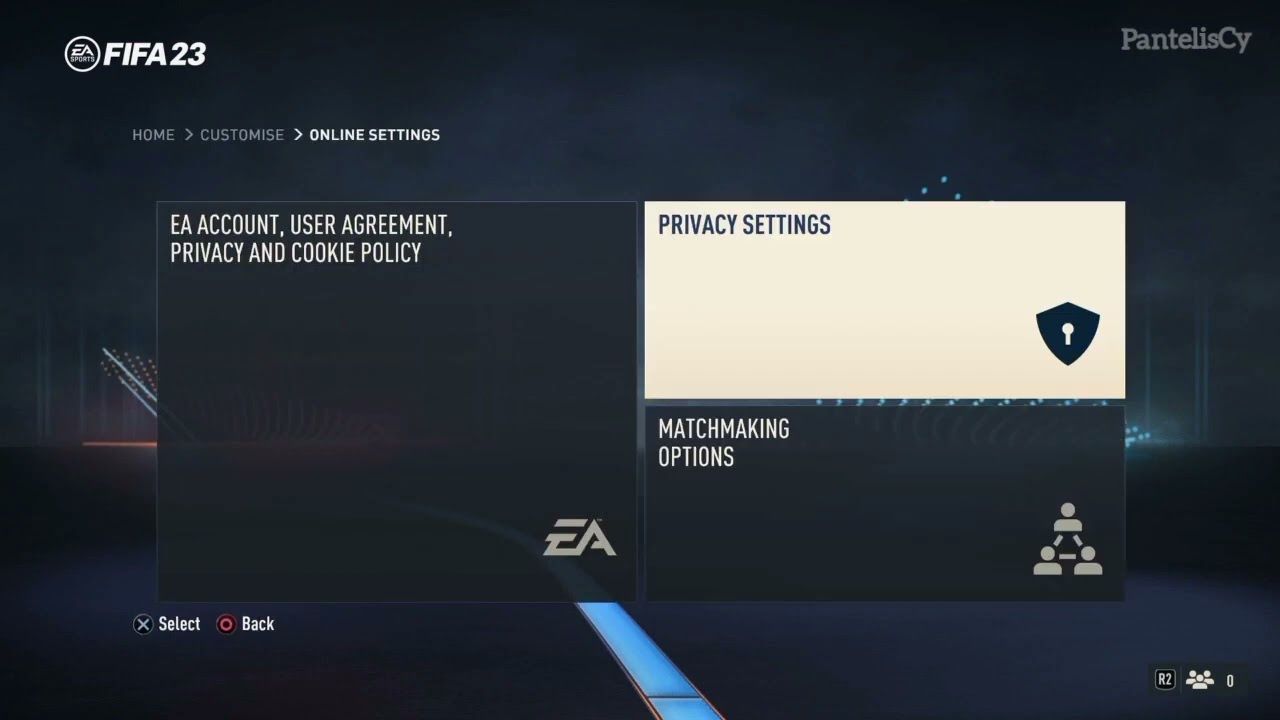
Verifying your account region ensures that any region-restricted digital keys or standard global codes map cleanly to your EA profile without geo-blocking interruptions.
FIFA 23 PC System Requirements (Minimum & Recommended)
FIFA 23 introduced next-generation visual upgrades to the PC platform, requiring dedicated DirectX 12 hardware and Windows security configurations:
| Specification Component | Minimum Requirements | Recommended Requirements |
|---|---|---|
| Operating System | Windows 10 64-bit (Version 1909 or higher) | Windows 10 / Windows 11 64-bit |
| Processor (CPU) | Intel Core i5 6600k / AMD Ryzen 5 1600 | Intel Core i7 6700 / AMD Ryzen 7 2700X |
| Memory (RAM) | 8 GB RAM | 12 GB RAM |
| Graphics Card (GPU) | NVIDIA GeForce GTX 1050 Ti / AMD Radeon RX 570 | NVIDIA GeForce GTX 1660 / AMD Radeon RX 5600 XT |
| DirectX Version | Version 12 compatible | Version 12 compatible |
| Storage Space | 100 GB available space | 100 GB SSD available space |
| Security Protocols | TPM 2.0 & Secure Boot (Required on Windows 11) | TPM 2.0 & Secure Boot (Required on Windows 11) |
FIFA 23 Gameplay Features: HyperMotion2, Career Mode, and Cross-Play
FIFA 23 marked a milestone entry in the franchise, bringing parity between PC and console hardware:
- HyperMotion2 Technology: Powered by advanced 11v11 match capture, the PC edition includes full physics overhauls, authentic dribbling transitions, and realistic acceleration profiles.
- Expanded Career Mode: Play through Manager Career as real-world managers, manage Player Personality points, and play through dynamic playable highlights rather than full 90-minute matches.
- Women's Club Football: Features dedicated club tournaments, including the Barclays Women's Super League and Division 1 Arkema, backed by dedicated motion-capture animation sets.
- Power Shots & Redesigned Set Pieces: Control trajectory, spin, and curl on free kicks and corners, or execute high-risk, high-reward manual Power Shots from outside the box.
Safe Digital Delivery and Instant Verification on BitTopup
Acquiring discontinued or legacy sports titles requires a trusted transaction process. BitTopup ensures your purchase remains safe, transparent, and hassle-free:
- Zero Password Policy: We never ask for your EA account password, security questions, or 2-factor authentication codes. You receive a digital key to redeem independently.
- Live Competitive Pricing: Transparent prices reflect directly on the checkout page with zero hidden fees at payment.
- Instant Code Verification: Every digital code undergoes system integrity validation before dispatch to minimize redemption failures.
- Dedicated 24/7 Support: Our customer support team is available around the clock to assist you with order status, key delivery, and client activation questions.
FIFA 23 Server Status & Online Playability in 2026
While newer annual sports titles have been released, FIFA 23 remains playable in 2026 across multiple core modes:
- Career Mode & Offline Play: Fully accessible without restriction. You can play Manager Career, Player Career, Kick-Off, and customized offline tournaments indefinitely.
- Local Multiplayer & Co-Op: Couch play, offline exhibition matches, and custom squad kick-offs remain functional without an internet connection.
- Ultimate Team & Online Services: EA maintains legacy servers for several years following release. While seasonal live promotions, Team of the Week updates, and new promotional card drops have ended, matchmaking, online friendlies, and squad battles continue to operate according to standard EA server lifecycles.
Troubleshooting Activation & Region Lock Issues
If you encounter an issue when activating your key on the EA App, apply these verified fixes:
- Error "Code Already Redeemed": Refresh your EA App by selecting the top-left menu icon > Help > App Recovery > Clear Cache. Log back in and inspect your collection to see if the title appears.
- Region Mismatch / Invalid Region: Ensure your EA account country settings match the regional availability of the key purchased. You can check your account region under your EA Billing & Account settings via your web browser.
- EA AntiCheat Installation Loop: If the game fails to boot after installation, open
C:\Program Files\EA\AC, right-clickEAAntiCheat.Installer.exe, select Run as Administrator, choose FIFA 23 from the drop-down list, and click Update or Reinstall. - Secure Boot Errors (Windows 11): Restart your PC, enter your BIOS setup, and ensure that both UEFI Mode and Secure Boot are enabled. EA AntiCheat requires active Secure Boot to launch FIFA 23 on Windows 11.
Frequently Asked Questions
Can I still buy and activate FIFA 23 on PC in 2026?
Yes. While EA delisted the title from direct purchase on primary storefronts due to licensing renewals, existing digital keys remain valid. You can purchase a genuine product key on BitTopup and activate it directly within the EA App in 2026.
How do I redeem a FIFA 23 Origin key on the EA App?
Open the EA App, log in to your EA Account, go to My Collection, and click the Redeem Code button in the upper-right corner. Paste the digital code received from BitTopup and confirm to bind the game permanently to your library.
Why was FIFA 23 delisted from official digital storefronts?
EA's official branding agreement with FIFA concluded, leading to the delisting of legacy FIFA-branded titles from standard direct-purchase store pages. However, servers and activation backends continue to honor all existing and unredeemed product keys.
Do I need to provide my EA account password to recharge or purchase?
No. BitTopup does not request or require your EA account password. You receive a direct alphanumeric activation code upon purchase, which you enter yourself in the EA App.
Are FIFA 23 online servers still active in 2026?
EA keeps game servers online for several years post-launch. Basic peer-to-peer matchmaking, online friendlies, and Ultimate Team core modes remain accessible, though live seasonal events and new promotional content have concluded.
Is a FIFA 23 Origin key compatible with Windows 10 and 11?
Yes. FIFA 23 is compatible with 64-bit Windows 10 and Windows 11. On Windows 11, make sure that TPM 2.0 and Secure Boot are enabled in your motherboard BIOS settings to satisfy EA AntiCheat security checks.





![ToGather: Island CD-Key [STEAM] - Top Up](https://pic.bittopup.ru/apiUpload/a3e30e5c466353a03be69541b03285a5.png?imageView2/0/w/120/h/120/format/webp/ignore-error/1 "ToGather: Island CD-Key [STEAM] - Top Up")