

Beat Party SEA Pass Top Up: Overview and In-Game Rewards
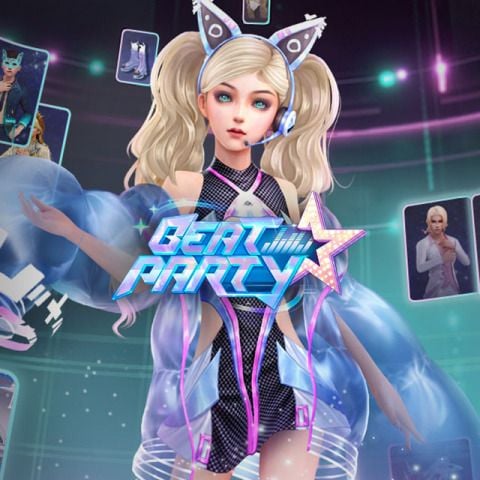
The Beat Party SEA Pass is the primary seasonal progression track for players on the Southeast Asia server. Upgrading your pass unlocks a structured ladder of premium items, fashion sets, dance accessories, and direct currency drops that cannot be obtained through standard daily quests alone.
When you activate the SEA Pass, every completed music stage, daily mission, and seasonal challenge grants pass experience points (EXP). As you climb through the pass tiers, you collect milestone rewards designed to customize your character's look on the dance floor and enhance your social profile.
Key rewards typically featured across Beat Party SEA Pass seasons include:
- Exclusive Season Outfits: Complete multi-piece fashion sets themed around current seasonal styles, available only during the active pass period.
- Rare Mounts and Stage Props: Stage-ready vehicles, floating effects, and decorative props that make your avatar stand out in group lobbies.
- Currency Packages: Bonus Diamonds, Gold, and gacha lottery tickets distributed across specific level milestones.
- Social Cosmetics: Custom chat bubbles, dynamic avatar frames, action emotes, and exclusive profile badges that display your seasonal tier status.
- Material Bundles: Upgrade materials used to craft custom accessories and boost performance ratings.
Buying your pass through BitTopup allows you to activate these rewards immediately on your Southeast Asia server account without manual voucher entry.
How to Find Your Beat Party User ID (UID)
To ensure your Beat Party SEA Pass recharge is credited directly to your account, you must provide your correct in-game User ID (UID). Follow these quick steps to locate your information:
- Launch Beat Party on your mobile device or emulator.
- Tap your Avatar icon located in the top-left corner of the main home screen.
- Open the Basic Info or Profile tab.
- Locate the numeric UID (Character ID) displayed below your character name and current server label.
- Tap the small copy icon next to the number, or write it down carefully.
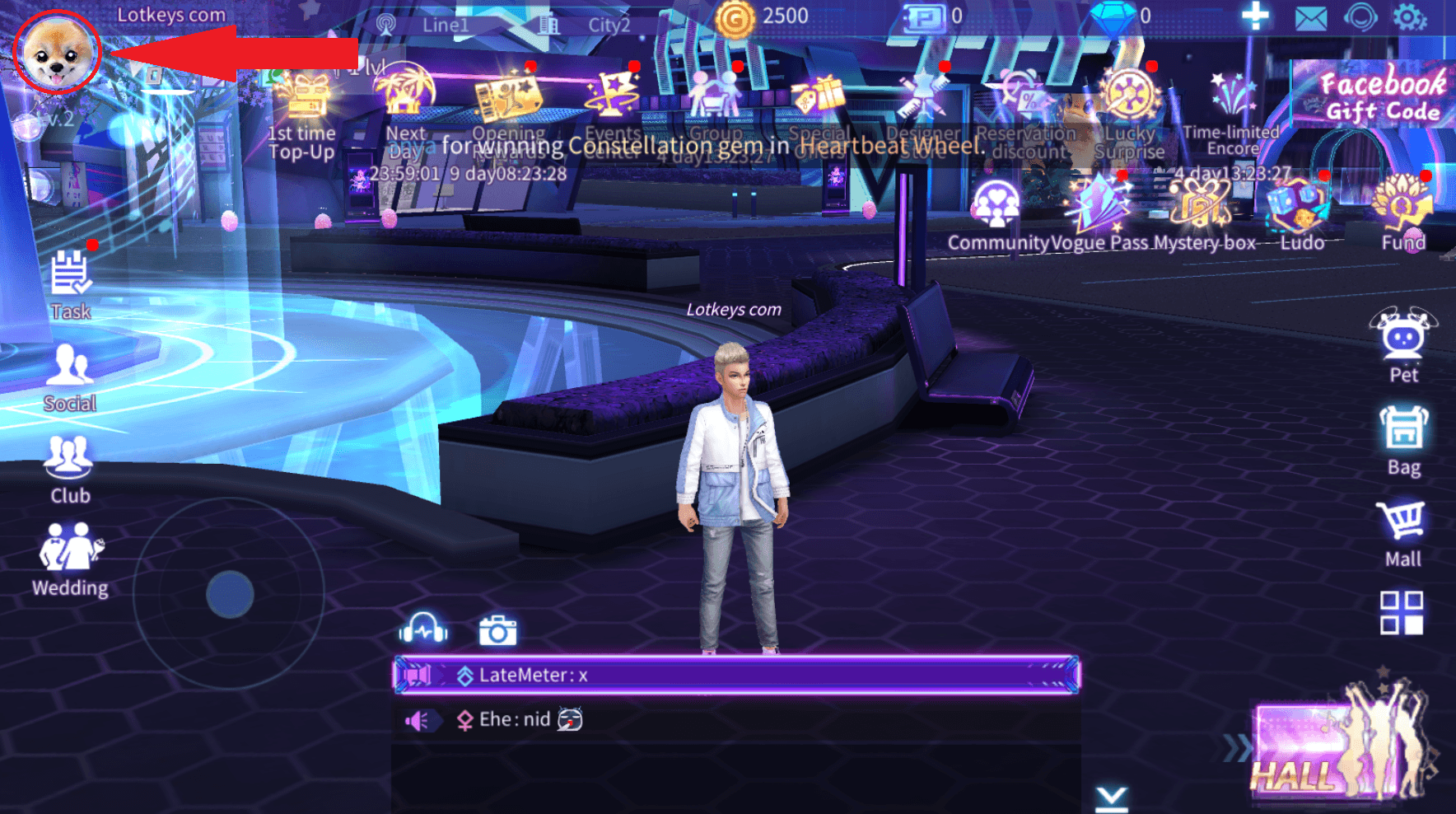
Double-check that your game region matches the South East Asia (SEA) server before placing your order. Passing an incorrect UID or a profile registered on a different regional server can cause fulfillment delays.
How to Recharge Beat Party SEA Pass Online in 2026
Getting your pass updated through BitTopup takes only a few quick steps. Follow this guide to complete your recharge:
- Select the Pass Product: Choose the Beat Party SEA Pass option from the catalog on this page.
- Enter Your Account Details: Input your numeric Beat Party UID and select your server region (South East Asia).
- Review Current Pricing: Check the live checkout screen for real-time prices, available bundles, and active order totals.
- Pick a Payment Method: Select your preferred local or international payment option.
- Complete Payment: Follow the on-screen prompts to confirm the transaction.
- Receive Your Pass: Once the order status shows completed, restart your Beat Party app. Open the seasonal pass menu to confirm your unlocked status and claim your tier rewards.
Beat Party SEA Pass Server & Region Compatibility
Beat Party operates dedicated regional servers across different app store listings. Because user databases are separated by territory, items purchased for one server cannot be transferred to another.
| Feature / Attribute | Beat Party SEA Server Details |
|---|---|
| Target Server Region | South East Asia (SEA) |
| Account Identifier | In-Game Numeric UID |
| Login Required | No (Direct UID Crediting) |
| Pass Activation | Automatic upon order completion |
| Cross-Server Transfer | Not Supported (Requires SEA Account) |
| Usable Devices | Android, iOS, and PC Emulators connected to SEA server |
Make sure your active account is logged into the SEA server before submitting your order to avoid misdirected deliveries.
Accepted Payment Methods for Beat Party SEA Recharge
BitTopup supports a wide selection of payment options to give players across Southeast Asia and global regions a straightforward checkout experience. You can choose from:
- Credit and Debit Cards: Major international card networks including Visa and Mastercard.
- Digital E-Wallets: Regional digital wallets suited for Southeast Asian countries.
- Online Banking & Instant Transfers: Direct internet banking gateways based on your billing region.
- Alternative Digital Currencies: Selected cryptocurrency gateways for decentralized checkout options.
All real-time conversion rates and final prices are displayed transparently on the live checkout interface before you authorize payment, ensuring zero hidden fees.
Safe Account Recharge: Why BitTopup Never Asks for Your Password
Account security is essential when buying game credits online. BitTopup uses a direct-to-ID fulfillment workflow that requires only your public game UID.
- No Password Required: You will never be asked for your login password, Google credentials, Apple ID, or social network tokens.
- Zero Risk of Account Sharing: Because technicians never log into your profile, your private messages, friend lists, and stored inventory remain entirely private.
- Encrypted Checkout: Every payment gateway on BitTopup operates over secure SSL encryption, safeguarding your personal data throughout the transaction.
- Official System Delivery: Purchases are delivered directly into the game network through authorized backend protocols, keeping your account in full compliance with game terms.
Protect your login credentials at all times. Never share your password with any service claiming to top up your account.
Beat Party SEA Pass Delivery Times and Troubleshooting Tips
Orders placed on BitTopup process automatically through automated delivery channels. Most transactions credit to your account shortly after payment confirmation.
If your pass does not appear immediately, follow these troubleshooting recommendations:
- Restart the Game Client: Completely close the Beat Party application from your device's recent apps list and reopen it. This forces the client to sync with the server database.
- Check the In-Game Mailbox: Some event bundles or pass activation tokens are sent directly to your in-game mailbox. Check your unread messages and tap Claim All.
- Verify Your UID Input: Review your BitTopup order history. Check whether the UID submitted matches your current character profile number digit-for-digit.
- Confirm Server Matching: Ensure your account is registered on the Southeast Asia server rather than a global, European, or North American server build.
- Contact 24/7 Customer Support: If your order status is marked complete on BitTopup but your pass has not arrived after restarting, contact BitTopup customer support with your Order ID. The support team will verify the delivery status with the provider.
Frequently Asked Questions
What is included in the Beat Party SEA Pass?
The Beat Party SEA Pass contains a full seasonal reward track that includes exclusive themed outfits, stage accessories, avatar frames, chat bubbles, bonus Diamonds, and gacha tickets. Upgrading unlocks the premium tier track, giving you access to all milestone rewards as you earn pass EXP.
How do I recharge the Beat Party SEA Pass on BitTopup?
Select the Beat Party SEA Pass on BitTopup, input your in-game User ID (UID), choose your payment method, and complete the payment on the live checkout page. Your pass will be credited directly to your account.
Do I need to share my game login password to buy the Beat Party SEA Pass?
No. BitTopup only requires your numeric User ID (UID) and server region. You should never share your account password, email login, or social credentials with anyone.
How long does it take for the Beat Party SEA Pass to appear in my account?
Delivery occurs quickly after payment confirmation. In most cases, the pass activates almost immediately. Restarting your game app will update your pass status.
Can I purchase the SEA Pass if I play Beat Party on a different server region?
No. The Beat Party SEA Pass is strictly compatible with accounts created on the South East Asia server. If you play on Global or other regional servers, please ensure you purchase the product corresponding to your specific server build.
What should I do if my Beat Party SEA Pass is not credited after payment?
First, restart the Beat Party app and check your in-game mail tab. If the pass still does not appear, check your BitTopup order receipt to verify that your entered UID was correct, then contact BitTopup customer support with your Order ID for rapid assistance.