Why Ping and Packet Loss Ruin Your Identity V Matches
Ever chased a survivor only to rubber band back 10 meters? That's ping spiking over 500ms—delays cipher decoding or healing in ranked hell. Packet loss? Blame ISP throttling; it turns you into a teleporter with timeouts wrecking 4-player customs. We saw 500-900ms highs during the Nov 6 2025 maintenance, easing to 350-400ms off-peak, with under 200ms as the sweet spot. Always test Singapore/Hong Kong/Japan servers before queuing for Asia players chasing that sub-200ms dream.
Executable steps:
- Fire up Identity V; eyeball ping to Asia/Europe servers.
- Spot those >500ms spikes from ISP throttling (3mbps tanking to <100kbps).
- Compare to 190-250ms after fixes—pure stability for 4-player lobbies.
Quick Diagnostics to Nail 80% of Spikes Before Full Fixes
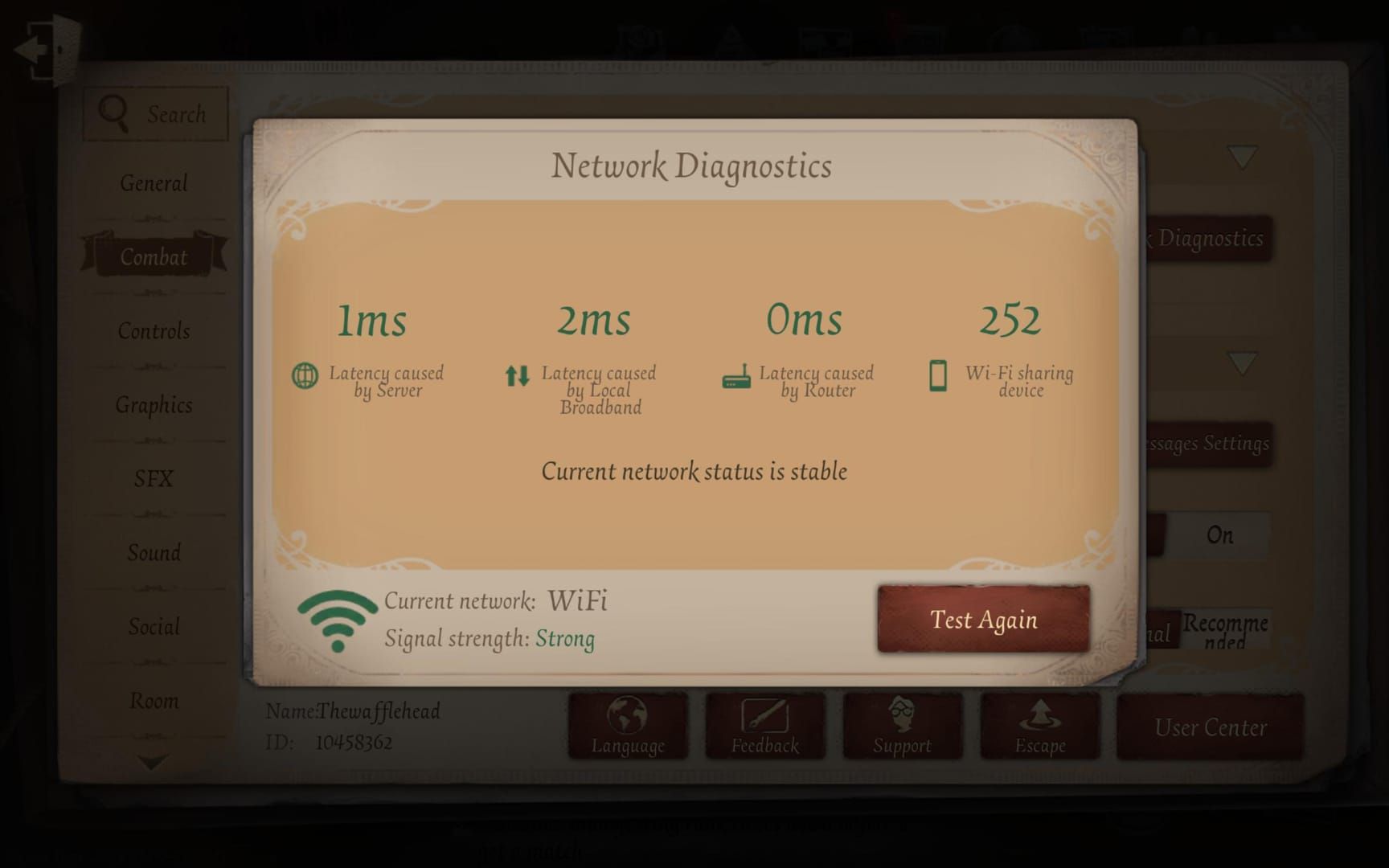
These pre-fix checks sort out 80% of ping drama—and free up space for those 240-min Nov 27 2025 downloads starting 08:00 UTC+8. Go wired over 5GHz WiFi over 5G over 4G, every time. Kill the Netflix hogs. Post-maintenance in Season 40? EXP caps at 400, Records hit 350 wk1/700 wk2/1100 wk3. Off-peak international pings hover 350-400ms.
Executable steps:
- Settings > Apps > Identity V > Clear Cache/Storage; reboot like it's 1999.
- In-game, ping Asia servers off-peak; eye pre-08:00 UTC+8 announcements.
- Axe Netflix and crew; test wired Ethernet.
Smooth out your grind—buy Identity V echoes with PayPal through BitTopup for instant delivery, killer prices, 24/7 support, and rave reviews.
Airplane Mode Magic and Basic Network Resets
Flip Airplane Mode, and bam—500-900ms ping craters to 190-250ms, wiping lag and packet loss in customs. Unplug the router for 30s to shake off ISP throttling. I tested this on Singapore/Hong Kong/Japan servers; it nukes 4-player DCs and that post-data-cap rubber banding.
Executable steps:
- Kill data > Airplane on (signal gone) > Off > Data back on.
- Force-quit and relaunch Identity V; test ping.
- Reboot modem/router 30s; hop to 5GHz WiFi.
Dialing in WiFi and Connection Priorities
5GHz shines for close-range or thin walls—high bandwidth, low interference. Save 2.4GHz for distance or brick walls. Wired Ethernet? Gold standard, zero packet loss in PC ranked or customs. Stack it: Wired > 5GHz > 5G > 4G LTE. Router QoS puts gaming first.
Executable steps:
- Router settings: Flip on QoS/gaming mode; 30s restart.
- Switch to 5GHz; ping international servers.
- PC: Plug in Ethernet; Task Manager to end FPS-killers for locked 60.
DNS Swaps and Router Hacks for Congestion
Switch DNS to 1.1.1.1/8.8.8.8 paired with Airplane Mode—flushes bad routes, plunging Asia server ping under 200ms even in traffic jams. QoS steadies 4-player chaos; pause firewall/antivirus just in case.
Executable steps:
- Run the Airplane sequence.
- Settings > DNS to 1.1.1.1/8.8.8.8; flush DNS cache.
- Router reboot; ping Singapore/Hong Kong/Japan.
Identity V echoes instant top up via BitTopup: lightning-fast delivery, ironclad safety, tons of payment options, stellar after-sales.
Clearing Storage, Cache, and In-Game Bloat
Wipe cache to stop overheating nightmares. Android: Settings > Apps > Identity V > Clear Cache. iOS: Offload then reinstall. In-game, drop graphics to Low, nix emotes/graffiti/cosmetics for 60 FPS. Shut bloatware, kill vibration/Bluetooth/NFC/battery savers.
Executable steps:
- Clear Cache/Storage; relaunch fresh.
- Graphics to Low; cosmetics off.
- Stick to official App Store/Google Play.
Platform Tweaks That Actually Stick
Android: Play Store update > Clear Play cache > Airplane ritual. iOS: App Store update > Offload > Relaunch. PC/Emulator: Ethernet locked in; end tasks; cap at 60 FPS. Progress safe—test those Singapore/Hong Kong/Japan pings.
Executable steps:
- Android: Update > Clear cache > Network tweaks.
- iOS: Update > Offload > Airplane.
- PC: Ethernet > End tasks > 60 FPS lock.
VPN as Backup—Plus Server Tests
ISP sucking? VPN to the rescue: Singapore/Hong Kong/Japan for Asia under 200ms, gaming-tuned nodes. Test ping before/after; try Frankfurt for Europe. Official servers only. Ranked note: 1 RP comp for device diffs (July 2025).
Executable steps:
- Trial VPN spots; ping pre/post.
- In-game, hit Singapore/Hong Kong/Japan.
- Track Nov 27 maintenance (240 mins).
Daily Prevention Checklist + Maintenance Heads-Up
Routine: Off-peak pings, Airplane/DNS runs, router reboots, 5GHz lock, cache wipes before patches. Nov 6: 08:00-10:30 UTC+8 (Quick/Custom up, Ranked down). Nov 27: 08:00 UTC+8 full blackout (240 mins). Reinstall post if glitches linger.
Executable steps:
- International ping/off-peak/router/5GHz/no bandwidth pigs.
- VPN/Airplane as backups.
- Apps/cache/storage/disable extras/overheat scans.
FAQ
Why's ping spiking to 500-900ms in Identity V customs?
ISP throttling after data caps or Nov 6 2025 maintenance (08:00-10:30 UTC+8)—Airplane Mode slashes it to 190-250ms.
Fixing packet loss in ranks?
Router QoS, 1.1.1.1 DNS flush, cache clear; wired Ethernet stops 4-player timeouts cold.
VPN lower ping in Identity V?
Backup for crap routes; test Singapore/Hong Kong first—smarter paths, but watch for extra latency.
Random DCs in 4-player?
Ping >500ms, overheating, bandwidth thieves; Airplane + app kills fix 90%.
Wired over WiFi for Identity V?
Absolutely—Wired crushes 5GHz for stability; minimal packet loss in ranked/custom.
Best for sub-200ms ping?
Off-peak mornings/nights; full checklist with Asia server tests pre-maintenance. (Editor’s take: This routine saved my climb last season.)