


How to top up or buy PlayStation Network Card (PT)

How to top up or buy PlayStation Network Card (PT)

Author: BitTopup Editorial TeamBitTopup Editorial Team Publish at: 2024/02/02 Updated: 2026/04/13 2 min read

How to top up or buy PlayStation Network Card (PT)

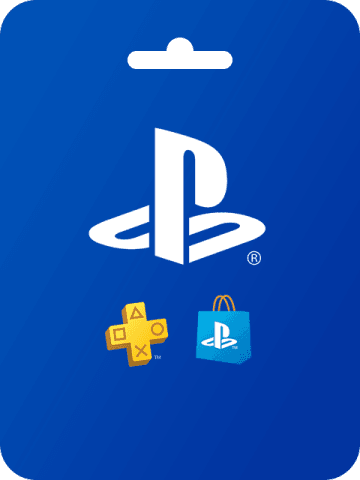
To play PlayStation games, you need a PlayStation Network Card (PT) to top up your account. Here’s how to recharge or buy PlayStation Network Card (PT).

  • -21%PSN Card 5 EURO DEhow to recharge PSN Card 5 EURO DE₽ 376.41₽ 477.75Buy Now
  • -21%PSN Card 10 EURO DEhow to recharge PSN Card 10 EURO DE₽ 750.26₽ 951.24Buy Now
  • -21%PSN Card 15 EURO DEhow to recharge PSN Card 15 EURO DE₽ 1122.41₽ 1423.02Buy Now
  • -21%PSN Card 20 EURO DEhow to recharge PSN Card 20 EURO DE₽ 1496.26₽ 1897.36Buy Now
  • -21%PSN Card 25 EURO DEhow to recharge PSN Card 25 EURO DE₽ 1866.71₽ 2366.60Buy Now
  • -21%PSN Card 30 EURO DEhow to recharge PSN Card 30 EURO DE₽ 2237.15₽ 2836.68Buy Now
  • -21%PSN Card 35 EURO DEhow to recharge PSN Card 35 EURO DE₽ 2609.30₽ 3308.47Buy Now
  • -21%PSN Card 40 EURO DEhow to recharge PSN Card 40 EURO DE₽ 2982.30₽ 3781.96Buy Now
  • -21%PSN Card 50 EURO DEhow to recharge PSN Card 50 EURO DE₽ 3727.45₽ 4727.23Buy Now
  • -21%PSN Card 60 EURO DEhow to recharge PSN Card 60 EURO DE₽ 4473.45₽ 5672.51Buy Now

How to top up PlayStation Network Card (PT)

  1. Sign in to your PlayStation account
  2. Select the "Recharge" or "Redeem Codes" option
  3. Enter your PlayStation Network Card (PT) card number
  4. Complete the payment process and choose the right onepayment methodMake payment

How to buy PlayStation Network Card (PT)

  1. accessPlayStation Network Card (PT)Product page
  2. Choose the appropriate denomination and quantity
  3. Add PlayStation Network Card (PT) to cart
  4. Choose the right onepayment methodMake payment
  5. After successful payment, you will receive the purchased PlayStation Network Card (PT) card number

latest news

Recently, PlayStation launched a new game season pass. Purchasing PlayStation Network Card (PT) can be used to purchase the latest game season pass, allowing you to play more games. In addition, PlayStation has also added more payment options, including credit cards, PayPal, etc., allowingtop up PlayStation Network Card (PT)More convenient.

Player ID

Players need to provide the correct Player ID when purchasing or recharging to ensure that the recharging or purchasing can be completed smoothly.

Now that you know how to top up or buy PlayStation Network Card (PT), top up your account and start playing!


How to top up or buy PlayStation Network Card (PT)
Share

Recommended News

10 Years of Game & Live Streaming Top-Ups

BitTopup is a reliable site for game and live-streaming top-ups, serving English-speaking users worldwide.

Since 2016 · Over 5,000,000 Users Worldwide

KAMAGEN LIMITED

Registration No. ⁨76888246⁩

Room 1508, 15/F, Grand Plaza Office Tower II, 625 Nathan Road, Mong Kok, Kowloon, Hong Kong

Business Cooperation: ibittopup@gmail.com

© 2016-2026 BitTopup. All Rights Reserved.

Trusted & Verified by

BitTopup Reviews on ScamAdviserBitTopup Reviews on GridinsoftBitTopup Reviews on Trustpilot
customer service