Zenless Zone Zero (Version 3.3) takes about 68 GB on PC: 62.9 GB of game files plus one voice pack of 4.6–5.2 GB. Steam asks for 75 GB of free space. On phones the store app is small (3.94 GB on iOS), and the rest downloads in-game. HoYoverse asks for 21 GB on Android and 27 GB on iOS, but keep about 35 GB free.
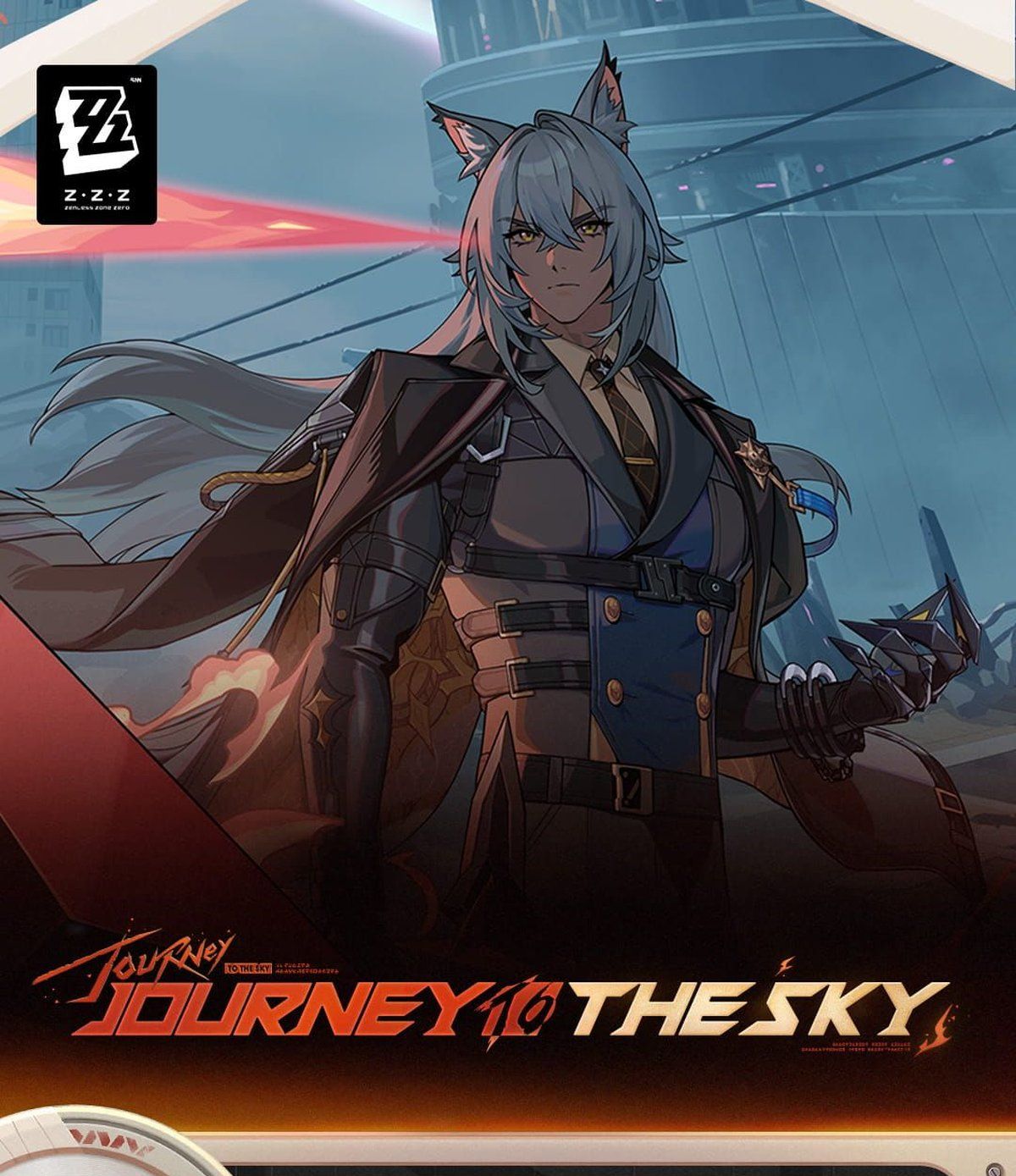
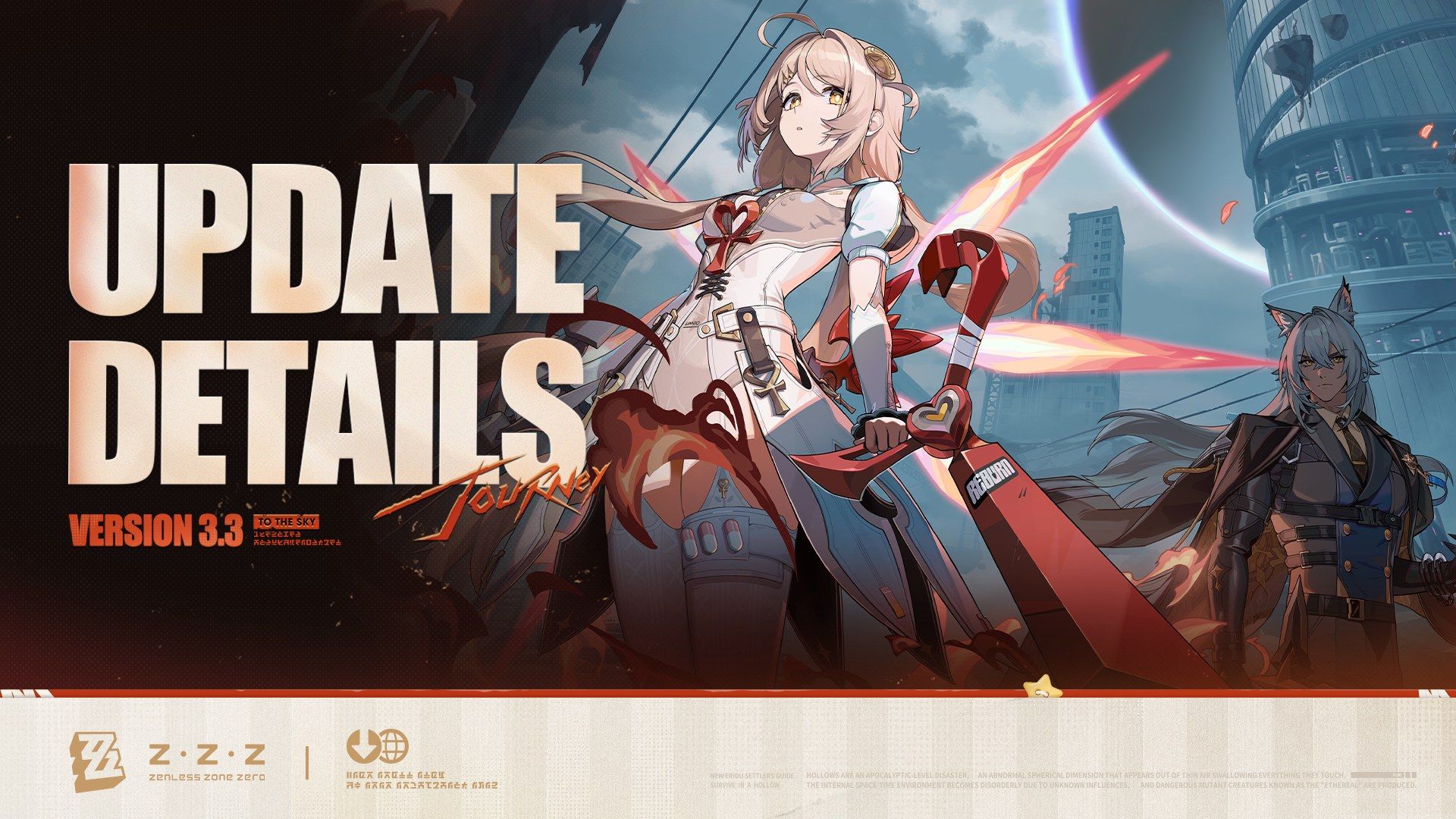
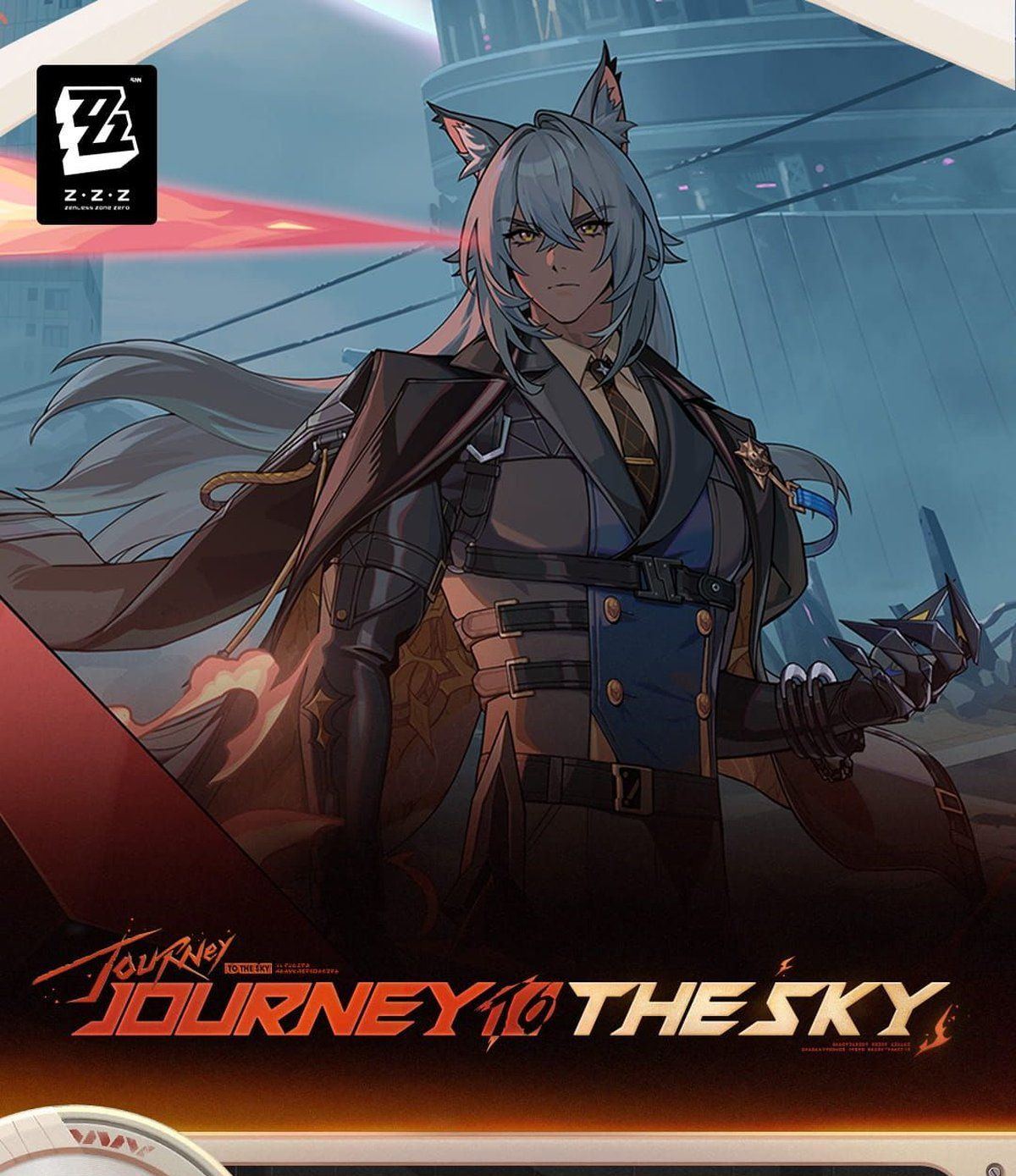
Every number below was checked on 2026-11-06 against HoYoPlay’s download data, the Steam and App Store listings, and HoYoverse’s own notices. Version 3.3 “Journey to the Sky” runs until 2026/12/02 (UTC+8). Version 3.4 is expected that day and will add a few more GB.
How Big Is Zenless Zone Zero in Version 3.3?
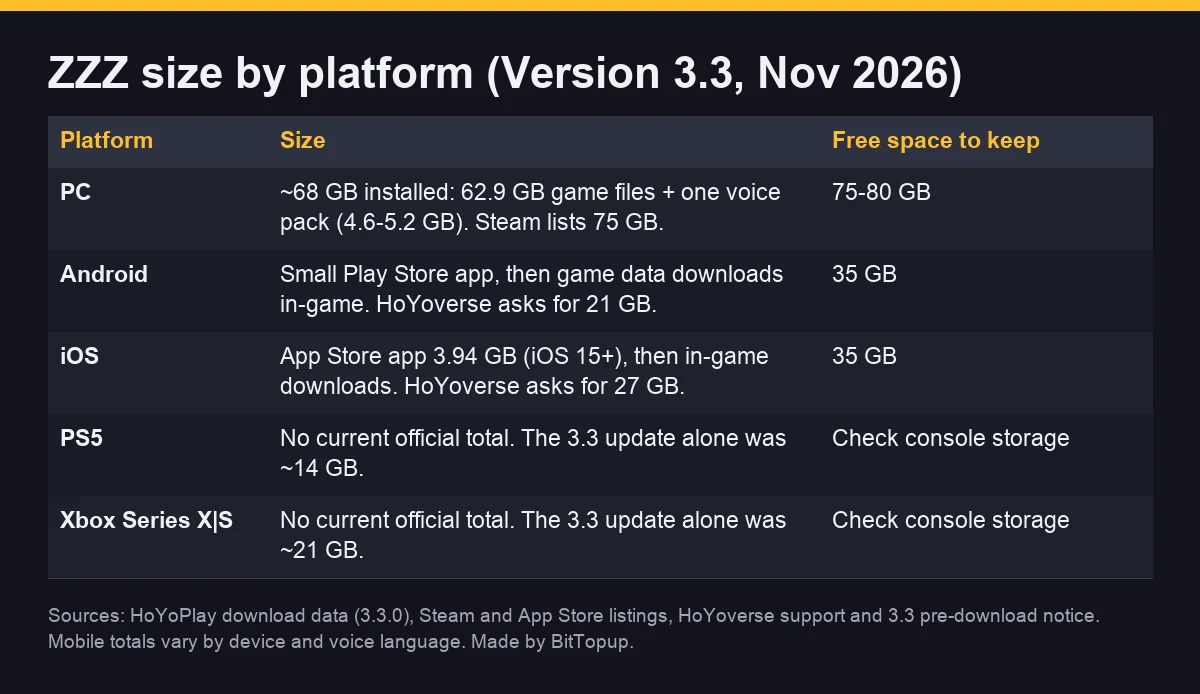
Short answer by platform. The PC figure is the real installed size from the official launcher. Mobile and console stores no longer show a full total, so those rows give the official free-space ask plus what players report.
ZZZ size by platform (November 2026)
Platform | Size in Version 3.3 | Free space to keep |
|---|
PC (HoYoPlay, Epic, Steam) | ~68 GB installed: 62.9 GB game files + one voice pack (4.6–5.2 GB). All four voice packs: ~82 GB. Steam lists 75 GB. | 75–80 GB |
Android | Small Google Play app, then game data downloads in-game. HoYoverse asks for 21 GB free. | About 35 GB |
iOS / iPadOS | App Store app 3.94 GB (Version 3.3.1, iOS 15.0 or later), then in-game downloads. HoYoverse asks for 27 GB free. | About 35 GB |
PS5 / PS5 Pro | No current official total. The 3.3 update alone needed about 14 GB. | Leave room for ~15–30 GB updates |
Xbox Series X|S | No current official total. The 3.3 update alone needed about 21 GB. | Leave room for ~20–30 GB updates |
How much free space to keep
PC: 75–80 GB free on the drive you install to. That covers the install, one voice pack, and the next update.
Phone: about 35 GB free. HoYoverse’s 21 GB / 27 GB asks date from 2025, and players on 3.x report roughly 30–35 GB after every download finishes.
Before each new version: recent updates were 5–11 GB on PC and mobile, and 14–32 GB on consoles (table below).
Platform-Specific Storage Requirements
PC (HoYoPlay, Epic, Steam) storage needs
HoYoPlay’s download data for client 3.3.0 lists 62.94 GB of game files. Voice packs are separate:
Voice pack (PC, 3.3) | Size |
|---|
English | 4.70 GB |
Japanese | 5.19 GB |
Korean | 4.88 GB |
Chinese | 4.56 GB |
So a typical install with one language is 67.5–68.1 GB. Windows shows about 63 “GB” for the same files, because Explorer counts in GiB.
Steam (on Steam since June 2026) lists 75 GB available space for both minimum and recommended specs: “HDD supported, SSD recommended.”
HoYoverse support still shows a 2025 figure: 61 GB installed plus 61 GB for unpacking (122 GB free). The launcher now downloads and patches files in place, so you rarely need that double space, but a nearly full drive can still fail mid-update.
Specs (Steam / HoYoverse): minimum Intel Core i5 7th gen, 8 GB RAM, GTX 970; recommended Core i7 10th gen, 8 GB RAM, GTX 1660; Windows 10 64-bit.
Mobile (iOS / Android) size breakdown
Both phone versions install a small app first, then download game data after you log in.
iOS: the App Store lists 3.94 GB for Version 3.3.1 (released 2026-11-05) and requires iOS 15.0 or later. HoYoverse lists iPhone XS or newer (A12, 4 GB RAM) as the minimum and asks for 27 GB free.
Android: HoYoverse asks for 21 GB free on Snapdragon 855 / Dimensity 1200 / Kirin 990 or better, with 8 GB RAM and Android 11 or later.
Real total: no store shows the full figure now. Players on 3.x report about 30–35 GB once all resources and one voice language are downloaded, so plan for 35 GB.
PlayStation 5 and Xbox size
Sony and Microsoft don’t publish a current install total we could verify, and the 2024 launch figures (around 50 GB) are out of date. The 3.3 pre-download notice gives the update size: about 14 GB on PS5 / PS5 Pro and 21 GB on Xbox Series X|S. Consoles download updates automatically only if enough storage is free, so keep at least that much spare before each version.
ZZZ vs Other HoYoverse Games Size Comparison
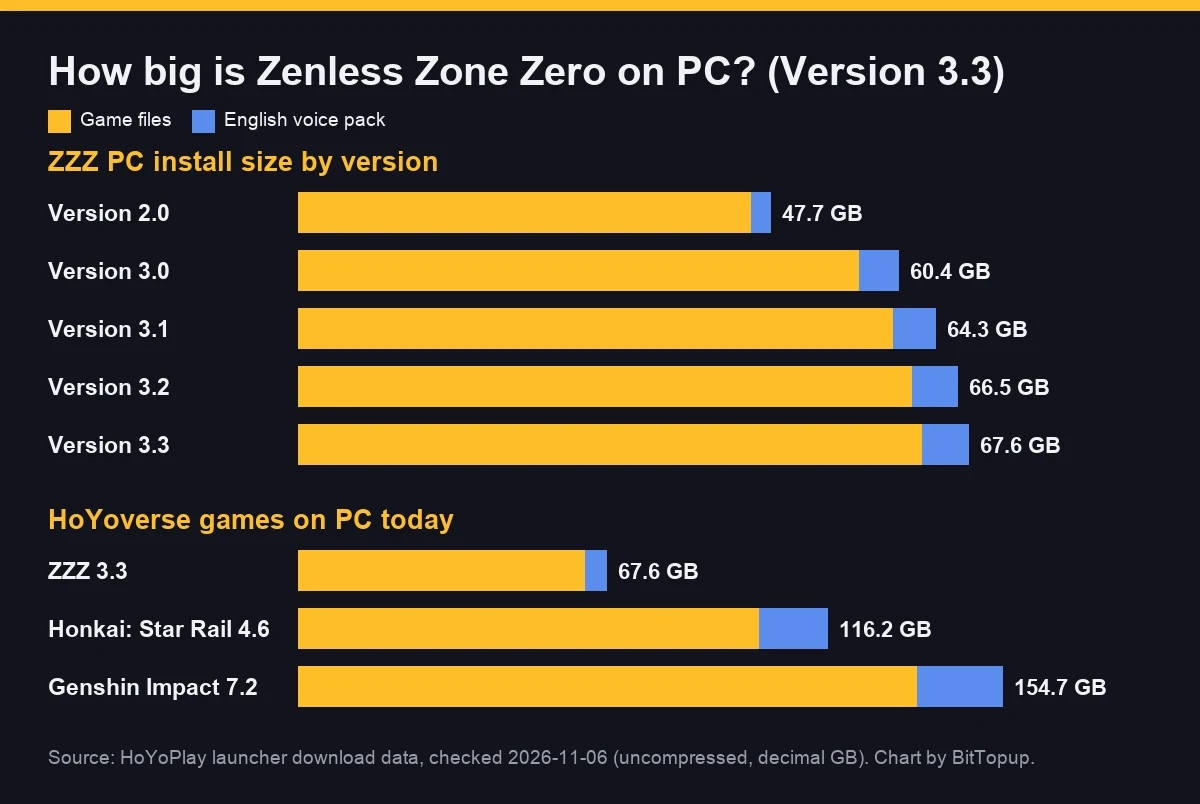
ZZZ is now the smallest of HoYoverse’s three big games on PC. Same source (HoYoPlay download data, 2026-11-06), game files plus an English voice pack:
Playing Star Rail too? See how big Honkai: Star Rail is.
What Takes Up ZZZ’s Storage
Game files and voice packs
Game files (maps, characters, story, cutscenes) are about 93% of a PC install. Voice packs are the part you control: each language is 4.6–5.2 GB on PC, and HoYoverse notes that the voice packs you have installed change how much space each update needs.
In-game resource downloads
On phones, almost everything arrives as in-game downloads after the first launch, which is why the App Store size (3.94 GB) is far below the real total. On PC, some extra data can also download after you log in, so leave a few GB beyond the launcher’s number.
Update and Patch Size Patterns
Official pre-download sizes from HoYoverse’s version notices:
Version | PC | Mobile | PS5 | Xbox |
|---|
3.3 (Oct 2026) | ~6 GB | ~5 GB | ~14 GB | ~21 GB |
3.2 (Sep 2026) | ~6 GB | ~5 GB | ~17 GB | ~28 GB |
3.1 (Jul 2026) | ~11 GB | ~7 GB | ~25 GB | ~26 GB |
3.0 (Jun 2026) | ~8 GB | ~5 GB | ~28 GB | ~32 GB |
A new version lands every 42 days. Pre-download opens about two days early; on mobile you can’t play while it runs.
Storage Optimization Strategies
How to make ZZZ smaller on mobile and PC
Keep one voice language. On PC that saves 4.6–5.2 GB per extra pack. Remove extra packs in HoYoPlay’s game settings, or switch the voice language in-game instead of keeping several.
Install on the drive with the most space. HoYoPlay lets you pick the install folder. An SSD loads faster, but Steam lists HDD as supported.
Clear space before pre-download. Updates fail when the drive is nearly full. Free the update size plus a few GB first.
On phones, clear other apps, not ZZZ’s data. Clearing ZZZ’s app data deletes the downloaded resources, and you will download them again at the next launch. Use it only when downloads are stuck.
Will reinstalling delete my progress?
No. Your account progress is stored on HoYoverse’s servers, not on the device. You can uninstall to free space and log back in later, on the same platform or another one that supports your account. Only local settings and downloaded files go away.
Installation Troubleshooting
“Insufficient storage” during an update: free the update size plus 5–10 GB, then retry. Moving the game to a bigger drive also works.
Download stuck or files damaged (PC): use the repair option in HoYoPlay’s game settings before reinstalling.
Download stuck (phone): switch between Wi-Fi and mobile data, and keep the game in the foreground. As a last resort, clear the app’s data and download again.
iPhone won’t install: check you are on iOS 15.0 or later. HoYoverse also added iPhone Duo compatibility in 3.3 (update 3.3.1).
SSD vs HDD for Zenless Zone Zero
Steam’s listing says “HDD supported, SSD recommended.” On an HDD the game runs, but area loads and texture streaming are slower. If you only have room for ZZZ on one drive, choose the SSD.
How Fast ZZZ’s Size Grows
Game files grew from 45.7 GB in Version 2.0 to 62.9 GB in 3.3. From 3.1 to 3.3 they grew about 1–2 GB per version, while voice packs roughly doubled in size since 2.0. At that pace, plan for about 70–75 GB on PC by mid-2027.
FAQ
How many GB is Zenless Zone Zero in 2026?
About 68 GB on PC in Version 3.3 (62.9 GB game files + one voice pack). Steam lists 75 GB. On phones, keep about 35 GB free.
How much storage does ZZZ take on mobile?
The iOS app is 3.94 GB before downloads. HoYoverse asks for 27 GB free on iOS and 21 GB on Android. Players on 3.x report 30–35 GB once everything is downloaded.
How big is the ZZZ 3.3 update?
About 6 GB on PC, 5 GB on mobile, 14 GB on PS5, and 21 GB on Xbox, according to HoYoverse’s 3.3 pre-download notice.
Can I delete voice packs to save space?
Yes. Each voice pack is 4.6–5.2 GB on PC. Keep only the language you play with.
Do I lose progress if I uninstall ZZZ?
No. Progress is tied to your HoYoverse account on the server. Reinstall and log in to continue.
Conclusion
Plan for about 68 GB on PC (75 GB free per Steam) and about 35 GB on phones, plus room for a 5–30 GB update every six weeks depending on platform. Keep one voice pack and you will stay near those numbers. If you are pulling for Phoenix or Severian this version, you can top up ZZZ Monochrome on BitTopup with your UID.
Sources: HoYoPlay launcher download data (client 3.3.0); Steam store page (app 4162040); App Store listing (Version 3.3.1); HoYoverse support “device requirements” and “storage” articles; official notices for Version 3.0–3.3 pre-download and the 3.3 update (zenless.hoyoverse.com).