

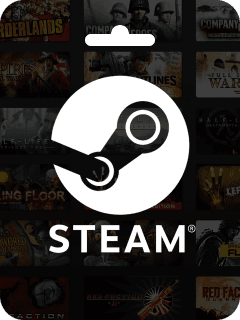
Steam Wallet Code (PLN)
POLAND
BUY NOW619
Total Reviews
4.8
Avg Ratings
Reviews About Steam Wallet Code (PLN)

Oso
It's quick. The app keeps good records for accounting purposes and the discounts are pretty competitive.

Alberto Togonon
Honest and helpful.

Kanetsu Jesus_Rey
They do everything really well, fast and reliable. From browsing the products to the payment methods, the whole layout puts them well ahead of others because it prevents a lot of mistakes.

Muksal Mina
Trustworthy.

Octavine Bouka
I'm very satisfied with this app for topping up Poppo coins. The prices are very attractive and I feel safe at the moment of purchase. I highly recommend it to everyone, thank you.

Ella Clark
Got my PUBG Mobile UC credited in under two minutes! Great prices and secure payments. I've used them for months with zero issues. Highly recommend.

Prime Divas
Very good service.

Rosaria Queta
Very good app, it makes buying currency much easier for us.

Wassim Hawaji
Very good, this site.

Sebastian Maravilla
Excellent app.
Related Products
What you should know about recharge Steam Wallet Code (PLN)
1. How do I make a purchase on your platform?
To make a purchase, simply log in to your account, choose the service or product you'd like to buy, and follow the checkout process. You can complete the payment using the available payment methods
2. Can I pay with crypto?
Yes. We accept Bitcoin, ETH, USDT and other major cryptocurrencies with instant confirmation.
3. Is it safe to make payments on your platform?
Yes, we use industry-standard encryption to ensure that all transactions are secure. Your personal and payment information is protected at all times.
4. Can I cancel or refund my purchase?
Once a purchase is made, it is generally non-refundable. However, if there is an issue with your order, please contact our customer support team, and we'll assist you as best we can.
5. How do I redeem my purchase after I complete payment?
After completing your purchase, you'll receive instructions on how to redeem the product via email or directly on the platform. Make sure to check your account or inbox for the redemption details.
6. I didn't receive my purchased item. What should I do?
If you have not received your purchased item, please check your account and email for the redemption details. If it’s still missing, contact our customer support team with your order details, and we\'ll resolve the issue promptly.