

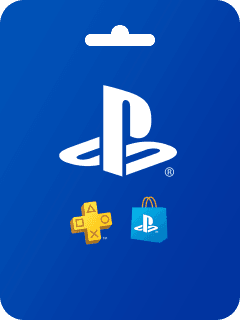
PlayStation Network Card (TW)
TAIWAN
BUY NOW1,142
Total Reviews
4.7
Avg Ratings
Reviews About PlayStation Network Card (TW)

Samsung As G
My experience here is great. Easy to top up and I've never had a delay. The service is excellent. Keep it up.

Viegas M.
It's the best and cheapest, fast and very secure for recharging accounts. When I made a mistake on an old ID, Anna fixed it fast and recharged the right one.

Dustin Wesley
Great service and pretty good prices. I'll definitely use it again.

Mohammad
Good service.

馮時
I've been recharging here a long time and have spent over $20k, but there are never any discounts or special offers. Other platforms give coupons or cashback. It's disappointing not to see any rewards for loyal customers.

Hlaine Aykari Phyoe
Please help me, I need PUBG Global UC.

Di
Purchasing is easy, just click and pay. I love that there's a QR code option so you don't have to link your bank.

Luna Lee
Topped up for Identity V and Blood Strike with no problem. Only 4 stars because the payment page glitched once, but support fixed it super quickly. Great prices and game selection!

Timan Aisa
I like it very much, it's so fast. My failed top-up was solved, thank you so much.

Rethabile Jinx
The prices are more affordable than buying directly inside the Poppo app.
Related Products
What you should know about recharge PlayStation Network Card (TW)
1. How do I make a purchase on your platform?
To make a purchase, simply log in to your account, choose the service or product you'd like to buy, and follow the checkout process. You can complete the payment using the available payment methods
2. Can I pay with crypto?
Yes. We accept Bitcoin, ETH, USDT and other major cryptocurrencies with instant confirmation.
3. Is it safe to make payments on your platform?
Yes, we use industry-standard encryption to ensure that all transactions are secure. Your personal and payment information is protected at all times.
4. Can I cancel or refund my purchase?
Once a purchase is made, it is generally non-refundable. However, if there is an issue with your order, please contact our customer support team, and we'll assist you as best we can.
5. How do I redeem my purchase after I complete payment?
After completing your purchase, you'll receive instructions on how to redeem the product via email or directly on the platform. Make sure to check your account or inbox for the redemption details.
6. I didn't receive my purchased item. What should I do?
If you have not received your purchased item, please check your account and email for the redemption details. If it’s still missing, contact our customer support team with your order details, and we\'ll resolve the issue promptly.