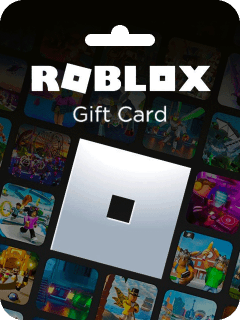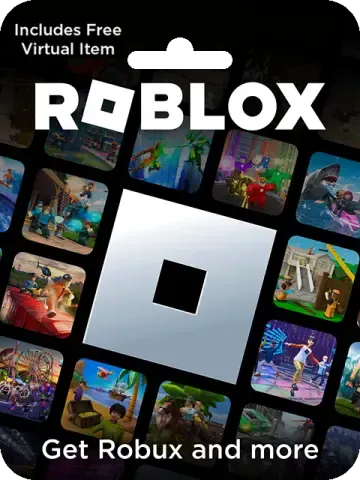





Roblox Gift Card US Top Up: Instant Robux & Digital Credit
A Roblox Gift Card US provides an easy, secure way to load balance directly to your Roblox account. Redeeming a United States dollar (USD) digital voucher gives you Roblox Credit, which you can spend on Robux or Roblox Premium memberships. Purchasing a digital code ensures you never need to share sensitive account login details or link a credit card directly to your gaming profile.
On BitTopup, you can select your preferred USD denomination and receive an official digital code immediately after payment. Use your digital code to customize your avatar with exclusive accessories, purchase access to game passes, or subscribe to monthly Premium tiers.
Available Roblox Gift Card US Denominations and Robux Conversion Rates in 2026
When you redeem a US Roblox voucher, the balance is deposited as USD Roblox Credit. You can keep the credit to purchase Roblox Premium or convert the full balance directly into Robux at standard 2026 conversion rates.
| Denomination (USD) | Standard Robux Yield | Roblox Premium Eligible | Bonus Virtual Item Included |
|---|---|---|---|
| $10.00 | 800 Robux | Yes | Yes (Monthly Exclusive Item) |
| $15.00 | 1,200 Robux | Yes | Yes (Monthly Exclusive Item) |
| $25.00 | 2,000 Robux | Yes | Yes (Monthly Exclusive Item) |
| $50.00 | 4,500 Robux | Yes | Yes (Monthly Exclusive Item) |
| $100.00 | 10,000 Robux | Yes | Yes (Monthly Exclusive Item) |
Note: Exact live pricing and denomination availability are shown on the BitTopup checkout screen.
Step-by-Step Guide: How to Redeem a Roblox Gift Card US Online
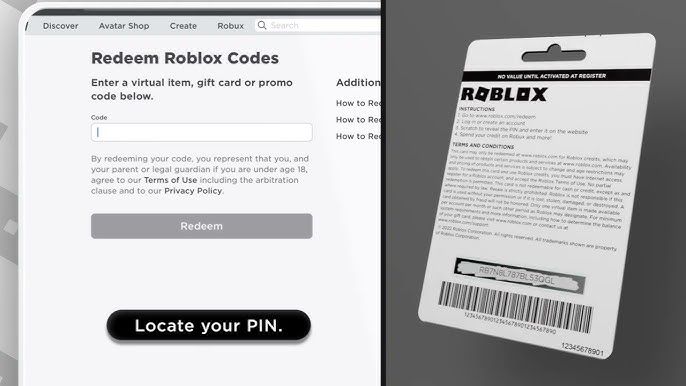
Roblox gift card codes must be redeemed through an internet browser. The Roblox mobile app and console apps do not support digital code redemption directly.
- Open your web browser on a PC, Mac, or mobile device and go to
roblox.com/redeem. - Log in to the Roblox account where you want the credit applied.
- Locate the digital code provided in your BitTopup order confirmation.
- Enter the code into the Code field on the webpage.
- Click Redeem.
- A success message will appear showing your added Roblox Credit balance.
- Select Convert to Robux to immediately turn your balance into Robux, or leave it as credit for a Roblox Premium subscription.
Locating Your Account Details and Roblox UID
Before redeeming your code, ensure you are logged into the correct Roblox account in your browser so the funds are applied to the right profile.
How to Check Your Account and User ID (UID):
- Log in to
roblox.comin your web browser. - Click on your profile picture or username in the top-right corner to open your Profile page.
- Look at the address bar of your browser. The URL appears as:
https://www.roblox.com/users/123456789/profile - The numeric sequence in the URL is your unique Roblox User ID (UID).
- Verify that the displayed avatar and username match the intended recipient profile before redeeming your voucher.
US Region Lock and Currency Compatibility Guidelines
Roblox enforces geographic and currency restrictions on digital gift cards:
- Currency Match: Roblox Gift Card US codes are denominated strictly in US Dollars (USD). They are intended for Roblox accounts that have their location set to the United States and use USD as their primary account currency.
- Cross-Region Use: If your Roblox account is set to a different country or non-USD currency (such as EUR, GBP, or BRL), Roblox may reject the code during redemption or display a currency mismatch error.
- Account Location: Make sure your account region is configured properly in your Roblox Account Settings under Account Info prior to redeeming US digital vouchers.
Robux vs Roblox Premium: How to Spend Your US Roblox Credit
Once your Roblox Credit is added to your account, you have two primary options for spending it:
1. Direct Robux Conversion
You can convert the entire dollar value into Robux in a single click. This provides an immediate lump sum of in-game currency that you can spend on avatar cosmetics, animations, developer products, private servers, and paid access experiences.
2. Roblox Premium Membership
Roblox Credit can pay for monthly Roblox Premium subscriptions. Premium grants a monthly Robux allowance, a 10% bonus on all additional Robux purchases, access to avatar item trading, and exclusive store discounts.
- Premium 450 ($4.99/month): Provides 450 Robux every month.
- Premium 1000 ($9.99/month): Provides 1,000 Robux every month.
- Premium 2200 ($19.99/month): Provides 2,200 Robux every month.
Troubleshooting Common Roblox Digital Voucher Redemption Errors
If you encounter an issue when entering your digital PIN, review these common troubleshooting steps:
- Code Already Redeemed: Refresh your browser and check your account balance under Settings > Billing. If the balance updated, the code processed successfully.
- Invalid Code Error: Verify that characters were entered correctly. Common mistakes include confusing the number
0with the letterO, or the number1with capitalI. - Currency / Region Mismatch: Ensure your Roblox account region matches the US/USD card denomination. Digital US cards cannot be redeemed on accounts locked to specific non-USD regional currencies.
- In-App Redemption Attempt: You cannot redeem digital gift card PINs inside the Roblox mobile application or console client. Use a desktop or mobile browser to visit
roblox.com/redeem.
Safe and Instant Digital Delivery on BitTopup
BitTopup provides a streamlined, secure checkout process for Roblox digital cards:
- Zero Password Requirement: You only receive a digital redeem code. We never ask for your Roblox password, account credentials, or direct login access.
- Instant Code Retrieval: Your voucher code is generated directly on your order screen and sent to your email immediately upon successful payment.
- Clear Pricing: Review current rates directly on our live checkout screen with full transparency.
- 24/7 Dedicated Support: Our customer support team is available around the clock to answer order questions and guide you through redemption.
Frequently Asked Questions
How do I redeem a Roblox Gift Card US digital code?
Visit roblox.com/redeem in a web browser, log in to your Roblox account, paste your digital code into the text field, and click Redeem.
Can I use a US Roblox Gift Card in another country or on a non-USD account?
US Roblox Gift Cards are denominated in USD and require a Roblox account configured for the United States region with USD currency settings. Accounts set to other currencies may experience redemption restrictions.
How much Robux does a $25 Roblox gift card give in 2026?
A $25 USD Roblox Gift Card gives 2,000 Robux when converted directly, along with the active monthly bonus virtual item.
Can Roblox gift cards be redeemed directly in the Roblox mobile app?
No. Roblox gift cards cannot be redeemed inside the Roblox mobile, tablet, or console applications. You must use an internet browser to visit roblox.com/redeem.
How do I check my remaining Roblox credit balance after redemption?
Log in to your account on roblox.com, click the Gear icon in the upper-right corner, open Settings, and select Billing. Your available credit balance appears under Roblox Credit.
Do Roblox Gift Card US digital codes expire?
No. Unredeemed Roblox digital gift card codes do not have an expiration date. However, we recommend redeeming your code promptly to enjoy your balance right away.
Do I need to share my Roblox account password to buy a gift card on BitTopup?
No. BitTopup only delivers an official digital code. You never need to share your account password, email credentials, or two-factor authentication details.