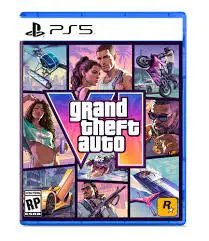


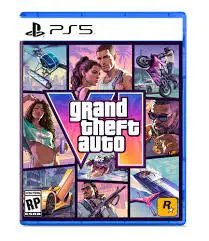

Grand Theft Auto VI PlayStation 5 HK Digital Key Top Up & Product Overview
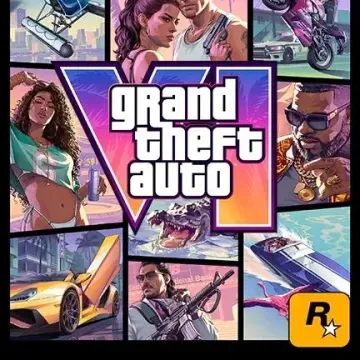
Grand Theft Auto VI brings players back to the neon-lit streets of Vice City and the state of Leonida in 2026. The title features a dual-protagonist story following Lucia and Jason through a criminal underworld built from the ground up for current-generation hardware.
When you purchase a Grand Theft Auto VI PlayStation 5 HK Digital Key, you receive a valid 12-digit digital voucher code designed specifically for the Hong Kong PlayStation Store. This digital code gives you full access to pre-load, download, and play the digital edition of GTA 6 directly on your PlayStation 5 console without needing a physical disc.
Prices for digital editions vary depending on the package. To see the most up-to-date pricing and available packages, check the live checkout selection on BitTopup.
PS5 & PS5 Pro Enhanced Features in Vice City
Grand Theft Auto VI is built natively for modern PlayStation hardware, pushing the limits of the console's architecture.
- Ray-Traced Reflections and Global Illumination: Vice City's waterways, wet asphalt, and towering glass skyscrapers utilize hardware-accelerated ray tracing to deliver lifelike lighting at all times of day.
- DualSense Wireless Controller Integration: Feel dynamic terrain resistance through adaptive triggers during high-speed getaways, and experience granular haptic feedback during shootouts and weather storms.
- Ultra-Fast SSD Pre-Loading & Instant Respawn: Dense open-world streaming eliminates loading screens when entering buildings, shifting districts, or switching between characters.
- Tempest 3D AudioTech: Pinpoint police sirens, coastal air traffic, and crowded street chatter with positional audio.
- PS5 Pro Enhanced Performance (2026): Players on PS5 Pro can access higher fidelity modes with advanced ray tracing features, sharper image scaling, and stable 60 FPS output across dense urban zones.
Grand Theft Auto VI Pre-Order Bonuses & GTA+ Inclusions
Pre-ordering or purchasing your digital key grants access to exclusive launch bonuses registered to your Hong Kong PSN account.
| Feature / Content | Standard Digital Edition | Pre-Order Digital Bundle | GTA+ Member Inclusions (PS5) |
|---|---|---|---|
| Full GTA VI PS5 Game | Included | Included | Included |
| Day-One Pre-Load Access | Included | Included | Included |
| Vice City Starter Pack | Optional DLC | Included | Included |
| In-Game Cash Bonus | Standard | HKD In-Game Bonus | Monthly GTA$ Drops |
| Exclusive Vehicle Skin | Not Included | Pre-Order Exclusive | Exclusive GTA+ Livery |
| GTA+ 1-Month Access | Sold Separately | Select Bundles | Included for active subscribers |
Note: Exact bonus allocations reflect current 2026 PlayStation Store Hong Kong promotional terms.
Step-by-Step Guide: How to Redeem Your Digital Key on HK PlayStation Store
Redeeming your digital key is straightforward. You can activate your code directly on your console or through a web browser.
Method 1: On Your PlayStation 5 Console
- Turn on your PS5 and log into your Hong Kong (HK) PlayStation Network account.
- Navigate to the top menu and select the PlayStation Store icon.
- Scroll to the top right corner, select the three dots (...) next to the search icon, and click Redeem Code.
- Carefully enter your 12-character digital code received from BitTopup.
- Select Redeem to confirm the product. Grand Theft Auto VI will be added to your Game Library.
- Select Download or Pre-Load to begin installing the game.
Method 2: Via Web Browser or PlayStation App
- Open your browser and go to the official PlayStation Store website, or open the PS App on iOS/Android.
- Sign in to your Hong Kong PSN account.
- Click on your profile avatar at the top right of the screen.
- Select Redeem Code from the drop-down menu.
- Type your 12-digit code and click Next > Confirm.
Hong Kong PSN Account Region Matching & Finding Your Account Details
PlayStation Network digital game keys and wallet codes are strictly region-locked. A Hong Kong (HK) digital key can only be activated on a PSN account set to the Hong Kong region.
Before redeeming your digital voucher, verify that your active profile is configured for Hong Kong.
How to Verify Your PSN Account Region:
- On your PS5, go to Settings (gear icon) > Users and Accounts.
- Select Account > Account Details or Payment and Subscriptions.
- Look at your registered address or the default currency displayed in the PlayStation Store. It must display HK$ (Hong Kong Dollars).
- If your main account is registered in a different region (such as the US, UK, or Japan), you can create a new user profile on your PS5, select Hong Kong as your country/region during setup, and redeem the code on that profile. Enabling Console Sharing and Offline Play will allow your main profile on the same console to play the game.
Troubleshooting Code Activation and Wallet Balance Issues on PS5
If you encounter an error when entering your voucher code, review these common error codes and solutions:
- Error WS-45485-6 or WC-40371-5 (Invalid Region / Code): This error indicates that the code entered does not match your account's region. Confirm that your PSN account country is set to Hong Kong. Codes cannot cross-redeem across regions.
- Error WC-40376-0 (Code Already Used): Double-check your Game Library under Collection to see if GTA 6 is already registered to your account. If not, verify that the code was typed correctly without extra spaces.
- Error WS-116110-3 (PlayStation Network Maintenance): The PSN service is experiencing temporary network traffic. Wait a few minutes and re-enter the code.
- Direct Game Voucher vs. HKD PSN Wallet Code: If you received an HKD wallet top-up code instead of a direct game entitlement key, redeem the code in the PlayStation Store to add funds to your account balance, then search for Grand Theft Auto VI in the store and complete the purchase using your wallet balance.
Safe & Fast Digital Code Delivery on BitTopup
Ordering your GTA 6 PS5 HK digital key through BitTopup gives you immediate, secure access to your game without security risks:
- Zero Account Sharing: We never ask for your PSN email, password, or two-factor authentication codes. You receive a clean digital code to redeem yourself.
- Instant Digital Delivery: Your code is generated and displayed on your screen and order history right after payment confirmation.
- Verified Hong Kong Keys: Every code is sourced to guarantee validity on the Hong Kong PlayStation Store.
- Dedicated 24/7 Support: If you need assistance verifying your region or redeeming your voucher, our support team is available around the clock.
Frequently Asked Questions
Can I redeem a Hong Kong (HK) PS5 digital key on a US or EU PSN account?
No. PlayStation voucher codes are region-locked. An HK digital code can only be activated on a Hong Kong PSN account. If your primary account is US or EU, you must create a secondary Hong Kong PSN account on your console to redeem the game, then share access across your console.
How much does Grand Theft Auto VI cost on the PlayStation 5 Hong Kong Store?
Pricing depends on the edition selected (Standard, Deluxe, or pre-order bundles). Because prices fluctuate and promotions update periodically, please refer to the current checkout pricing shown on BitTopup.
How do I redeem my GTA 6 PS5 digital code on the console?
Go to the PlayStation Store on your PS5, select the three dots (...) icon in the upper right corner, choose Redeem Code, enter your 12-digit code, and select Confirm. The game will immediately appear in your Game Library ready for download.
Does the GTA VI PS5 HK pre-order include the 1-month GTA+ bonus?
Selected pre-order packages and promotional editions include introductory GTA+ trial perks for PS5 users. Check the specific package details on the BitTopup product page before checkout to see what bonus items are bundled with your key.
Is Grand Theft Auto VI playable on PlayStation 4 consoles?
No. Grand Theft Auto VI is developed exclusively for current-generation hardware and is only playable on PlayStation 5, PlayStation 5 Digital Edition, and PlayStation 5 Pro. It is not compatible with PlayStation 4.
When will I receive my GTA 6 PS5 HK digital key after checkout?
Your digital voucher code is sent immediately upon successful payment verification. You can view the code directly in your BitTopup user dashboard and via your order confirmation notification.