

Gimme Top Up: In-App Coins for Live Video Chat
Gimme is a global live video chat and social streaming mobile application that connects creators, streamers, and viewers around the world. Unlike unrelated retail, fashion, or food delivery brands that share similar names, the Gimme live streaming platform is dedicated exclusively to real-time interactive entertainment, 1-on-1 private video calls, and dynamic social discovery.
Inside the Gimme app, coins serve as the central virtual currency. When you buy Gimme coins, you gain direct access to interactive features across the platform:
- Virtual Gifts: Support your favorite broadcasters by sending interactive animated gifts during live streams.
- 1-on-1 Video Calls: Initiate private, real-time video chats with verified hosts.
- Direct Messaging: Send priority text and media messages to connect with creators outside open broadcast rooms.
- Profile Badges & Entrance Effects: Stand out in crowded rooms with special visual perks and supporter rankings.
Completing a Gimme recharge on BitTopup allows you to top up your coin balance directly without linking personal social logins or credit cards to the mobile application.
How to Recharge Gimme Coins Online
Recharging your Gimme account on BitTopup takes only a few quick steps. Follow this guide to top up your balance:
- Select Your Package: Review the available Gimme coin packages listed above and choose the denomination that suits your interactive needs.
- Enter Your Account Information: Type your numerical Gimme Player ID into the required account field. Double-check the digits to ensure direct delivery.
- Proceed to Checkout: Review your selected package and order summary.
- Choose a Payment Method: Pick from the list of available international and regional payment options displayed on the live checkout screen.
- Complete the Order: Finalize the payment. Once confirmed, the system processes your order and credits the coins directly to your Gimme account.
- Verify In-App Balance: Open your Gimme app to confirm your new coin total before joining your next live room.
How to Find Your Gimme Player ID
To ensure your coins reach the correct account, you must provide your exact Gimme Player ID (also referred to as your UID). Finding your ID takes only seconds inside the mobile app:
- Launch the Gimme app on your mobile device.
- Tap the Profile or Me icon located in the bottom-right corner of the main screen.
- Look directly underneath your profile avatar and nickname.
- Locate the numerical string labeled ID or UID (for example:
ID: 98765432). - Tap the copy icon next to the number or write it down carefully.
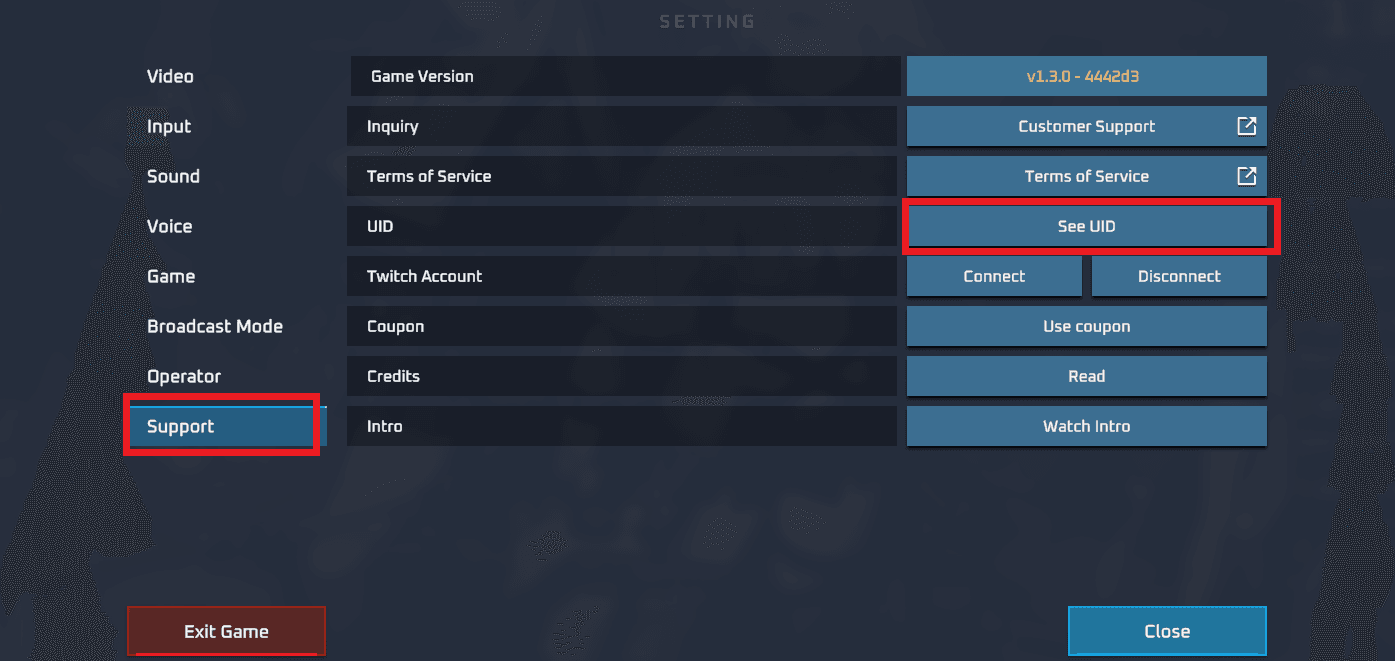
Paste this number directly into the Player ID input field on BitTopup when placing your order.
Gimme Coin Features & Recharge Specifications
| Feature | Details |
|---|---|
| Application Type | Live Video Chat & Social Discovery |
| In-App Currency | Gimme Coins |
| Required Account Info | Player ID (UID) Only |
| Password Required? | No — Never provide account passwords |
| Delivery Method | Direct In-App UID Top-Up |
| Primary Uses | Virtual gifting, private video calls, messaging, VIP room access |
| Service Area | Global |
Why Choose BitTopup for Your Gimme App Recharge
BitTopup provides a straightforward, secure way to purchase in-app currency for social live streaming applications. Key advantages include:
- Player ID Only Top-Up: You never have to share login credentials, passwords, or linked phone numbers. Entering your Player ID is all that is required.
- Transparent Live Checkout: Package prices, local currency conversions, and available payment methods are clearly shown during checkout with zero hidden costs.
- Diverse Payment Methods: Access a broad selection of global and localized payment channels tailored to your region.
- Global Accessibility: Whether you interact with hosts locally or connect internationally, BitTopup supports accounts worldwide.
- Dedicated Customer Service: If you have questions regarding your order status, our support team is available to assist you promptly.
Security & Privacy: Player ID Only Top-Up Without Password Sharing
Account safety is essential when purchasing digital goods online. BitTopup uses direct ID-based processing for all Gimme recharges. This brings critical security advantages:
- Zero Password Risk: You will never be asked for your Gimme login password, Facebook credentials, Google login, or SMS verification codes.
- Protection Against Account Takeover: Because your login credentials stay private, your account cannot be compromised through third-party top-ups.
- Safe Gifting for Friends: Because only a Player ID is needed, you can surprise your favorite creators or friends by topping up their accounts directly without needing access to their phones.
Always protect your account by never sharing your login details or one-time verification passwords with anyone.
Gimme Recharge Troubleshooting and Support
In rare situations where your coin balance does not update immediately after completing payment, use the following steps to resolve the issue:
- Restart the App: Completely close the Gimme mobile application from your background apps and open it again to force a server refresh.
- Check App Network Connection: Switch between Wi-Fi and mobile data to ensure your app connects cleanly to the live server.
- Verify the Submitted ID: Check your BitTopup order confirmation email to ensure the Player ID entered matches your in-app profile ID.
- Review Payment Status: Ensure your payment went through successfully on your chosen payment gateway.
- Contact Support: If your balance still does not update after a short waiting period, contact the BitTopup customer support team with your order number and Player ID for rapid assistance.
Frequently Asked Questions
How do I recharge coins on the Gimme app?
Select your preferred coin package on BitTopup, input your Gimme Player ID, choose your payment method at checkout, and complete the payment. Your coins are credited directly to your in-app account.
Where can I find my Gimme Player ID?
Open the Gimme app, go to the Profile or Me section in the bottom navigation bar, and look below your profile picture. Your numeric ID is displayed next to the copy icon.
Do I need to share my Gimme login password to top up?
No. BitTopup only requires your numerical Gimme Player ID. We will never ask for your password, social login details, or SMS verification codes.
Can I recharge Gimme coins for a friend using their Player ID?
Yes. Enter your friend's Gimme Player ID instead of your own during checkout. Once payment is completed, the coins will be delivered directly to their account.
What payment methods can I use to buy Gimme recharge?
BitTopup offers multiple international and localized payment options. Available payment methods for your country are displayed directly on the live checkout screen.
What should I do if my Gimme coins do not appear after purchase?
First, restart the Gimme app to refresh your account data. If the balance remains unchanged, check your payment confirmation and contact BitTopup support with your order number and Player ID.