


Flux Heroes Steam Key Top Up: Instant PC Game Access
Acquiring your official PC activation code through a Flux Heroes Steam Key top up gives you direct access to full beat 'em up combat directly inside your Steam client. BitTopup delivers genuine digital activation keys on-screen immediately after checkout and sends a backup copy to your email address. You do not need to share your Steam account password or grant account management permissions to purchase or activate your game.
Every key listed on BitTopup is verified for platform compatibility, providing complete access to the base game, future developer game updates, community workshop features, and official online multiplayer lobbies.
About Flux Heroes: Beat 'Em Up Action and Combo Mechanics
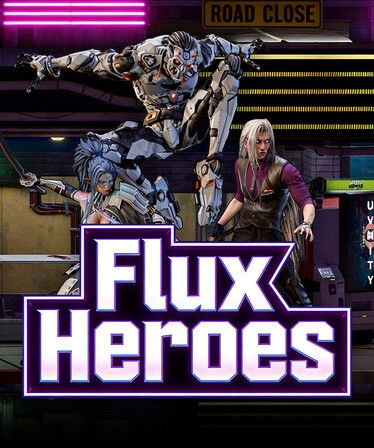
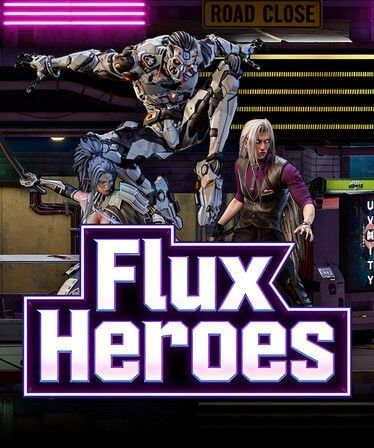
Flux Heroes combines classic side-scrolling brawler gameplay with modern fighting game mechanics. Players take control of distinct characters featuring unique energy meters, cancelable combos, and reactive defensive moves.
Core Combat Systems
- Flux Gauge Management: Offensive strikes and well-timed parries build the Flux meter. Spending meter stocks lets you break enemy super armor, extend air juggles, and trigger cinematic screen-clearing EX attacks.
- Cancel Windows and Juggle States: Chain light attacks into command normals, cancel into special moves, and bounce opponents off walls to sustain high-damage sequences.
- Co-Op Synergies: Team up locally or through Steam Remote Play to execute dual-character assist attacks and balance team resources during intense boss encounters.
- Environmental Hazards: Pick up weapons, smash through destructible terrain, and throw interactive stage objects into enemy clusters for tactical crowd control.
How to Recharge and Buy Flux Heroes Steam Key on BitTopup
Ordering your digital code on BitTopup takes only a few minutes:
- Select the Flux Heroes Steam Key product page on BitTopup.
- Verify the product edition and region tag (GLOBAL or designated local region).
- Enter your active email address to receive your purchase invoice and digital key backup.
- Choose your preferred secure payment method at checkout.
- Confirm your payment to display your 15-digit or 25-digit Steam activation code on your order confirmation screen.
Prices and local currency options are displayed directly on the live checkout page.
How to Find Your Steam Account Details and Prepare for Activation
Because BitTopup provides direct digital key activation, you do not need to submit your Steam login details during purchase. You only need your personal Steam account ready on your PC to redeem the code.
If you need to verify your Steam account identity or confirm that you are logged into the correct profile on your PC:1. Open the Steam desktop application.2. Click your profile name in the top right corner and select Account details.3. Your Steam ID (Account ID) is visible beneath your profile display name at the top of the page.4. Make sure this is the personal library account where you want the game registered permanently.
Step-by-Step Steam Key Activation Guide on PC
Follow these steps to redeem your Flux Heroes Steam activation code into your permanent Steam library:
- Launch the Steam Client on your PC and log into your account.
- In the top navigation toolbar, click on the Games menu.
- Select Activate a Product on Steam... from the dropdown options.
- Click Next on the product activation prompt and choose I Agree to accept the Steam Subscriber Agreement.
- Paste or type your key exactly as received into the Product Code box.
- Click Next. Steam will validate the key and attach Flux Heroes to your library.
- Click Finish, then locate the game in your Library tab and select Install.
Region Compatibility and Global Edition Differences for 2026
Before finalizing your purchase, confirm that your Steam store country matches the key's region setting. Digital Steam keys carry specific territory restrictions assigned by digital publishers.
| Key Region Tag | Account Compatibility | Activation Limitations | Crossplay & Updates |
|---|---|---|---|
| GLOBAL | All Steam Store Regions | Activates worldwide without territory blocks | Full access to global patches and servers |
| Regional (e.g., NA/EU/ASIA) | Only matching country/currency accounts | Blocked if account region does not match key region | Identical gameplay features once activated |
Global keys purchased on BitTopup function across any standard Steam account regardless of your geographical location in 2026.
Minimum and Recommended PC System Requirements
Check your hardware setup against the required hardware specifications to ensure stable frame rates and responsive controller input:
| Specification | Minimum Requirements | Recommended Requirements |
|---|---|---|
| Operating System | Windows 10 (64-bit) | Windows 10 / Windows 11 (64-bit) |
| Processor (CPU) | Intel Core i3-4160 / AMD FX-6300 | Intel Core i5-8400 / AMD Ryzen 5 2600 |
| Memory (RAM) | 8 GB RAM | 16 GB RAM |
| Graphics (GPU) | NVIDIA GeForce GTX 750 Ti / AMD Radeon R7 260X | NVIDIA GeForce GTX 1060 (6GB) / AMD Radeon RX 580 |
| DirectX | Version 11 | Version 12 |
| Storage | 15 GB available space | 15 GB SSD available space |
| Peripherals | Keyboard & Mouse | XInput-compatible Gamepad / Arcade Stick |
Key Delivery Safety and Troubleshooting Activation Issues
Account Security Practices
BitTopup never requests your Steam account login credentials, Steam Guard mobile authenticator codes, or temporary access passwords. All transactions operate on a pure digital key delivery model. You receive an unused code and manually register it inside your own official Steam desktop application.
Troubleshooting Activation Errors
- Duplicate Product Code: This error indicates the code has already been registered. Verify if the game already appears in your Steam Library list or hidden games collection. If not, contact BitTopup customer support with your order reference number.
- Invalid Product Code: Typos are the most common cause. Check for confusing characters (such as the number
0vs letterO, or number1vs letterI). We recommend copying and pasting the text directly from your BitTopup order dashboard. - Region Restricted / Not Available in Your Region: Your Steam account store setting does not match the regional tag of the key. Confirm your account store region under Account Details or ensure you purchased a GLOBAL key edition.
Frequently Asked Questions
Is it legal and safe to buy Flux Heroes Steam keys online?
Yes. Purchasing legitimate retail game keys from authorized digital sellers is completely legal and complies with standard Steam distribution policies. You receive a genuine activation code that permanently binds the title to your personal Steam account.
How do I activate my Flux Heroes Steam key on Steam?
Open your Steam desktop application, click Games on the top menu bar, select Activate a Product on Steam..., accept the license prompt, enter your activation key in the input box, and confirm.
Where can I get legitimate Steam keys for Flux Heroes in 2026?
You can buy genuine Flux Heroes Steam Keys directly on BitTopup. The platform provides verified product keys with instant digital delivery and customer support for checkout and redemption.
Are Flux Heroes Steam keys region-locked?
It depends on the edition selected during purchase. Keys tagged as GLOBAL activate on Steam accounts worldwide. Keys with specific regional tags only activate on Steam accounts configured to those matching countries.
What should I do if my Steam key is invalid or already redeemed?
First, copy and paste the key directly to avoid typing errors. If the error persists, check your Steam library search bar to see if the game is already installed. If the key remains unaccepted, reach out to BitTopup customer support with your order number for verification.
Do I need to provide my Steam account password to buy a key?
No. BitTopup will never ask for your Steam password, email verification codes, or Steam Guard credentials. You receive the digital code directly on your order screen and apply it yourself inside the official Steam client.