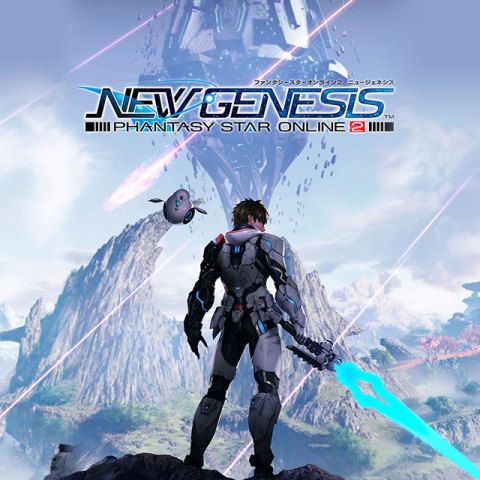



Phantasy Star Online 2 New Genesis AC Exchange Ticket Top Up: Overview and Mechanics
ARKS Cash (AC) serves as the primary premium currency in Phantasy Star Online 2 New Genesis (PSO2 NGS). An AC Exchange Ticket provides players with a direct, reliable method to credit their accounts with ARKS Cash without linking third-party payment methods to their gaming consoles or launcher profiles.
Once an AC Exchange Ticket is credited to your PSO2 NGS profile, the currency activates across your shared account balance on your selected Ship. This allows you to immediately access premium features, obtain AC Scratch Tickets for high-demand cosmetics, unlock extensive inventory expansions, and purchase quality-of-life memberships such as the Premium Set and Material Storage.
Whether you are preparing for new seasonal scratch banners, upgrading your gear augmentation capabilities, or expanding your personal shop merchant capabilities in 2026, topping up your AC Exchange Ticket via BitTopup ensures you never miss time-limited in-game events.
How to Recharge PSO2 NGS AC Exchange Ticket Using Player ID
Recharging your PSO2 New Genesis account on BitTopup is designed to be straightforward and fast. You only need your numeric Player ID to complete the purchase.
- Select Your AC Denomination: Choose the desired AC Exchange Ticket value from the product catalog above.
- Enter Your Account Information: Input your numeric PSO2 New Genesis Player ID into the designated user field.
- Proceed to Checkout: Click the purchase button to view live pricing, available local currencies, and secure payment channels.
- Finalize the Transaction: Complete your payment through your chosen method.
- Track Your Order: Monitor your transaction status in real time through your BitTopup account dashboard.
- Receive ARKS Cash: Log into Phantasy Star Online 2 New Genesis on your preferred platform to access your newly credited ARKS Cash.
How to Find Your Player ID in Phantasy Star Online 2 New Genesis
To ensure your AC Exchange Ticket arrives without delay, you must provide your exact numeric Player ID rather than your Character Name or Player ID Name (handle).
Follow these steps to locate your Player ID in-game:
- Launch Phantasy Star Online 2 New Genesis and select your active Ship to enter the game.
- Open the Main Menu (press
Escon PC, or theOptions/Menubutton on your console controller). - Navigate to the Personal Data or Community tab in the menu bar.
- Select Player Data from the list.
- Your numeric Player ID (an 8-digit numerical code) will be displayed on the profile summary screen.
- Copy or write down this exact number and paste it into the BitTopup checkout field.

Tip: Never confuse your Character Name with your Player ID. Characters can be renamed or deleted, but your numeric Player ID remains permanently tied to your global account balance across all Ships.
What Can You Buy with AC: AC Scratch Tickets, Shop Items, and Premium Sets
ARKS Cash unlocks the complete cosmetic, economic, and convenience ecosystem in PSO2 New Genesis. Here is a breakdown of how you can utilize your AC balance effectively:
1. AC Scratch Tickets (Cosmetics, Emotes, & Motions)
AC Scratch Tickets are the main draw for PSO2 NGS players. Each scratch gives you a randomized reward from current fashion collections, including:- Layering Wear: Base wear, set wear, inner wear, and outer wear.- Hairstyles and Accessories: Unique hair designs, face paints, horns, wings, and headpieces.- Motion Changers (Mo): Custom animations for running, dashing, gliding, swimming, and idle poses.- Emotes & Voice Tickets: Expressive character actions and voice packs recorded by voice actors.- Scratch Count Bonuses: Guaranteed high-value tickets and exclusive camos awarded after reaching specific draw milestones.
2. Premium Set Passes
A Premium Set pass (available in 30-day, 60-day, or 90-day durations) provides major game-wide perks:- Full selling access on the Personal Shop to trade items for N-Meseta.- Dedicated Premium Storage holding up to 400 additional items.- Automatic item selling features (Auto-Sell) during combat farming sessions.- Double login rewards and special monthly PSO2 Day bonuses.- A permanent +50% Triboost to EXP, N-Meseta, and Rare Drop Rates.
3. Essential Storage & Quality-of-Life Upgrades
- Material Storage: Automatically routes all gathering minerals, food items, and augment capsules into a separate 2,500-slot container, keeping your primary bag clean.
- Inventory Expansion: Permanently increases your character's carrying capacity up to 100 slots.
- N-Color Change & Salon Passes: Allows unlimited body morphing, cast part recoloring, and aesthetic overhauls inside the Salon.
| AC Usage Category | Primary In-Game Benefit | Recommended Player Type |
|---|---|---|
| AC Scratch Tickets | Layering Wear, Cast Parts, Motion Changers, Emotes | Fashion enthusiasts & cosmetic traders |
| Premium Set Pass | Personal Shop listing rights, +50% Triboost, Auto-Sell | Active grinders & market merchants |
| Material Storage | 2,500 dedicated slots for minerals & capsules | All active players managing crafting materials |
| Inventory Expansions | Permanent +10 bag space increments (up to 100) | Players farming Battledia and Combat Sectors |
| Salon / Color Passes | Complete character recustomization and outfit recolors | Players refining character aesthetics |
Safety and Account Security: Why Player ID Only Top-Up Is 100% Safe
Security is paramount when purchasing digital currencies. BitTopup follows strict account-protection protocols to keep your gaming profile entirely safe:
- Zero Password Requirement: You never share your SEGA ID password, Steam credentials, PlayStation Network login, or Xbox Live account details. Only your public numeric Player ID is needed.
- No Account Sharing: Your account is never accessed by third parties, preventing potential security triggers or unauthorized logins.
- Direct System Delivery: Transactions follow authorized transfer channels directly to your Player ID profile on Global servers.
- Data Privacy: BitTopup uses encrypted communication standards to protect your billing information and transaction records during checkout.
Why Choose BitTopup for PSO2 New Genesis AC Recharge
BitTopup delivers a reliable recharge experience tailored for the global gaming community:
- Competitive Live Rates: Check live pricing directly on the checkout screen with zero hidden transaction costs.
- Broad Global & Local Payment Methods: Pay using major debit and credit cards, digital wallets, and region-specific payment processors.
- Fast Order Processing: Automated systems process your order promptly so you can get your AC and pull on active scratch banners immediately.
- Real-Time Order Tracking: Check your transaction history and delivery stages straight from your user panel.
- Dedicated Support: Customer assistance is available to answer questions regarding your Player ID, order status, or payment queries.
Frequently Asked Questions About PSO2 New Genesis AC Recharge
What is an AC Exchange Ticket in Phantasy Star Online 2 New Genesis?
An AC Exchange Ticket is a redeemable digital item that credits ARKS Cash (AC) directly to your PSO2 New Genesis account balance. ARKS Cash is the primary premium currency used across all Ships to purchase AC Scratch Tickets, Premium Set memberships, Material Storage, and character upgrades.
How do I find my Player ID to recharge PSO2 NGS AC?
Log into the game, open the Main Menu, go to the Personal Data (or Community) tab, and select Player Data. Your 8-digit numeric Player ID will appear on the overview screen. Make sure to input this numerical ID on BitTopup, not your Character Name.
Do I need to share my PSO2 account password to recharge on BitTopup?
No. BitTopup only requires your numeric Player ID. You should never share your password, login credentials, or verification codes with anyone.
How do I use AC to get scratch tickets in Phantasy Star Online 2 New Genesis?
Once your ARKS Cash balance updates, press the Main Menu key in-game, select the Shop tab, and choose AC Scratch Tickets. Pick your desired banner (such as seasonal fashion or motion banners) and select whether to play 1 time (200 AC) or 12 times (2,200 AC).
How long does it take to receive the AC Exchange Ticket after recharge?
Orders are processed through automated fulfillment systems. Under normal conditions, your recharge is credited shortly after payment confirmation. You can monitor the real-time status on your BitTopup order page.
Is PSO2 New Genesis still active and worth playing in 2026?
Yes. Phantasy Star Online 2 New Genesis continues to maintain an active global player base in 2026, featuring regular content updates, Ultra Evolution content, new weapon series, seasonal event quests, and ongoing AC Scratch fashion collaborations across PC, PlayStation, and Xbox platforms.