



Badlanders Top Up: Overview of Bullets and In-Game Currencies
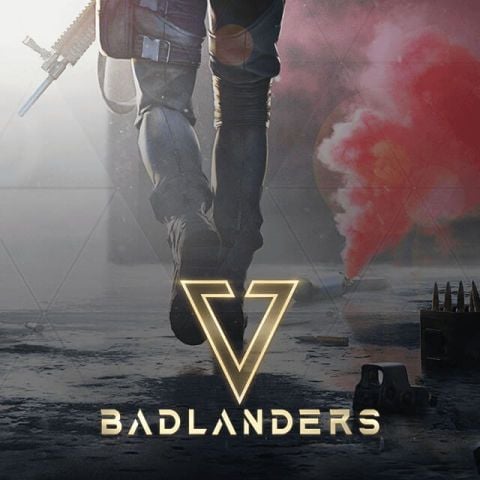
Badlanders drops players into competitive survival-looter arenas where extracting valuable gear is the ultimate goal. Success in the Red Beach sanctuary requires strategic planning, precision weapon handling, and top-tier equipment. To gain access to premium tactical items, season passes, and character customizations, players use the game's premium currency: Bullets.
- Bullets: The primary paid currency in Badlanders. Bullets allow you to purchase high-tier equipment crates, weapon paint jobs, expansion slots, and the premium track of the seasonal battle pass. They can also be exchanged for specific premium events and supply draws.
- Coupons / Cash: In-game functional currencies earned through gameplay, trading on the open market, or extracting loot from the battlefield. While cash buys basic supplies and market listings, Bullets are required for exclusive store bundles and immediate character upgrades.
To maximize your survival rate in 2026, topping up your Bullets balance ensures you have the resources needed to craft advanced loadouts and secure rare blueprint modifications.
How to Recharge Badlanders on BitTopup
Recharging Badlanders on BitTopup takes only a few moments. Follow this straightforward step-by-step guide to credit your account directly via UID:
- Select Your Bullet Pack: Choose the desired amount of Badlanders Bullets from the product list above.
- Enter Your Account Information: Input your Badlanders numeric Account ID and select your current game Server from the dropdown menu.
- Proceed to Payment: Click Buy Now and select your preferred payment method on the checkout screen.
- Confirm Your Order: Review your Account ID details and complete the transaction.
- Receive Your Bullets: Once payment verification is complete, the Bullets will be sent directly to your in-game mailbox or account balance. Launch Badlanders to verify your new balance.
How to Find Your Badlanders Account ID and Server
To ensure your recharge reaches your profile without delay, you need your unique in-game numeric Account ID and Server name. Follow these steps on your mobile device:
- Launch the Badlanders app on your device.
- Tap your Player Avatar / Profile Icon located in the top-left corner of the main lobby screen.
- Open the Basic Info tab.
- Your Account ID (a series of numbers) is displayed beneath your nickname. Tap the copy icon next to your ID to copy it to your clipboard.
- Note your active Server (such as SEA or Global), which is visible on the login screen or within the profile overview.
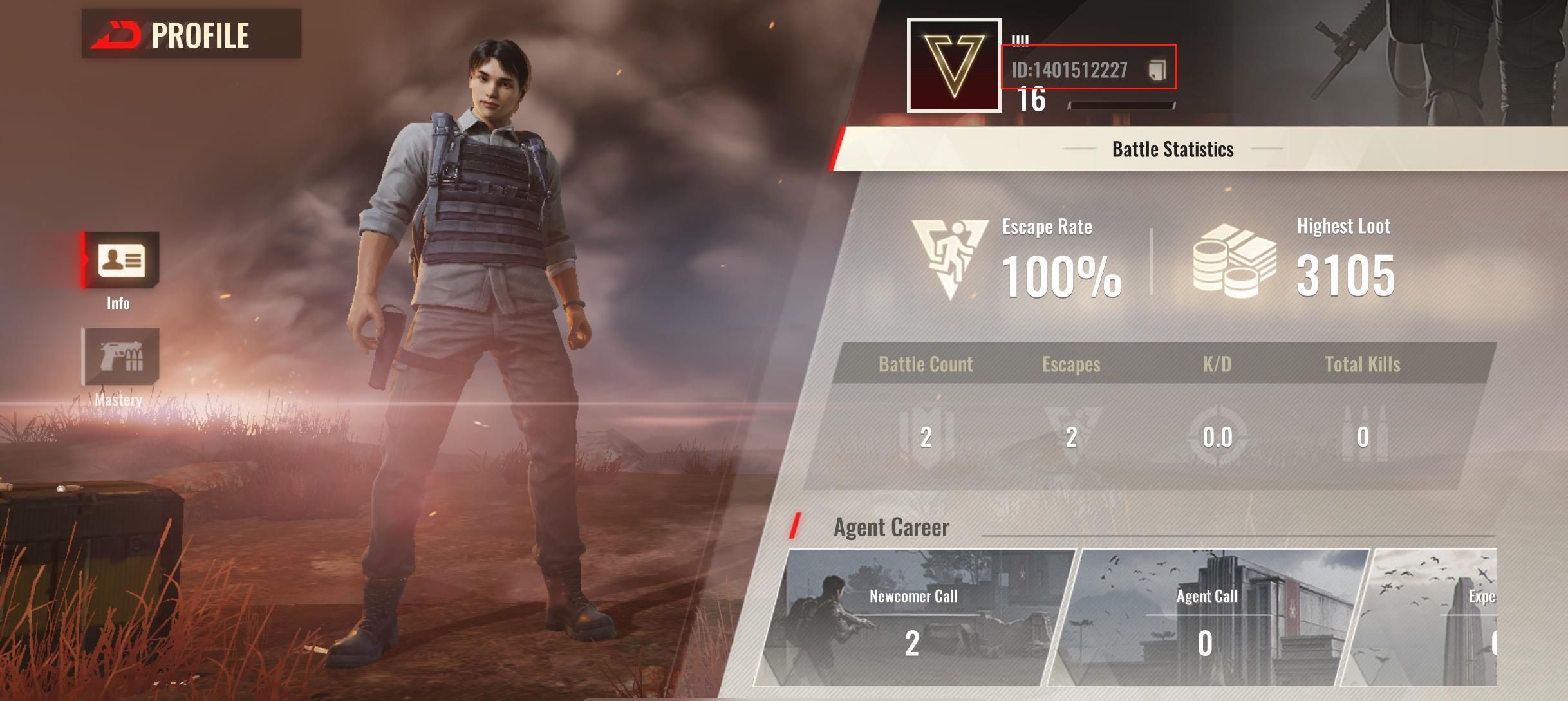
Double-check that both your Account ID and Server match exactly before placing your order on BitTopup.
Badlanders Bullet Pack Sizes and Value Guide
Choosing the right Bullet pack depends on your tactical goals in the arena. Check the table below to see common denominations and how they are typically utilized in-game:
| Bullet Tier | Primary In-Game Usage | Recommended Player Type |
|---|---|---|
| Small Packs (60 – 300 Bullets) | Daily supply boxes, basic cosmetic spins, quick stash expansions | Casual players looking for minor utility boosts |
| Medium Packs (680 – 1,980 Bullets) | Premium Season Pass unlock, exclusive weapon skin sets, blueprint crates | Regular survivors focused on season progression |
| Large Packs (3,280 – 6,480+ Bullets) | High-tier event gachas, elite bundle collections, full armory customization | Competitive squad leaders and serious collectors |
Note: Exact pricing and regional availability are displayed on the live BitTopup checkout interface.
Why Choose Direct UID Top-Up Over P2P Marketplaces
When buying in-game currency, safety and speed are critical. BitTopup uses a direct UID top-up system rather than a peer-to-peer (P2P) marketplace model. Here is why direct UID top-ups offer a superior experience:
- Zero Account Sharing: You never need to hand over your game login, password, or third-party social account credentials. All top-ups process exclusively through your public numeric UID.
- Automated Processing: Unlike P2P platforms that require manual seller communication, escrow confirmations, and waiting on individual vendors, BitTopup processes your transaction through automated systems for minimal turnaround time.
- No Risk of Account Phishing: P2P transactions often carry risks of credential theft or unauthorized account access. UID top-ups eliminate login vulnerabilities completely.
- Guaranteed Crediting: Direct delivery channels reduce the chance of manual seller error or disputed fulfillment, ensuring your Bullets arrive directly to your game server.
Payment Methods Available for Badlanders Top-Up
BitTopup supports a wide variety of global and localized payment channels to make purchasing Badlanders Bullets convenient for players worldwide. Available options include:
- Major International Credit and Debit Cards
- Regional E-Wallets and Digital Wallets
- Local Bank Transfers and Instant Direct Banking Channels
- Country-Specific Prepaid and Online Payment Solutions
All checkout options feature upfront pricing with no hidden platform fees, letting you see the exact total before confirming your payment.
Troubleshooting Badlanders Recharge and Delivery Issues
If your Bullets do not appear in your account immediately after payment, use the following troubleshooting steps:
- Check Your In-Game Mail: Some promotional Bullets or bundle items are delivered directly to your in-game mailbox rather than credited straight to the HUD balance. Open the Mail tab in the main lobby and claim any uncollected rewards.
- Restart the Game Client: Completely close Badlanders from your device's multitasking menu and reopen it. This forces the game to sync your balance with the server database.
- Verify Your UID and Server: Check your BitTopup order confirmation receipt. Ensure that the Account ID and Server entered during checkout match the profile you are logged into.
- Check Payment Processing Status: Log in to your BitTopup account and review the order history to verify that your transaction status shows as completed.
- Contact Support: If the balance has not arrived after 15–30 minutes, contact BitTopup Customer Support with your order number, Badlanders numeric ID, and a screenshot of your in-game profile. Our team is available 24/7 to resolve delivery inquiries.
Frequently Asked Questions
How do I recharge Bullets in Badlanders?
Select your Bullet package on BitTopup, provide your numeric Badlanders Account ID and Server, and complete checkout using your preferred payment method. The currency is sent directly to your game profile.
Where can I find my Badlanders Account ID and Server?
Open Badlanders, tap your avatar in the top-left corner of the lobby screen, and go to the Basic Info tab. Your Account ID is listed under your player name. Your server is visible on the profile screen or main login menu.
Do I need to provide my Badlanders password to top up?
No. BitTopup requires only your public Account ID and Server. You should never share your account password, email login, or verification codes with anyone.
How long does it take for Badlanders Bullets to arrive after recharge?
Most orders are processed automatically within a few minutes after payment confirmation. During peak network times, it may take slightly longer. Restarting your game client helps refresh the balance.
Is Badlanders available on mobile devices in 2026?
Yes, Badlanders remains active and playable on supported iOS and Android mobile devices, featuring regular seasonal updates and community events throughout 2026.
What can I buy with Bullets in Badlanders?
Bullets can be used to unlock the Premium Battle Pass, purchase weapon skins, open supply and tactical crates, acquire character outfits, and buy select blueprint modifications directly from the store.
What should I do if my Badlanders top-up does not appear in my account?
First, check your in-game mail to see if the pack requires manual claiming, and restart the game. If the Bullets still do not appear, verify the UID on your order invoice and contact BitTopup 24/7 customer support with your order ID for immediate assistance.